Open House Flyer Templates: 3 Free Designs (PDF & Word)

Key Takeaways
Three free open house flyer templates (Classic, Modern and Minimal), each as a printable PDF, fillable PDF and Word file, plus what to put on a flyer.
5 min read
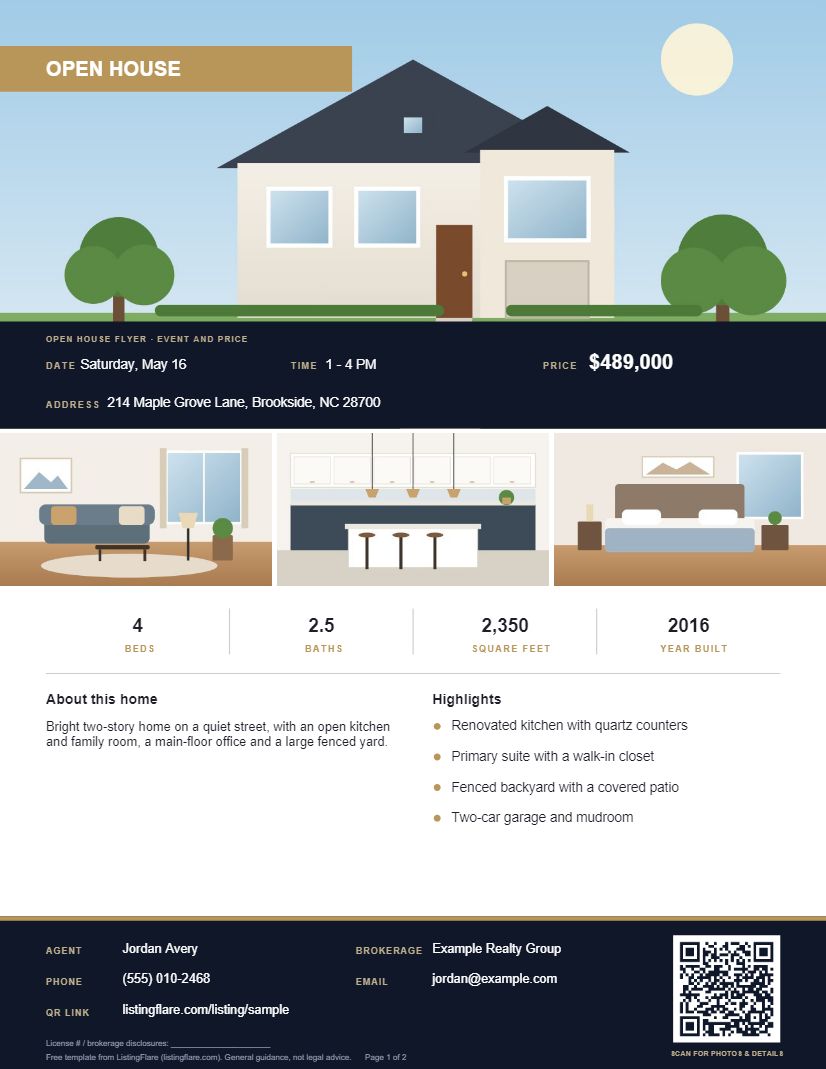
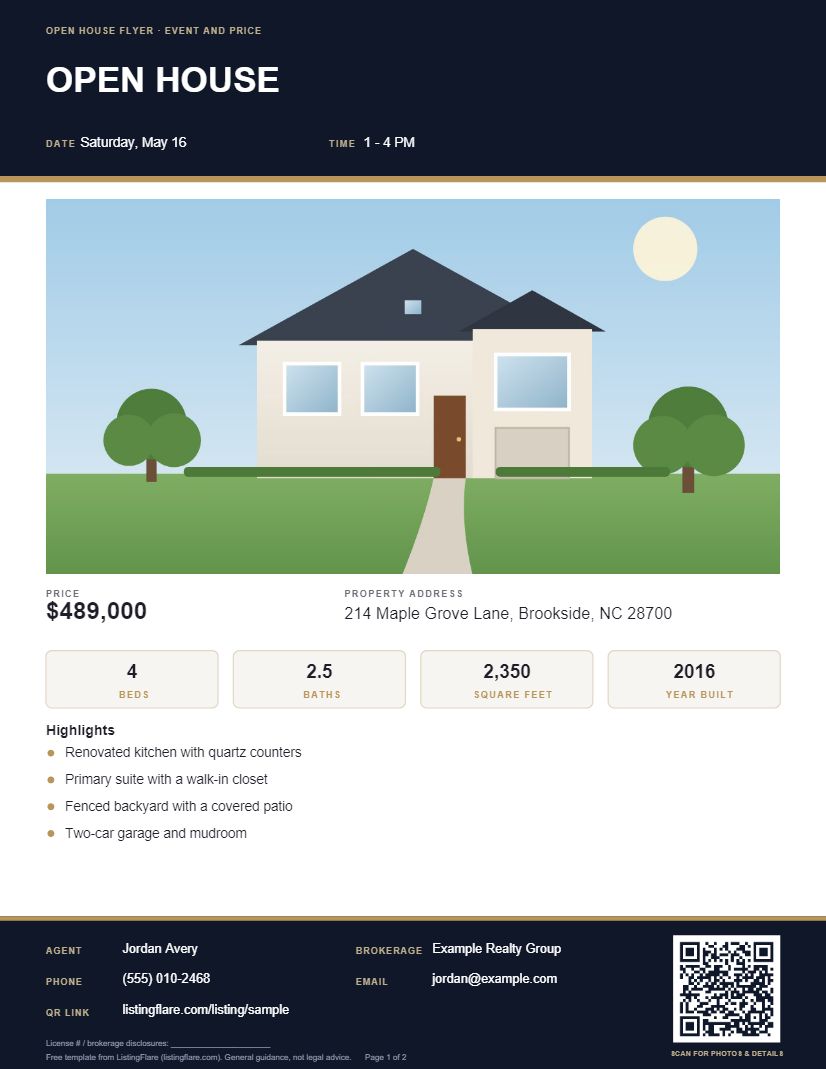
An open house flyer is a one-page handout that tells people when and where the open house is, what the home offers and how to reach you. Pick one of the three designs below. Each has blanks for the event details, price and facts, photos, highlights, a QR code link and your contact details. Download it as a printable PDF, a fillable PDF you type into on screen, or a Word file you can edit, where you can also add your own photo and branding. Change the headline and it works as a property flyer or a just listed flyer too.
Disclosure: we make ListingFlare, which includes an open house flyer generator, mentioned near the end. The template works on its own.
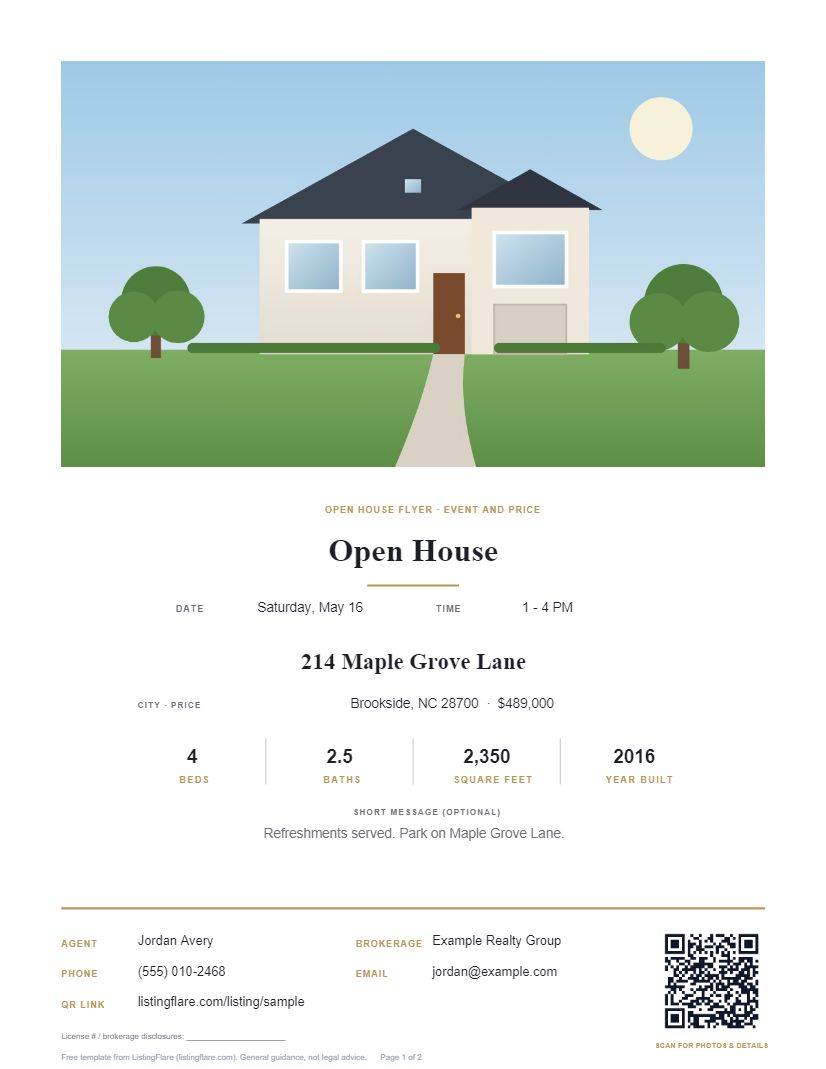
What to Put on an Open House Flyer
| Element | Why it is there |
|---|---|
| Headline, date and time | The first thing a passer-by or neighbor needs to know |
| Property address | So people can find the home and look it up |
| Price and key facts | Beds, baths and square feet let a buyer decide quickly if the home fits |
| One strong photo | Draws the eye and shows the home better than any description |
| Highlights | Three to five specific features, not a wall of text |
| QR code or link | Lets someone holding the paper open more photos and details on a phone |
| Your details and branding | Name, brokerage, phone and email, plus anything your brokerage requires |
How to Fill It In
Event Details
Write the date, start time and end time, and the full address. Read them twice. A wrong time on a printed flyer is the most expensive typo you can make, because you cannot fix it once the flyers are out.
Price and Facts
Copy the price, bedrooms, bathrooms and square footage from the MLS listing so the flyer, the listing and any listing page all agree. Do not round or estimate.
Photo
Use your best exterior or living room photo, in high resolution so it prints sharply. In the Word version, insert it into the photo box. Print one test copy and look at how the photo comes out before you print a stack.
Highlights
List three to five features that are true and specific, such as an updated kitchen, a fenced yard or a finished basement. Describe the property, not the people who might live there.
QR Code
Point the QR code at the page where a visitor can see more photos and details, such as your listing page or the MLS virtual tour. Make a test print and scan it with a phone before you print more. Our guide to yard sign QR codes covers setting one up.
Wording and Rules to Check
- Your brokerage's advertising rules. Many brokerages and states require your brokerage name, a license number or other disclosures on advertising. Check what applies to you before you print.
- Fair housing. Describe the home, not who should live there. Avoid wording that suggests a preference for or against any group.
- Accuracy. Only state what you can verify, and do not promise results or a sale price.
This is general guidance, not legal advice. Your brokerage or state real estate commission is the place to confirm what is required.
Printing and Handing It Out
The template is US Letter size, which most home and office printers handle. Put a stack at the door, and keep a digital copy to send by text, email or social media to anyone who asks. If you collect names at the door, pair the flyer with a sign-in sheet, and see the open house checklist for the rest of the day. After the event, our open house follow-up guide covers what to send and when.
Make the Flyer Faster: Generate It From the Listing
If you make a flyer for every listing, retyping the same details gets old. ListingFlare has an open house flyer generator that builds a printable flyer from a listing's saved details, with three layouts, an editable headline, date and time, and a QR code that opens either the listing page or that listing's open house sign-in page. Read how the open house flyer generator works, or see the live demo or start the 14-day free trial, no credit card needed.
Frequently Asked Questions
What should be on an open house flyer?
The headline, date and time, address, price, key facts such as beds, baths and square feet, one strong photo, a few highlights, a QR code or link for more details, and your contact details and brokerage branding.
Is there a free open house flyer template?
Yes. This page offers three designs (Classic, Modern and Minimal), each as a printable PDF, a fillable PDF and an editable Word file. They are laid out like finished flyers, with blanks for your own details; nothing about the property is prefilled. The previews show fictional details and illustrations.
Can I edit the flyer in Word?
Yes. Use the Word version to change the wording, insert your listing photo and add your brokerage logo before you print.
What size should an open house flyer be?
The template is US Letter, 8.5 by 11 inches, which most printers handle. You can print on regular paper or a heavier stock if you prefer.
Do I need a QR code on the flyer?
No, but it gives someone holding the paper a quick way to open more photos and details on their phone. Test it before you print.
What wording rules apply to a flyer?
Check your brokerage's advertising rules and the requirements in your state, and follow fair housing guidelines by describing the home rather than who should live there. This is general guidance, not legal advice.
Can I use this as a property flyer or just listed flyer template?
Yes. Change the headline from "Open House" to "Just Listed" or the property name, and replace the date and time with the details you want to show. The rest of the template works the same way.