Single property website builder
Single Property Website Builder for Real Estate Agents
ListingFlare is a real estate website builder made for one job: giving each of your listings its own branded single property website. Add the property details and photos, publish, and share one link with buyers, sellers and your social audience. Every inquiry goes to you, not to a portal.
- A separate branded page for every listing
- Your name, headshot, brokerage and contact info on every page
- Photo gallery, video uploads and virtual tour embeds (Matterport, Kuula, 360)
- Mobile-friendly layouts with a share link
- Mortgage calculator and neighborhood info on the page
- Unlimited listings on one flat plan
Why give each listing its own single property website
On a portal such as Zillow, your listing sits beside other agents' ads and buyer inquiries can be routed to someone else. A single-property website puts one home, one agent and one contact path on the page.
It also gives you something concrete to show a seller at a listing presentation: here is the page your home will have, and here is where your leads will land.
What is on a ListingFlare listing page
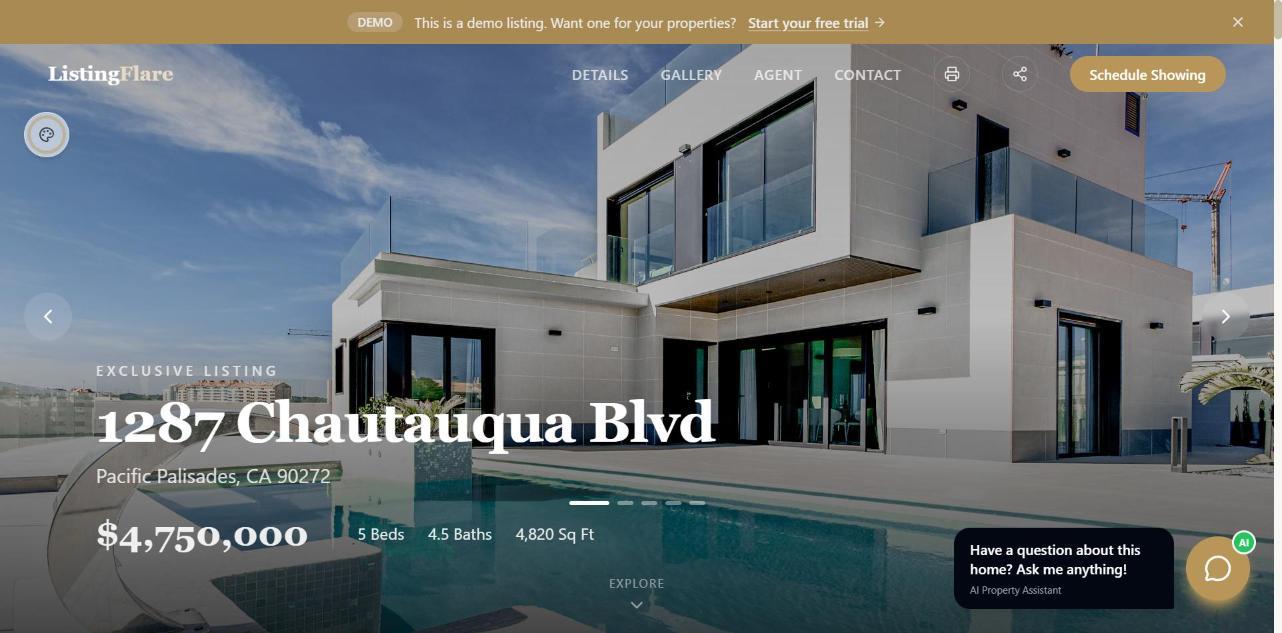
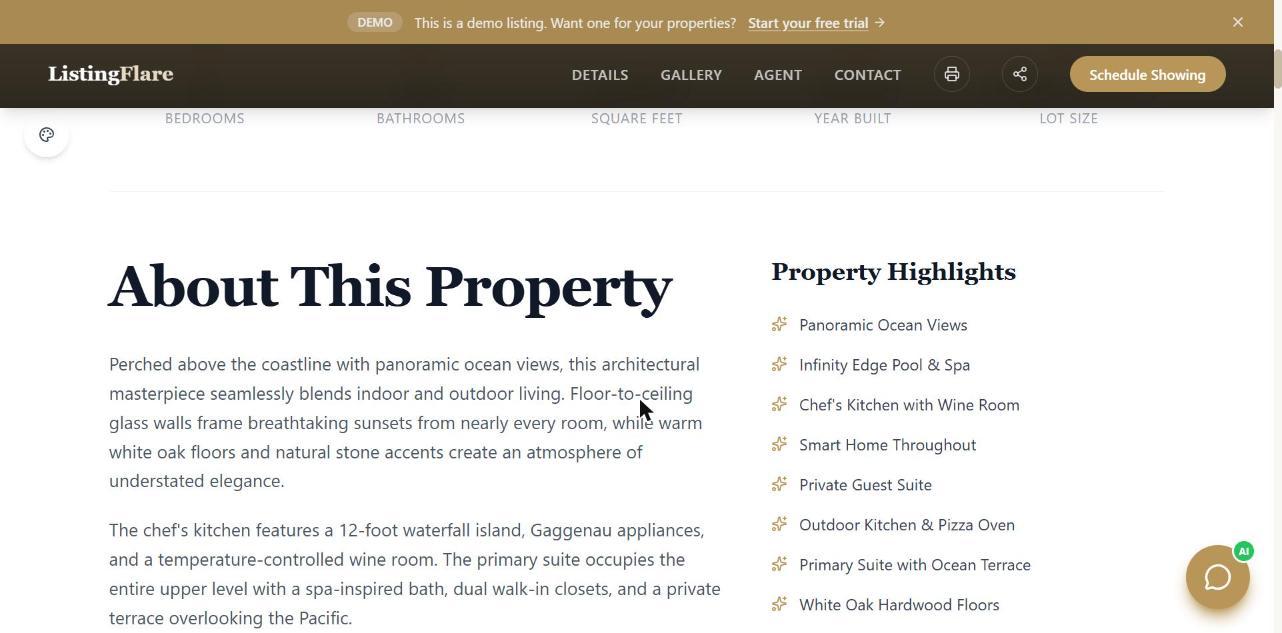
Each page has a photo gallery, price, beds, baths and square footage, a description, property attributes, a mortgage calculator, neighborhood information, your branding and a way to request a showing or ask a question. Pages have standard page titles, descriptions and RealEstateListing structured data, so search engines can read them.
Published listings are also grouped on city pages at listingflare.com/homes/your-city. A city page becomes eligible for search indexing and is added to the sitemap once it contains at least three qualifying published listings. Listings that are not published do not count, nor do demo-account listings or listings from accounts whose free trial has expired. Eligibility does not guarantee that Google will index the page.
How it compares with an MLS listing or a portal
A listing website does not replace the MLS. The MLS is how your listing reaches other agents and the portals. A listing website is the page you control, which you send traffic to from social posts, email, flyers and signs.
See an actual ListingFlare listing page
These are screenshots of our public demo listing, a sample home. It is a demonstration, not a customer listing. Open the live demo to scroll through the full page and try the AI assistant.
How to publish a listing page
- 1
Enter the property details
Address, price, beds, baths, square footage and features. The AI can draft the listing description and photo captions for you to edit.
- 2
Upload photos and optional video or tour
Drag photos into order, add videos, or paste a virtual tour link.
- 3
Set your branding
Your headshot, brokerage, contact details and brand color appear on every page.
- 4
Publish and share
You get a shareable URL right away. Add it to social posts, email, your signature and your open house flyer.
What to know before you sign up
- ListingFlare is a listing marketing tool. It does not syndicate your listing to the MLS or to portals.
- Pages live on listingflare.com. A custom domain option is not listed on the pricing page today.
- You are responsible for the accuracy of the listing details and for the license, brokerage and fair housing disclosures your state or MLS requires.
Frequently asked questions
How long does it take to create a single property website?
Most of the time goes into gathering photos and details. Once you have those, you create a listing with its details and photos.
How much does it cost?
$150 per month for unlimited listing websites, with a 14-day free trial and no credit card required to start.
Do I need technical skills?
No. You fill in a form and upload photos. There is no code or design work.
Can I use my own branding?
Yes. Your headshot, name, brokerage and brand color appear on each listing page.
Is this different from a regular agent website?
A regular agent website is one site for you. This gives each property its own page, built to show one home and capture inquiries for it.
Keep reading
- How much a single property website costs →
- How to set up a yard sign QR code →
- 25 questions buyers ask on every listing →
- ListingFlare review: features, pricing and who it is not for →
- Real estate lead capture software →
- AI chatbot for real estate listings →
- How to create a single property website: the complete guide →
- Best single property website builders compared →
- Single property website vs. Zillow Showcase →
- ListingFlare vs Rela →
- ListingFlare vs SinglePropertySites.com →
- ListingFlare pricing →