Restream Review for Real Estate Agents: Go Live Everywhere at Once
Key Takeaways
An in-depth Restream review for real estate agents covering pricing, multistreaming to 30+ platforms, live open house streaming, chat aggregation, and how to combine live video with AI lead capture.
14 min read by ListingFlare Team
A stat that should change the way you think about social media: live video gets 6x more engagement than regular posts. Not 10% more. Not double. Six times more comments, reactions, and shares. For real estate agents fighting for attention in a crowded feed, that kind of multiplier is hard to ignore - and multistreaming tools like Restream make it practical to go live everywhere at once.
But here is the problem every agent hits. You want to go live on YouTube. You also want to go live on Facebook. And Instagram. And LinkedIn. Maybe even TikTok. Going live on each platform separately means doing the same stream four or five times, which nobody has time for. Or it means picking one platform and hoping your audience is there, which means leaving leads on the table everywhere else.
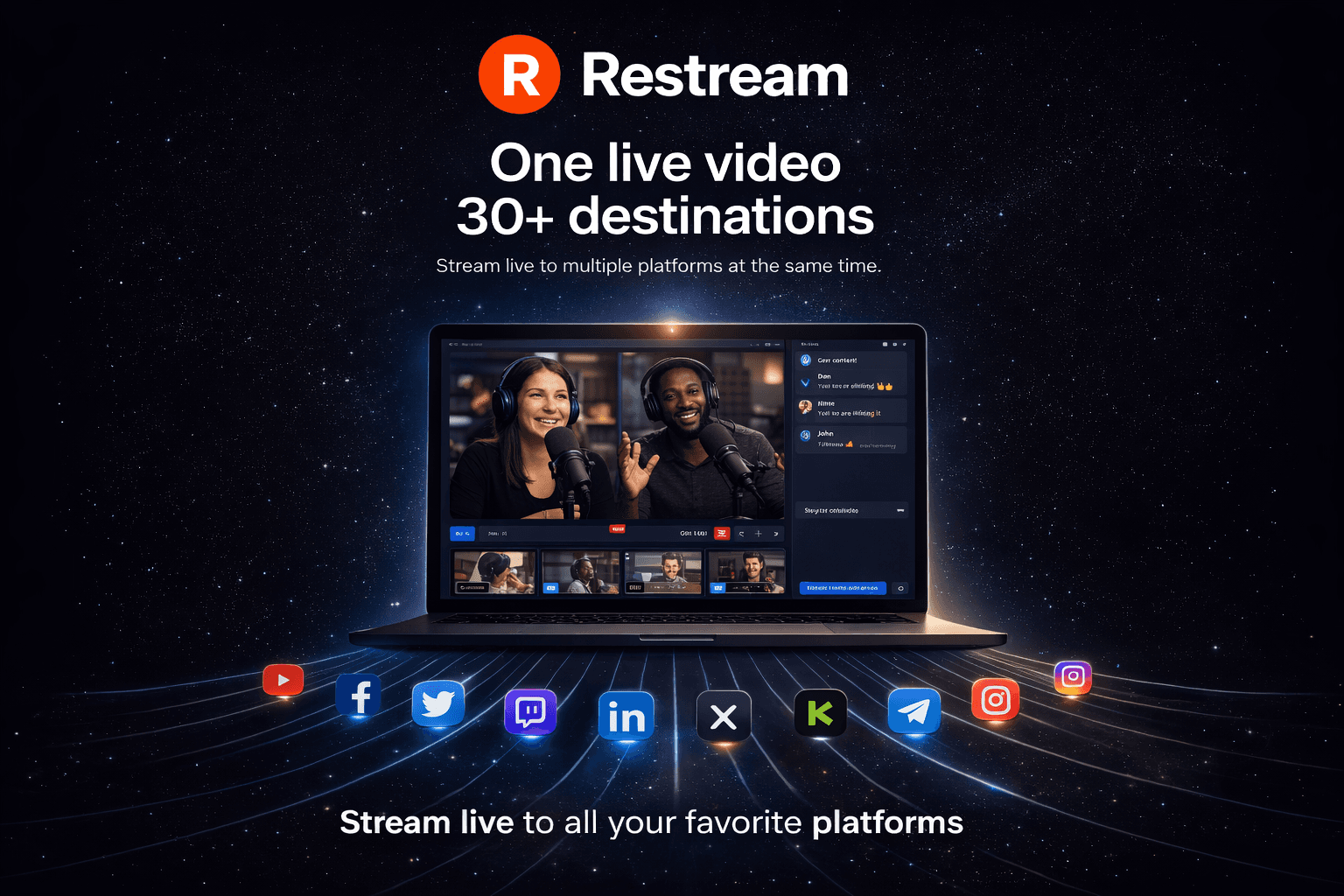
That is where Restream comes in. It lets you broadcast to 30+ platforms simultaneously from a single stream. One camera, one setup, one live session - and you are everywhere at once.
We spent several weeks testing Restream specifically for real estate use cases - live open houses, market updates, Q&A sessions, and property walkthroughs. Here is our full Restream review for real estate agents heading into 2026.
What Is Restream?
Restream is a cloud-based multistreaming platform that lets you go live on multiple social media channels at the same time. Instead of logging into YouTube, starting a stream, ending it, then logging into Facebook and doing the whole thing over again, you connect all your accounts to the platform and broadcast once. Your stream goes out to every connected platform in real time.
Founded in 2015, Restream has grown into one of the most popular live streaming tools for creators, businesses, and marketers. As of 2026, the platform supports over 30 destinations including YouTube, Facebook (profiles, pages, and groups), LinkedIn, TikTok Live, Twitch, X (formerly Twitter), and many more.
Beyond basic multistreaming, Restream offers several features that make it particularly useful for real estate professionals:
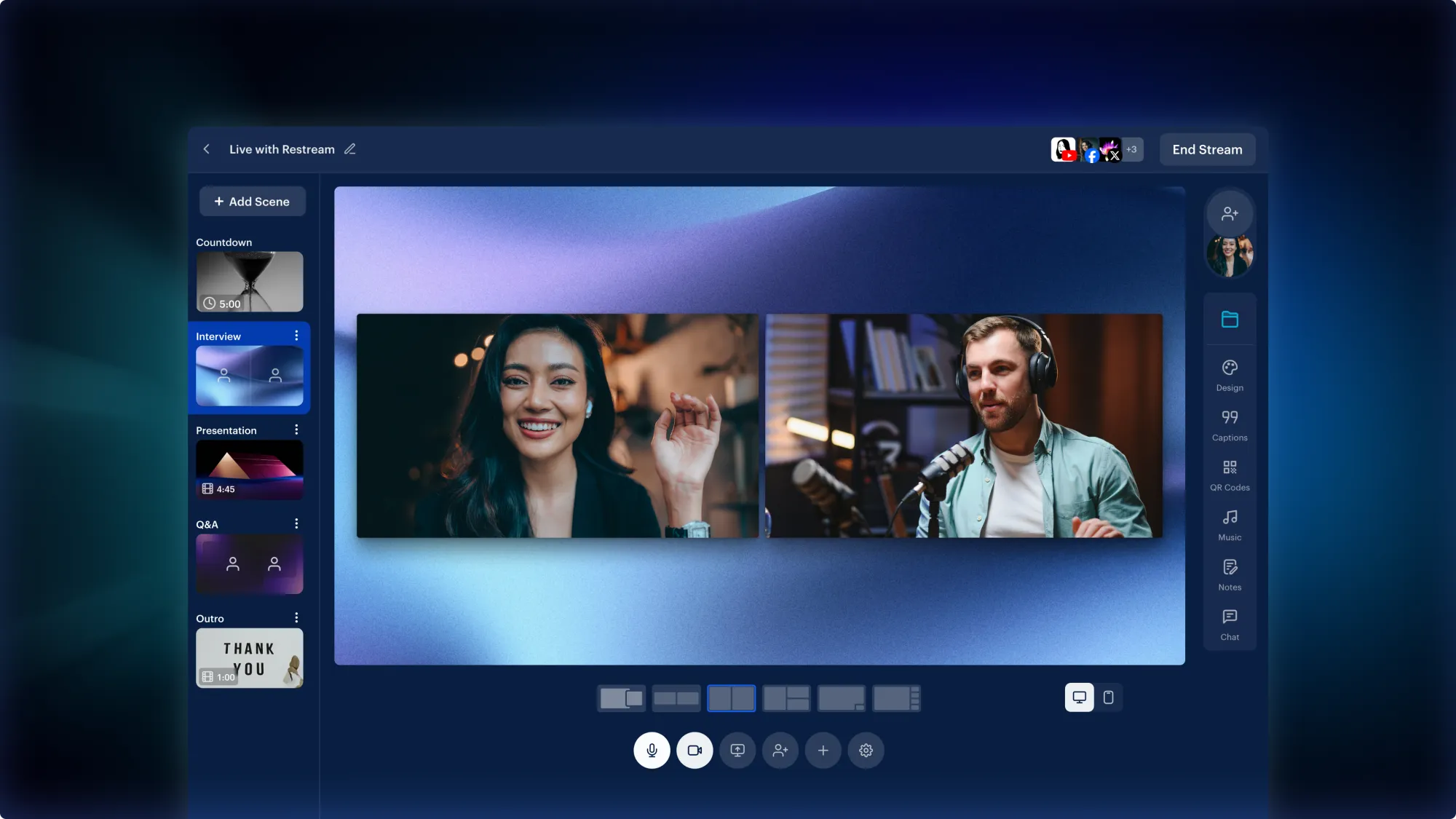
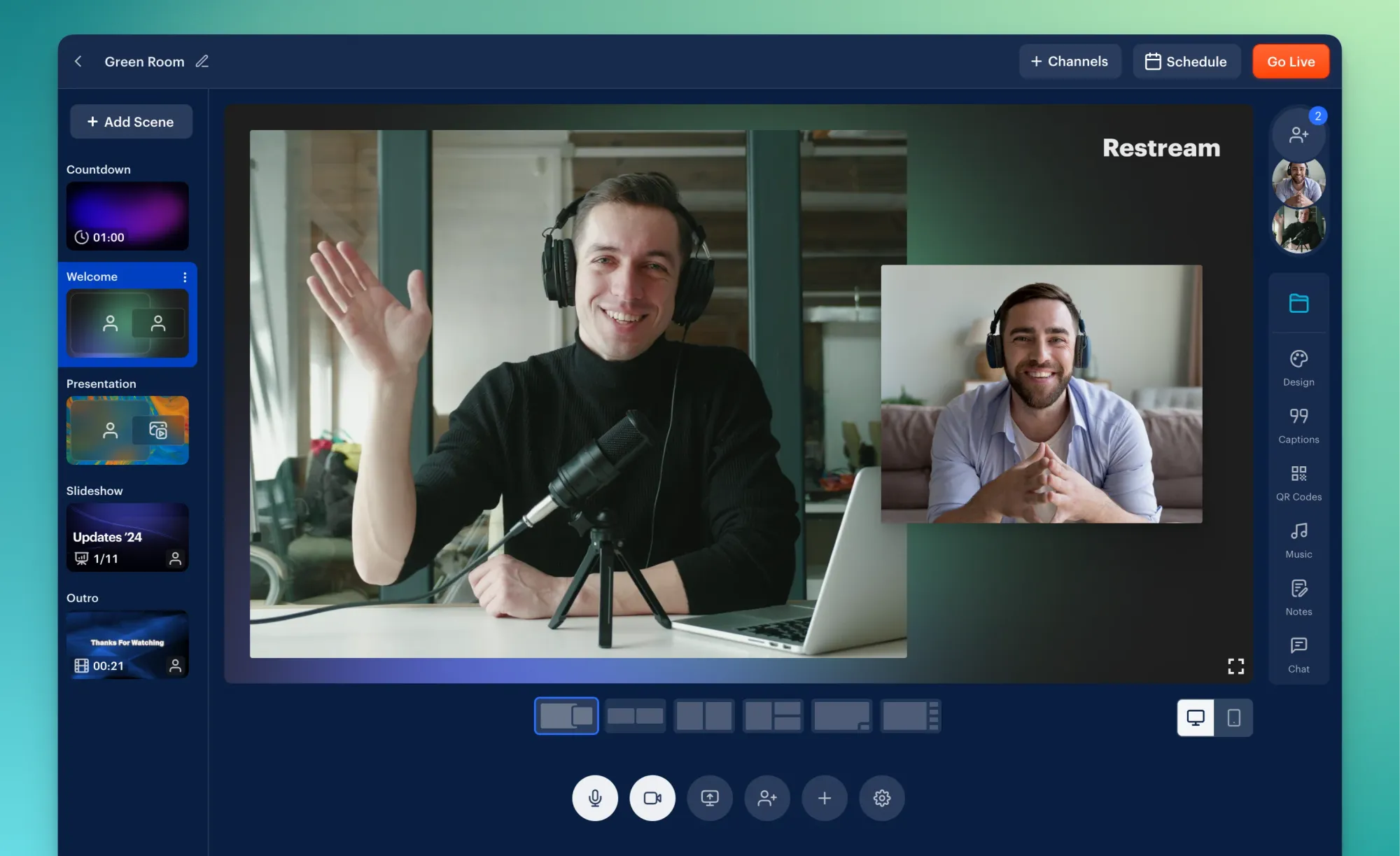
- Restream Studio - A browser-based live streaming studio. No software downloads required. Just open your browser, turn on your camera, and go live. The studio includes customizable overlays, backgrounds, logos, and lower-third banners that make your stream look polished and professional.
- Guest Invites - Invite up to 10 guests to join your live stream via a simple link. Perfect for co-listing agents, lenders, home inspectors, or clients who want to join a live Q&A.
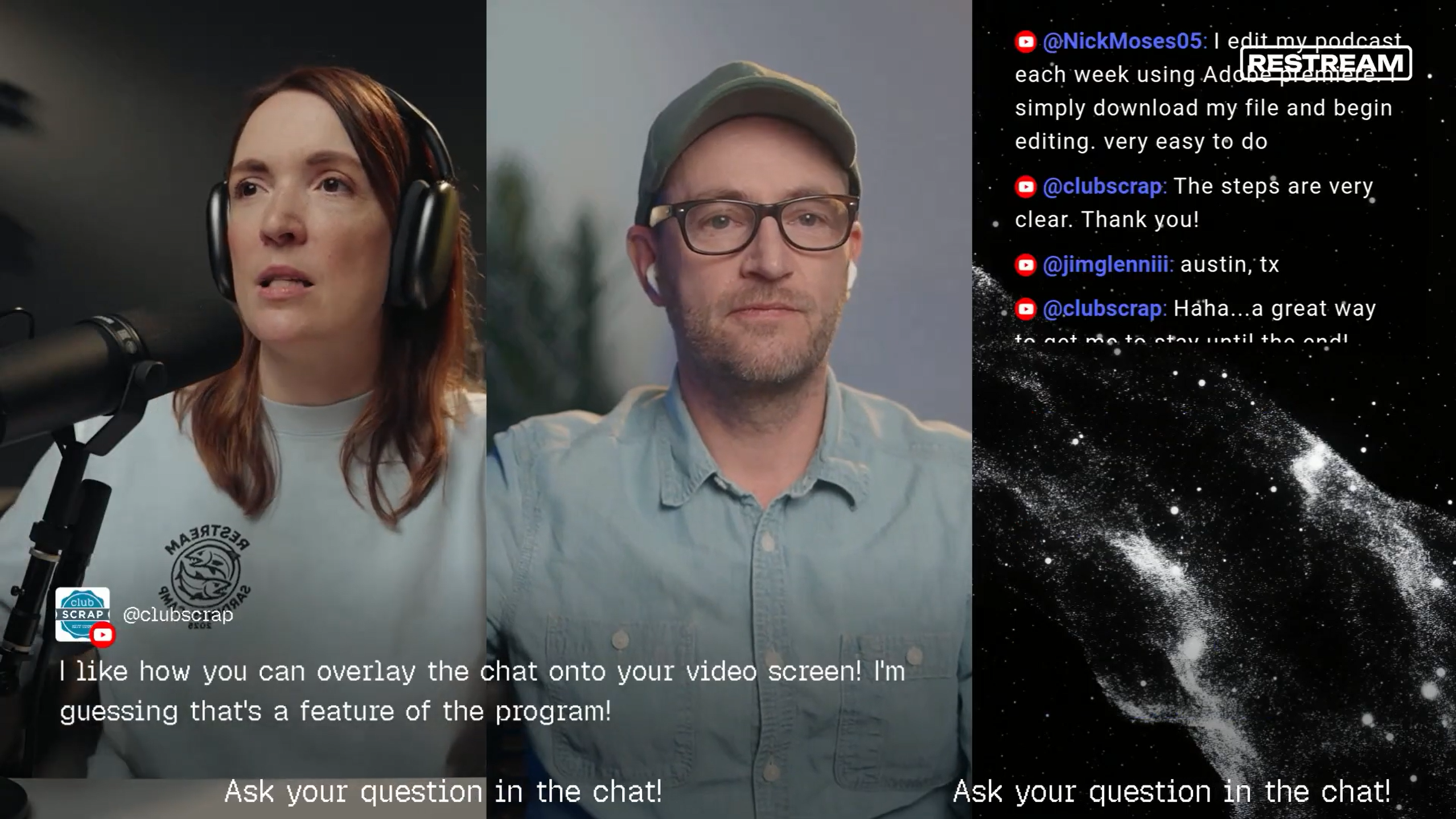
- Chat Aggregation - All comments from every platform flow into one unified chat window. Someone comments on YouTube while someone else asks a question on Facebook - you see both in one place and can respond without switching tabs.
- Custom RTMP - Send your stream to any platform that accepts RTMP input, giving you flexibility beyond the built-in integrations.
- Stream Scheduling - Schedule your streams in advance so your audience knows exactly when to tune in. It can automatically create scheduled events on YouTube and Facebook.
- Analytics - Track viewer counts, peak concurrent viewers, chat activity, and platform-by-platform performance after every stream.
- Recordings - Every stream is automatically recorded and stored in the cloud, so you can download and repurpose your content later.
The real value proposition for agents is simple: you do the work once and get the reach of five or six separate live sessions. That is a massive time saver when you are already juggling showings, contracts, and client calls.
Restream Pricing Breakdown for Real Estate Agents
Restream offers a straightforward pricing structure. Unlike some platforms that nickel-and-dime you with add-ons, the plans are clean and easy to understand. Here is the full breakdown as of early 2026:
| Plan | Monthly | Annual | Channels |
|---|---|---|---|
| Free | $0 | $0 | 2 |
| Standard | $19/mo | $16/mo | 3 |
| Professional | $49/mo | $39/mo | 5 |
| Business | $239/mo | $199/mo | 8 |
Standard adds: No branding, guest channels, 50 clips. Professional adds: Full HD 1080p streaming, 4K recording, dual format, 100 clips. Business adds: Website player (1000 viewers), 2 team seats, co-producer mode, workspaces, 250 clips.
For most individual real estate agents, the Standard plan at $16 per month annually ($19 monthly) is the sweet spot. It removes the watermark (which looks unprofessional on a listing stream), gives you 3 channels, and includes guest channels and 50 clips. That is less than the cost of a single Zillow zip code for a month, and the ROI from just one lead captured during a live stream can pay for years of the subscription.
The Free plan is fine for testing, but the 2-channel limit and watermark make it impractical for serious use. The Business plan is worth considering if you run a team and want unlimited channels for streaming to multiple Facebook groups, multiple YouTube channels, or niche platforms simultaneously.
One thing to note: the software is billed annually if you want the best rates. The monthly billing option is slightly higher. If you commit to using live streaming as part of your marketing strategy (and you should), the annual plan saves you roughly 20%.
Try Restream Free →How Real Estate Agents Use Restream
Live streaming is not just for tech influencers and gamers. Real estate agents who embrace live video are seeing real, measurable results. These are the most effective ways agents are using Restream right now.

Live Virtual Open Houses
This is the single most powerful use case for real estate agents on Restream. Instead of hosting a physical open house and hoping people show up, you broadcast a live walkthrough of the property to YouTube, Facebook, LinkedIn, and TikTok simultaneously. Buyers who cannot attend in person get a real-time tour. Out-of-state relocators can watch from their couch. And every viewer is a potential lead.
The key advantage over pre-recorded video tours is interaction. During a live open house, viewers can ask questions in real time. "What is the square footage of the primary bedroom?" "How old is the roof?" "Is that hardwood or LVP?" You answer on camera, which builds trust and keeps viewers engaged far longer than a static video.
With Restream, your live open house reaches every platform at once. A buyer browsing YouTube discovers your stream. A Facebook follower gets a notification. A LinkedIn connection sees you go live in their feed. You cast the widest possible net with a single stream.
Weekly Market Update Shows
Consistency builds authority. Agents who go live every week with a market update - covering new listings, price trends, interest rate changes, and local news - position themselves as the go-to expert in their market. Restream makes this sustainable because you are not recording the same update for each platform. You do it once, and every channel gets it.
A 15 to 20 minute weekly market update is enough. Keep it conversational. Share numbers but make them relatable. "Inventory in the 27615 zip code dropped 12% this month, which means if you are a buyer in North Raleigh, you need to be ready to move fast." That kind of content builds an audience over time.
Live Q&A Sessions for Buyers and Sellers
Monthly or bi-weekly Q&A sessions are a goldmine for lead generation. Promote the session in advance on your social channels: "Going live Thursday at 7 PM to answer your real estate questions. Buying, selling, investing - ask me anything." People tune in because they have real questions, and answering those questions on camera positions you as the trusted expert.
The chat aggregation feature in Restream is critical here. Questions come in from YouTube, Facebook, and LinkedIn simultaneously, and you see them all in one feed. No switching between apps. No missing questions. Just smooth, professional interaction with your audience.
Property Walkthrough Livestreams
Not every live stream needs to be from a desk. Grab your phone, connect to Restream Studio via your mobile browser, and walk through a new listing live. Show the kitchen, the backyard, the view from the primary suite. Let viewers experience the home in real time and ask questions as you move through each room.
These walkthrough streams are raw, authentic, and engaging. They do not need to be polished. In fact, the slightly unscripted feel is part of what makes live video so compelling. Viewers feel like they are getting a private showing, and that personal touch drives more engagement than a perfectly edited video tour.
Agent Introduction and Brand-Building Streams
If you are newer to real estate or expanding into a new market, live video is one of the fastest ways to build name recognition. Go live and simply introduce yourself. Talk about your background, why you got into real estate, what neighborhoods you specialize in, and what your clients can expect when working with you. Share your story.
People hire agents they know, like, and trust. Live video accelerates all three. Viewers see your face, hear your voice, and observe how you handle questions in real time. That creates a level of connection that a headshot and bio page simply cannot match.
Client Testimonial Interviews
Invite a happy client to join your live stream via Restream's guest invite feature. Ask them about their experience - what they were looking for, how the process went, and what surprised them. Client testimonials on live video carry enormous credibility because viewers can see that the conversation is unscripted and genuine.
These testimonial streams also serve double duty. After the live session ends, you can download the recording, clip the best moments, and repurpose them as short-form videos for Instagram Reels, TikTok, and YouTube Shorts.
Step-by-Step: How to Go Live with Restream
Getting started with Restream is straightforward. Here is a step-by-step walkthrough from account creation to your first live stream.
Step 1: Create Your Account and Connect Channels
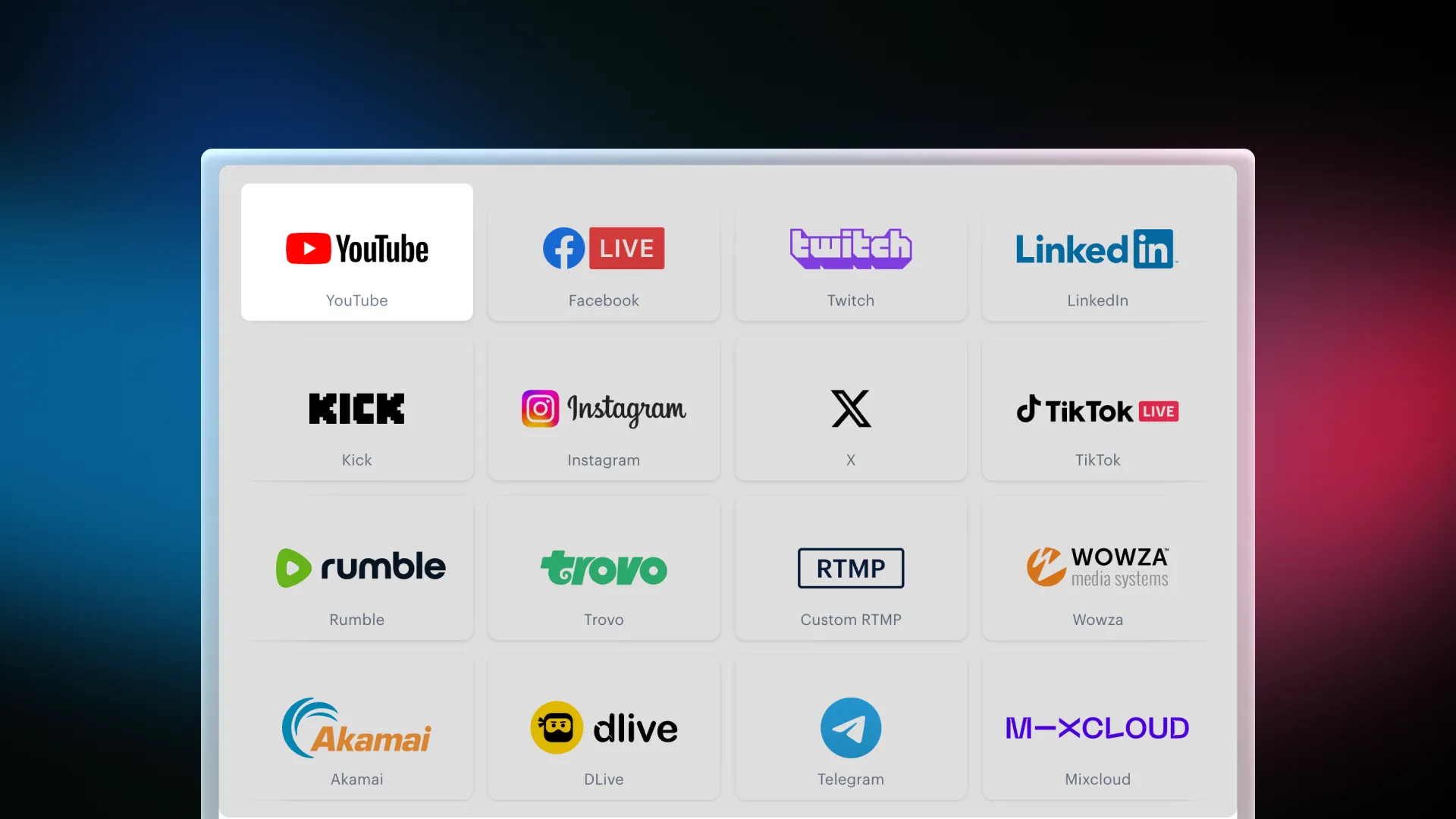
Sign up at restream.io and choose your plan. Once you are in the dashboard, click "Add Channel" and connect each platform you want to stream to. The process is simple - you authorize Restream to access each account, and the connection is saved permanently.
For real estate agents, the must-have connections are:
- YouTube - The second largest search engine in the world. Your live streams get indexed and discoverable long after the broadcast ends.
- Facebook Page - Where most of your local audience lives. Connect your business page, not your personal profile.
- LinkedIn - The professional network. Market updates and industry content perform especially well here.
- Facebook Groups - If you are a member of local community groups or real estate networking groups, you can stream directly to them.
You can also connect TikTok Live, X, and other platforms depending on where your audience engages.
Step 2: Set Up Your Stream in Restream Studio
Click "Restream Studio" from your dashboard. Your webcam and microphone will activate in the browser. From here, you can customize your stream:
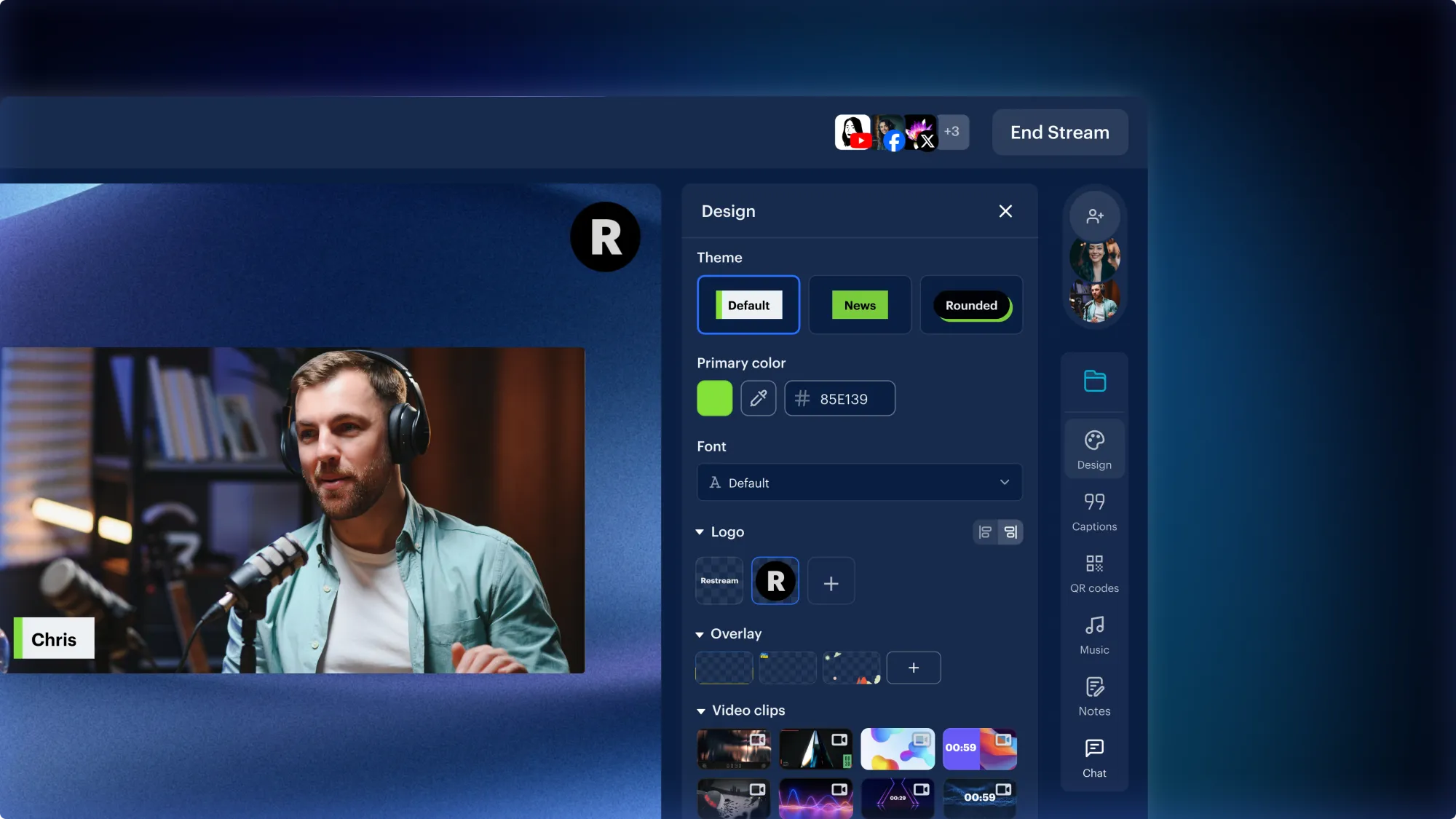
- Add your logo - Upload your brokerage or personal brand logo and position it in a corner of the screen.
- Create a lower-third banner - Add your name, title, and contact info as a persistent banner at the bottom of the screen.
- Set a background - Use a custom background or virtual background if your physical space is cluttered.
- Add overlays - Create text overlays for property addresses, pricing, or calls to action like "Drop your questions in the chat!"
- Set the title and description - Write a compelling title with keywords. For a live open house, something like "LIVE: Tour This Stunning 4-Bed Home in North Raleigh - 123 Oak Street" works well.
Step 3: Go Live
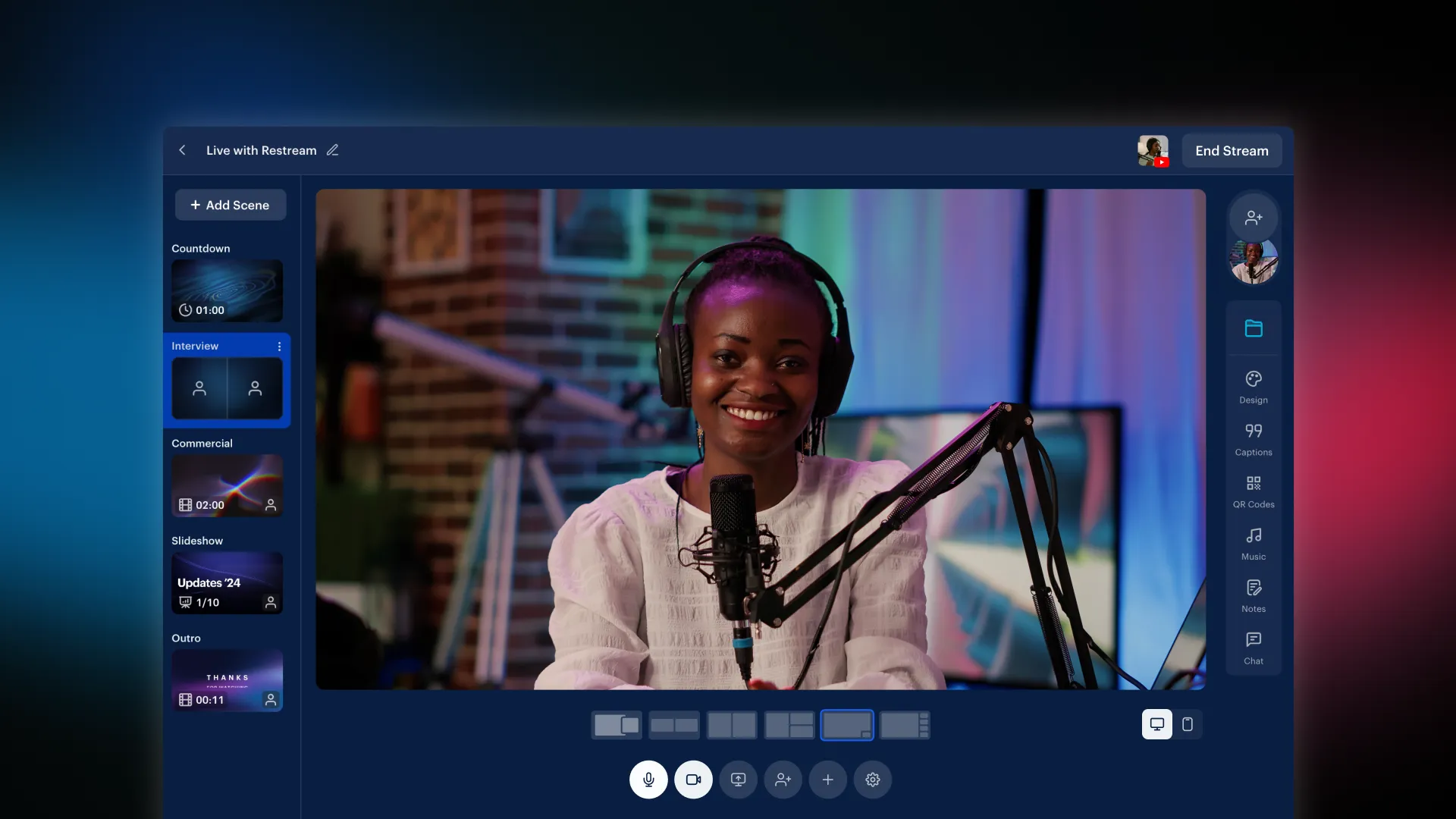
When you are ready, click "Go Live." Restream simultaneously starts broadcasting to every connected channel. You will see a confirmation showing which platforms are active. The chat window on the right side of the studio will begin populating with comments from all platforms as viewers tune in.
Pro tip: Start your stream 2 to 3 minutes early with a "Starting Soon" overlay. This gives the platforms time to push notifications to your followers and lets early viewers settle in before you begin your main content.
Step 4: Engage with Chat
This is where the magic happens. As viewers comment and ask questions, respond to them by name. "Great question, Sarah on YouTube - the HOA fees here are $150 per month and cover landscaping and pool access." Calling out viewers by name and platform makes them feel seen and dramatically increases engagement.
The aggregated chat in Restream Studio shows every comment with a platform icon next to it, so you always know where each viewer is watching from. This is a huge advantage over going live natively on a single platform.
Step 5: Wrap Up and Repurpose
End your stream with a clear call to action. "If you want to schedule a private showing of this home, drop your email in the chat or visit my website." Then click "End Stream" in Restream Studio.
After the stream ends, Restream saves a recording in your dashboard. Download it and repurpose the content:
- Upload the full recording as a regular YouTube video with an optimized title and description
- Clip the best 30 to 60 second moments for Instagram Reels and TikTok
- Share the YouTube link in your email newsletter
- Post a highlight on your single property website for the listing
One live stream can easily generate 5 to 10 pieces of content across multiple platforms. That is serious leverage.
Restream Pros and Cons
After weeks of testing, here is our honest assessment of where Restream excels and where it falls short for real estate agents.
Pros
- Massive time savings - go live once instead of four or five times
- Browser-based studio - no software to download, works from any computer
- Professional overlays and branding - custom logos, banners, and lower-thirds
- Chat aggregation - all platform comments in one unified window
- Guest invites - co-hosts join via link, no account required
- Recordings and analytics - automatic cloud recordings and post-stream data
- Reliable uptime - zero dropped streams in our testing
- Stream scheduling - schedule in advance so platforms notify your audience
Cons
- Free plan is limited - two channels and a watermark, impractical for pros
- Mobile streaming is basic - mobile browser experience is not as smooth
- Instagram Live limitations - no native RTMP multistreaming support
- Learning curve for advanced features - overlays and multi-guest layouts take time
- No built-in lead capture - broadcasting only, no CRM or lead tools
Restream vs Alternatives: StreamYard, OBS Studio, and Ecamm
Restream is not the only option for live streaming. Here is how it stacks up against the most popular alternatives for real estate agents.
Restream vs StreamYard
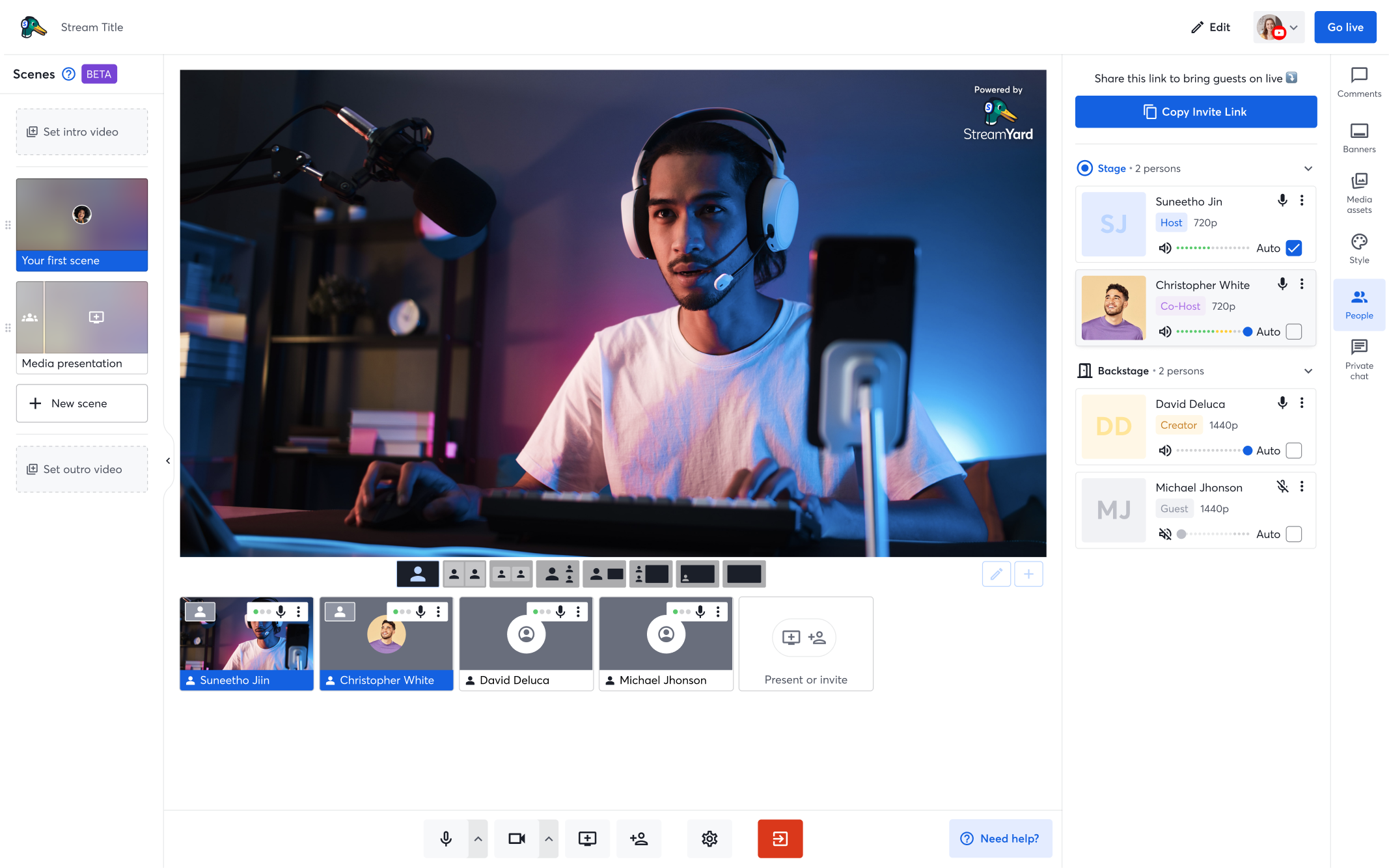
StreamYard is Restream's closest competitor and the comparison most agents ask about. Both are browser-based, both support multistreaming, and both offer overlays and guest invites.
The main differences:
- Pricing - StreamYard's Basic plan starts at $20 per month (compared to Restream's $16). At the higher tiers, Restream generally offers more channels for less money.
- Platform support - Restream supports 30+ destinations while StreamYard supports about 8 to 10 directly. If you want to stream to niche platforms or multiple Facebook groups simultaneously, Restream has the edge.
- Studio quality - Both studios are excellent. StreamYard is slightly more intuitive for beginners, while Restream offers more advanced customization options.
- Chat - Both aggregate chat, but Restream's chat experience is slightly more robust with better filtering and moderation tools.
Verdict: For real estate agents who want maximum reach across the most platforms, Restream wins. If you only care about YouTube and Facebook and want the simplest possible interface, StreamYard is a solid choice.
Restream vs OBS Studio
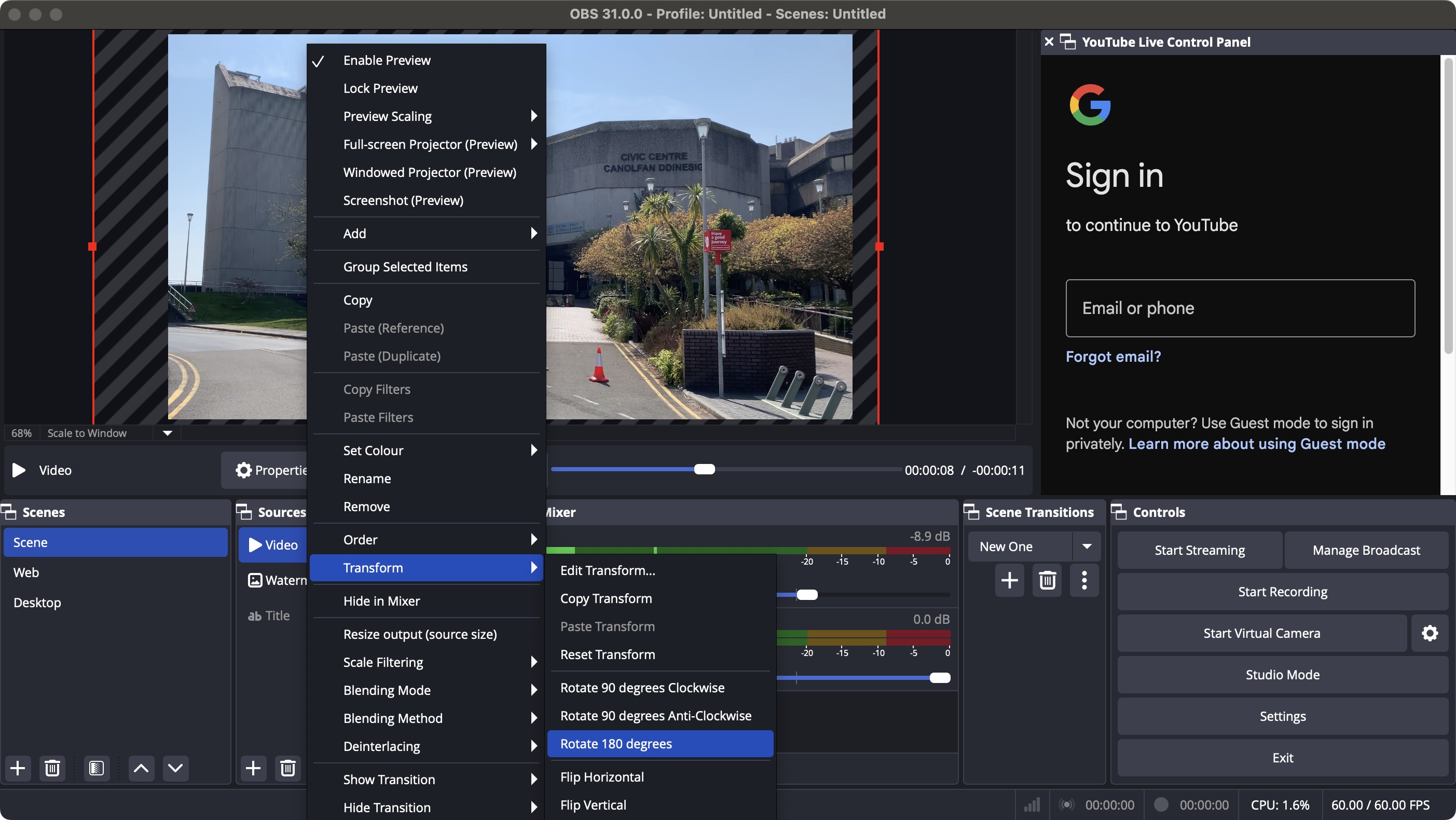
OBS Studio is a free, open-source streaming application that runs on your desktop. It is incredibly powerful and used by professional streamers, but it comes with a steep learning curve.
- Price - OBS is completely free, which is its biggest advantage. However, OBS only streams to one platform at a time natively. To multistream with OBS, you need to pair it with a service like Restream anyway.
- Complexity - OBS requires downloading software, configuring scenes, setting up audio sources, and manually entering stream keys. For a tech-savvy agent who wants total control, it is great. For most agents, it is overkill.
- Quality - OBS can produce higher quality streams than browser-based tools because it has direct access to your hardware. If you are building a semi-professional streaming setup with multiple cameras and screen sharing, OBS is the better foundation.
Verdict: Use OBS if you want maximum production quality and do not mind a steep learning curve. Pair it with Restream for multistreaming. Use Restream Studio if you want simplicity and speed without downloading any software.
Restream vs Ecamm Live
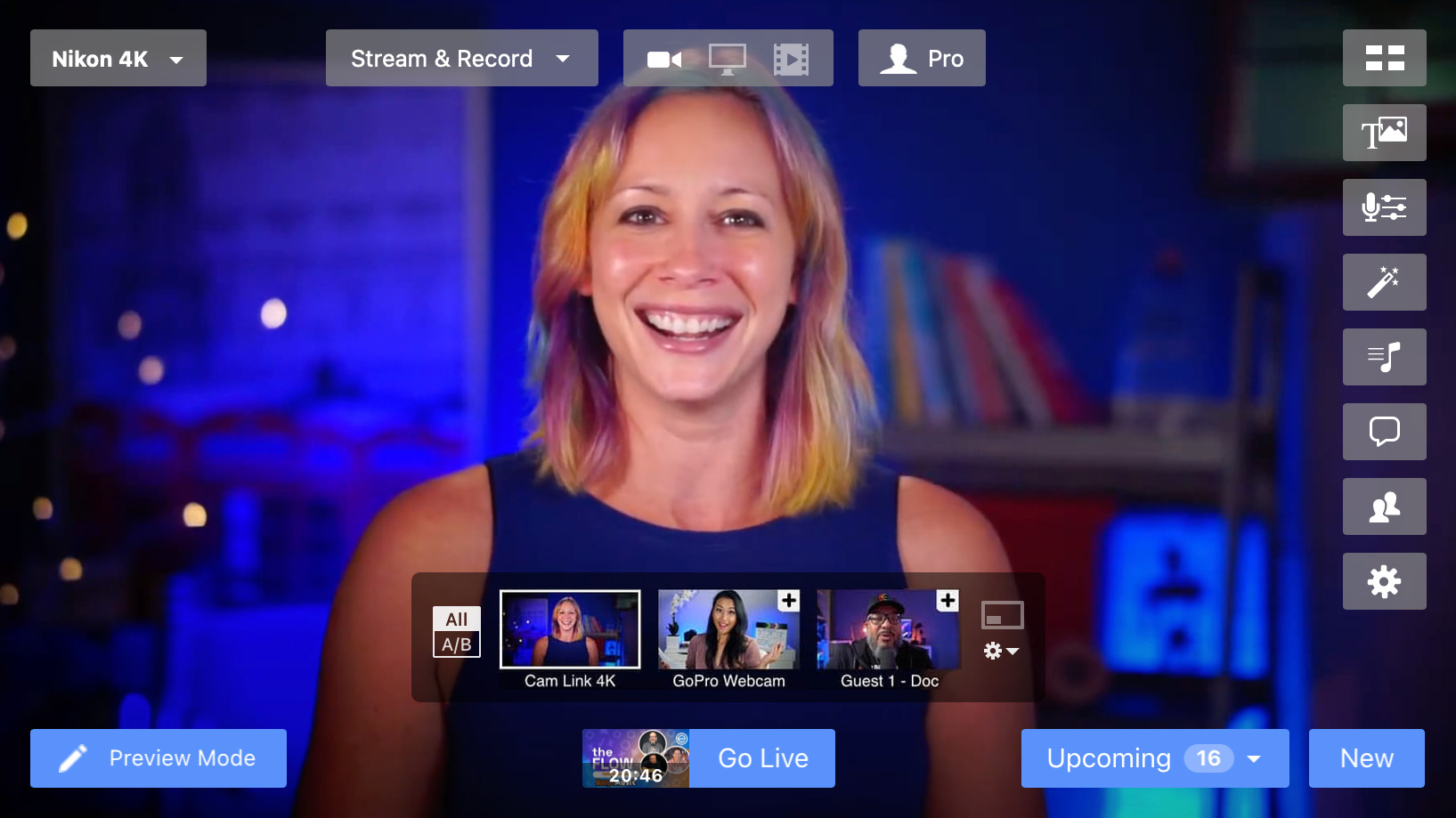
Ecamm Live is a Mac-only streaming application that offers a polished, professional streaming experience with advanced features like scene switching, interview mode, and screen sharing.
- Platform - Ecamm is Mac-only. If you are on Windows, it is not an option.
- Pricing - Ecamm starts at $16 per month, similar to Restream. But Ecamm is a local application, not cloud-based, so you need a relatively powerful Mac to run it smoothly.
- Multistreaming - Ecamm can multistream, but its platform support is more limited than Restream. It pairs well with Restream for maximum reach.
- Production quality - Ecamm produces excellent quality streams with smooth scene transitions and professional layouts. It is a step up from browser-based studios in terms of visual polish.
Verdict: Ecamm is excellent for Mac users who want a premium streaming experience. But for cross-platform compatibility, ease of use, and maximum multistreaming reach, Restream is the more versatile choice.
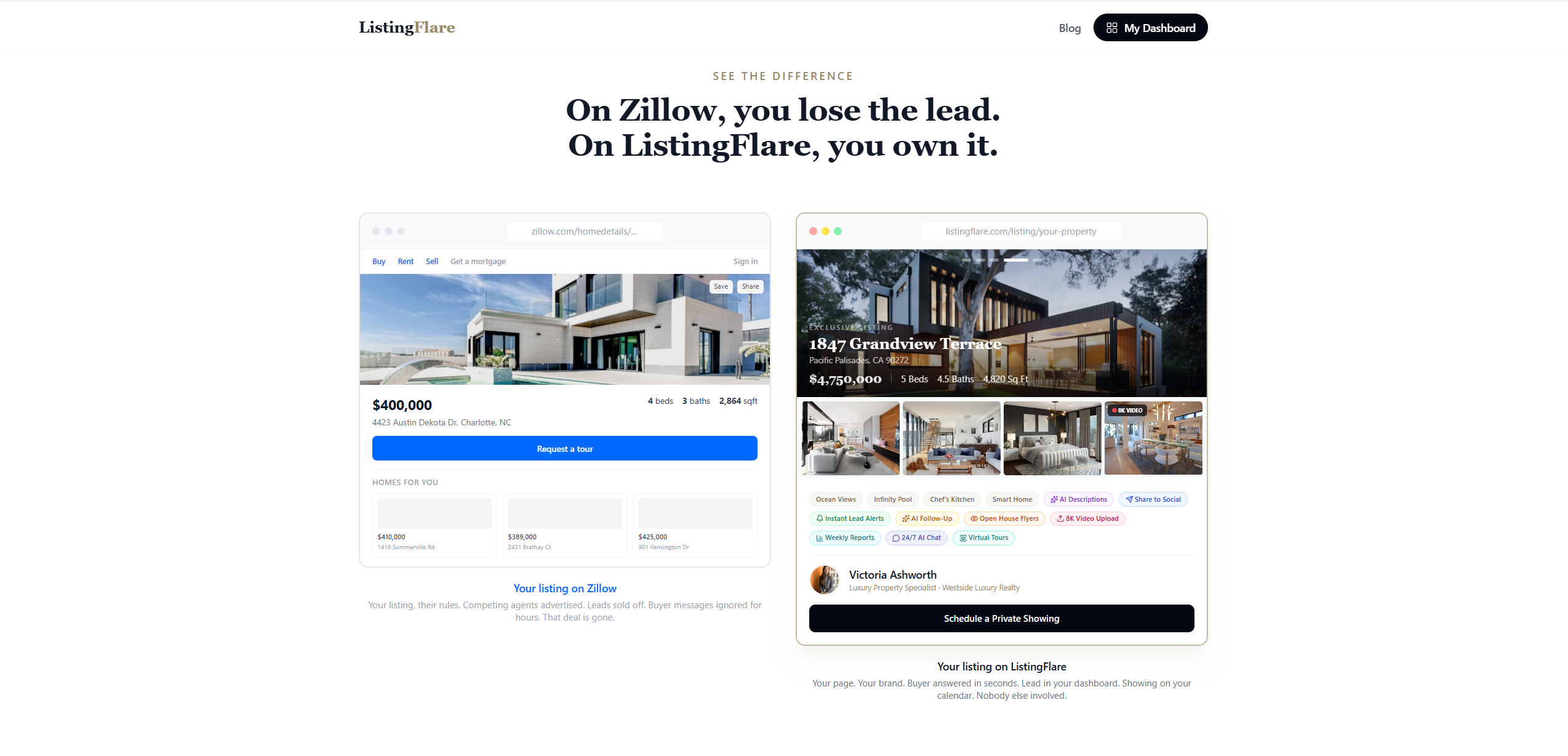
Restream + ListingFlare: Turn Live Viewers into Captured Leads
The biggest gap in most agents' live streaming strategy: they go live, get great engagement, build their audience - and then have no system to convert viewers into actual leads. The comments roll in, people ask about the property, and then the stream ends and those interested buyers disappear back into the social media void.
This is where combining Restream with ListingFlare creates a powerful lead generation engine.
The workflow is simple:
- Create your listing page on ListingFlare - In under 2 minutes, you have a beautiful, branded single property website with all the details, photos, and an AI-powered chatbot ready to capture visitor information.
- Go live on Restream - Stream your open house, property walkthrough, or market update to every platform simultaneously.
- Drop your ListingFlare link in the chat - During the stream, tell viewers: "If you want all the details on this home - pricing, photos, floor plan - check out the link I just dropped in the chat." Paste your ListingFlare property page URL into the Restream chat, and it appears on every platform.
- ListingFlare captures the leads - Viewers click the link, land on your property page, and the AI chatbot engages them in conversation. It answers their questions about the property and naturally captures their name, email, and phone number. You get the lead notification instantly.
This solves the number one problem with live streaming for lead generation: the disconnect between engagement and capture. Restream gets you in front of the audience. ListingFlare converts that audience into leads you can follow up with.
Think about it this way. You go live on YouTube, Facebook, LinkedIn, and TikTok simultaneously with a property walkthrough. A hundred people tune in across all platforms. Twenty of them are interested. Five of them click your ListingFlare link. Three of them engage with the AI chatbot and share their contact info. You now have three warm, qualified leads from a single 20-minute live stream - and you did not have to manually collect a single phone number.
That is the kind of leverage that turns live streaming from a branding exercise into a lead generation machine.
For more ideas on creating engaging social media content for your listings, check out our guide on real estate social media post ideas.
Final Verdict: Is Restream Worth It for Real Estate Agents?
Yes, absolutely. Restream is one of the most efficient tools a real estate agent can add to their marketing stack in 2026. The math is straightforward: live video dramatically outperforms static content, but going live on multiple platforms separately is impractical. Restream eliminates that friction entirely.
At $16 per month for the Standard plan (billed annually), the cost is negligible compared to almost any other marketing expense in real estate. A single lead generated from a live stream can result in thousands of dollars in commission. The ROI potential is enormous.
The platform is easy to use, reliable, and packed with features that make your streams look professional without a production crew. The browser-based studio means you can go live from anywhere with a laptop and webcam. The chat aggregation keeps you connected to your audience across every platform. And the recordings give you a library of content to repurpose for weeks after each stream.
If you are an agent who has been thinking about live video but keeps putting it off because it seems complicated or time-consuming, Restream removes those barriers. Start with one stream per week - a market update, a listing walkthrough, or a Q&A session. Broadcast it everywhere. Drop your ListingFlare property page link in the chat. And watch what happens when you combine the reach of multistreaming with the lead capture power of AI.
Live video is not the future of real estate marketing. It is the present. Restream makes it practical, professional, and scalable.
Try Restream Free →Frequently Asked Questions
Is Restream free for real estate agents?
Restream offers a free plan that includes 2 streaming channels, but it includes a Restream watermark on your stream. For professional real estate use, the Standard plan at $16 per month (billed annually, or $19 monthly) is the recommended starting point. It removes the watermark and includes guest channels and 50 clips. The Professional plan at $39 per month (billed annually, or $49 monthly) adds Full HD 1080p, 4K recording, and more clips. The free plan is best used for testing the platform before committing.
Can I go live on Instagram and YouTube at the same time with Restream?
Restream supports simultaneous streaming to YouTube, Facebook, LinkedIn, TikTok, X, and 30+ platforms. Instagram Live has limited RTMP support, making multistreaming to Instagram less seamless. Focus on YouTube, Facebook, and LinkedIn as primary live channels, and repurpose clips to Instagram Reels afterward.
What equipment do I need to livestream with Restream?
At minimum, a computer with a webcam, microphone, and stable internet connection. Restream Studio runs in your browser with no software needed. For better quality, add a USB microphone ($100-$150), ring light ($25-$50), and dedicated webcam ($60-$80). For mobile walkthroughs, your smartphone with a stabilizer works well.
How many viewers can watch my Restream livestream?
Restream does not limit viewer count. Capacity is determined by each destination platform - YouTube and Facebook support effectively unlimited viewers. Since Restream sends your stream to each platform independently, your total potential audience is the combined viewership across all connected channels.
Can I schedule a livestream in advance on Restream?
Yes. Professional and Business plans include stream scheduling with date, time, title, and description. Restream automatically creates scheduled events on YouTube and Facebook so your audience can set reminders. Scheduling is especially useful for recurring weekly market updates.
Is Restream better than StreamYard for real estate agents?
Both are strong, but Restream supports more destinations (30+ vs 8-10 for StreamYard) and tends to be more affordable. StreamYard has a slightly more beginner-friendly interface. Choose Restream for maximum platform coverage and value, or StreamYard if simplicity is your top priority.
Can I use Restream on my phone for property walkthroughs?
Yes. Restream Studio is accessible through mobile browsers with no app needed. The mobile experience is functional but has limited overlays and scene switching compared to desktop. For better mobile streaming, some agents use the RTMP connection with a dedicated app like Streamlabs.
How do I capture leads from a Restream livestream?
Restream broadcasts but does not capture leads directly. Share a dedicated property page link in your stream chat. Tools like ListingFlare create single property websites with AI chatbots that capture visitor information automatically. Direct viewers to your property page during the stream and the chatbot collects their contact details.