Castmagic Review for Real Estate Agents: Turn One Video Into 30 Pieces of Content
Key Takeaways
Detailed Castmagic review for real estate agents. Learn how AI content repurposing turns one recording into blog posts, social captions, emails, and more. Pricing, pros, cons, and alternatives compared.
14 min read by ListingFlare Team
Every real estate agent knows the feeling. You sit down on a Sunday night to plan your social media content for the week, open a blank document, and stare at the cursor for 20 minutes before giving up and posting a stock photo with a generic caption. The next day you see a competing agent in your market posting polished Instagram carousels, weekly email newsletters, LinkedIn thought leadership pieces, and blog articles - all with consistent branding and messaging. You wonder how they have time to produce all of that while also showing homes and closing deals. The answer, increasingly, is AI content repurposing tools like Castmagic.
The secret most top-producing agents have figured out: they are not creating 30 separate pieces of content. They are creating one piece of content and using AI to turn it into 30. The tool making this possible for thousands of agents right now is called Castmagic, and it is changing how real estate professionals approach content marketing entirely.
In this Castmagic review, we will break down exactly what the platform does, how real estate agents are using it to dominate social media with minimal effort, what it costs, and whether it is worth the investment for your business. We will also compare it to the top alternatives so you can make an informed decision. If you have been struggling with the content creation treadmill, this guide will show you how to get off it.
What Is Castmagic?
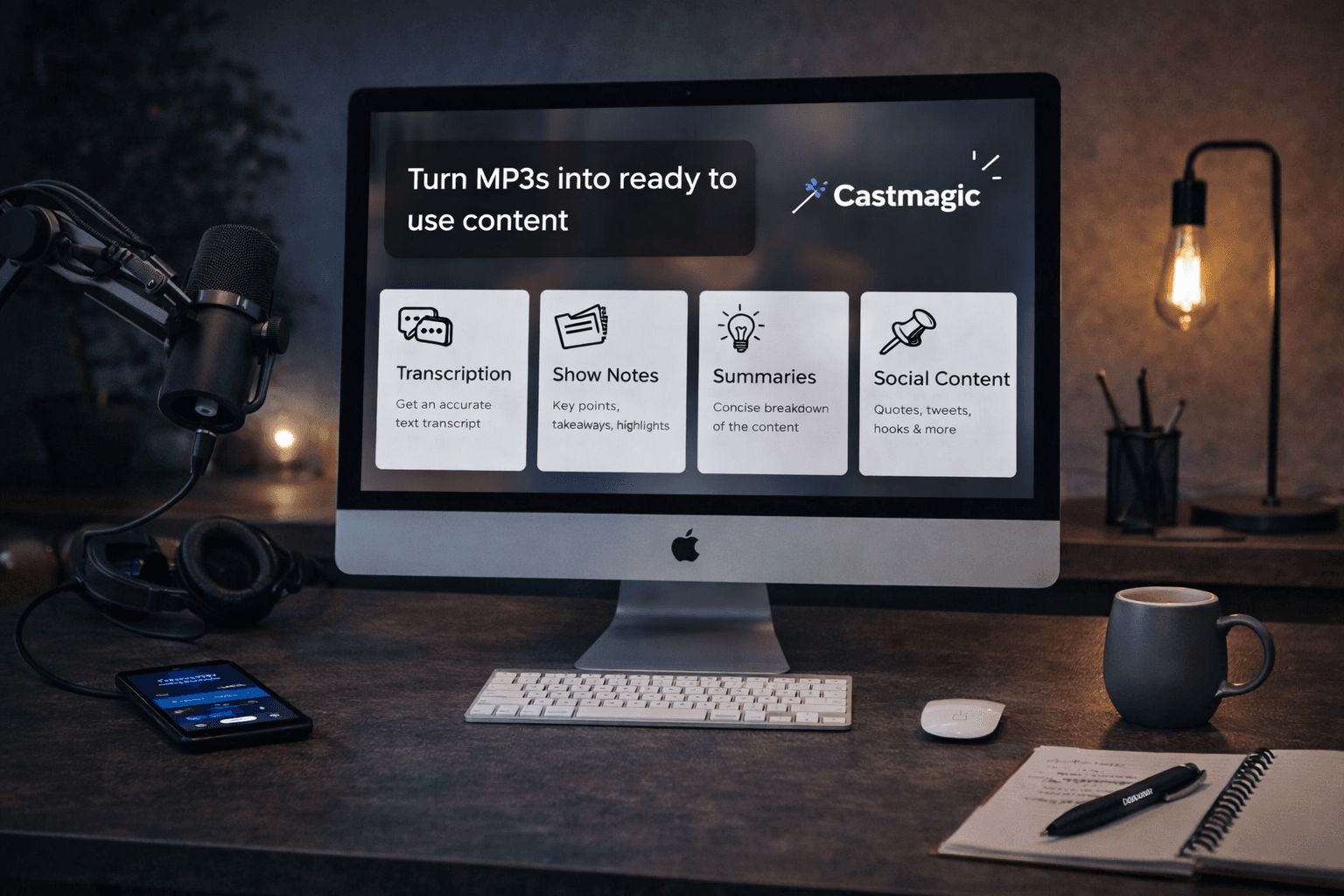
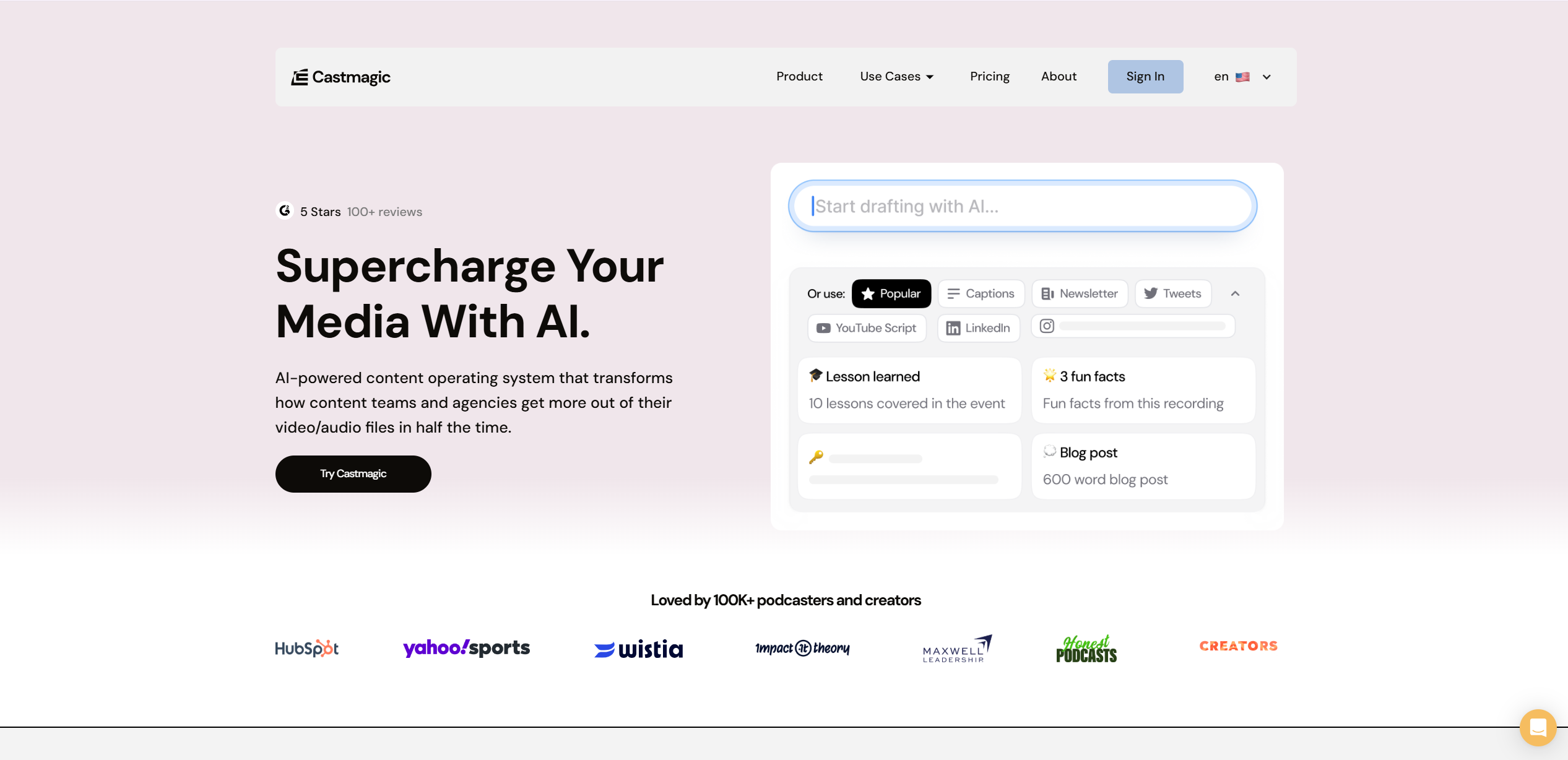
Castmagic is an AI-powered content repurposing platform that transforms audio and video recordings into multiple types of written content automatically. You upload a recording - a podcast episode, a video walkthrough, a market update, a client interview, a voice memo from your car - and Castmagic transcribes it with high accuracy, then uses AI to generate a full suite of content outputs from that single recording.
The outputs you can generate from one recording include:
- Full blog posts - structured, formatted articles ready to publish on your website
- Social media captions - platform-specific posts for Instagram, Facebook, LinkedIn, and Twitter
- Email newsletter drafts - complete emails with subject lines and body copy
- Show notes and summaries - concise overviews of your content for podcast directories or YouTube descriptions
- Key takeaways and bullet points - scannable highlights for quick-read formats
- Quotable moments - standout quotes pulled from your recording, formatted for social sharing
- Content calendars - suggested posting schedules based on your content themes
- Video titles and descriptions - SEO-optimized metadata for YouTube and other video platforms
The core idea is simple but powerful: you talk once, and Castmagic writes everything else. Instead of spending 10 hours per week creating content from scratch, you spend 30 minutes recording and 15 minutes reviewing AI-generated outputs. The platform handles the heavy lifting of turning your spoken expertise into polished written content across every format your audience consumes.
The software uses advanced AI models to understand context, tone, and subject matter. It does not just transcribe and reformat - the tool actually restructures your ideas into content that fits each platform's best practices. A LinkedIn post reads differently from an Instagram caption, and Castmagic understands those differences automatically.
Castmagic Pricing in 2026
Castmagic offers three pricing tiers, each designed for different content volumes. Here is the full breakdown:
| Plan | Monthly | Annual | Hours | Seats |
|---|---|---|---|---|
| Hobby | $29/mo | $21/mo | 5 hrs | 5 |
| Starter | $99/mo | $79/mo | 20 hrs | 10 |
| Business | $999/mo | $790/mo | 80 hrs | 20 |
All plans include: AI transcription, 60+ languages, custom prompts, Magic Chat, media clipping, audiograms, and integrations with Zoom, Google Drive, YouTube, and Zapier. Starter adds live chat support. Business adds onboarding call and workspace customization.
For most solo real estate agents, the Hobby plan at $29 per month (or $21/mo billed annually) is more than enough. Five hours of upload time translates to roughly 60 individual recordings at 5 minutes each. If you record one market update per week and one listing walkthrough, that is only 40 to 50 minutes of content per month - well within the Hobby limit.
The Starter plan at $99 per month (or $79/mo billed annually) makes sense if you are recording podcast episodes, hosting regular live streams, or managing content for a small team. Twenty hours gives you significant room to repurpose longer-form content like hour-long interviews or training sessions.
The Business plan at $999 per month (or $790/mo billed annually) is designed for high-volume content producers, real estate teams with multiple agents creating content, or brokerages that want to centralize content production. Eighty hours of upload time and 20 seats mean you have plenty of capacity for large teams.
All plans include AI-generated outputs, custom templates, and the ability to create your own content workflows. The main differentiator between tiers is upload hours and priority processing speed.
Try Castmagic Free →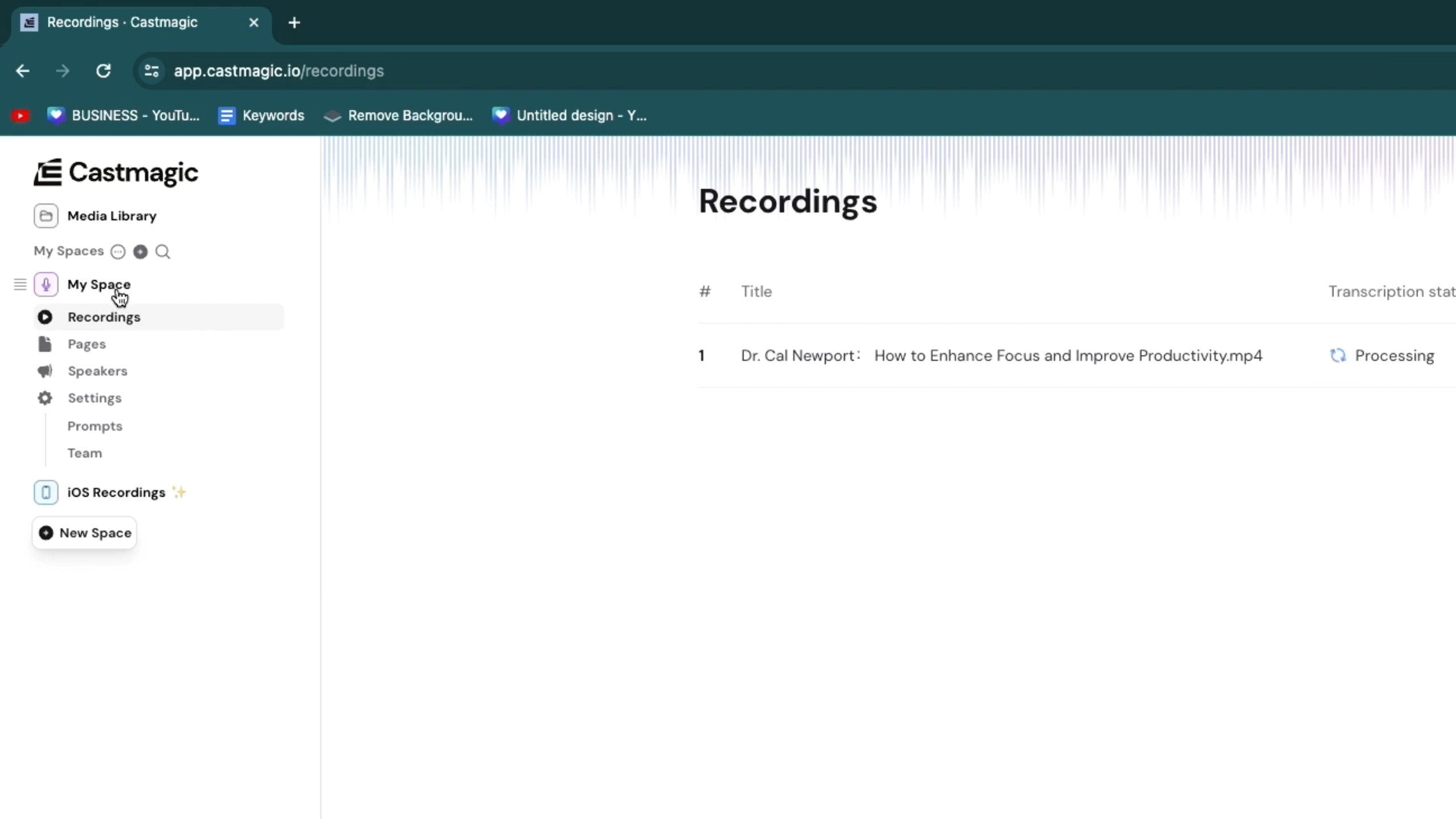
How Real Estate Agents Use Castmagic
The real value of this platform becomes clear when you see how it fits into a real estate agent's actual workflow. These are the five most common use cases we have seen agents implement successfully.
1. Weekly Market Update to Multi-Platform Content
This is the single most popular use case among real estate agents, and it delivers the highest ROI for time invested. Here is how it works: you spend 5 minutes recording a video or audio market update on your phone. Talk about new listings in your area, recent price changes, interest rate movement, inventory levels, or local development news. Just speak naturally, as if you were explaining the market to a client over coffee.
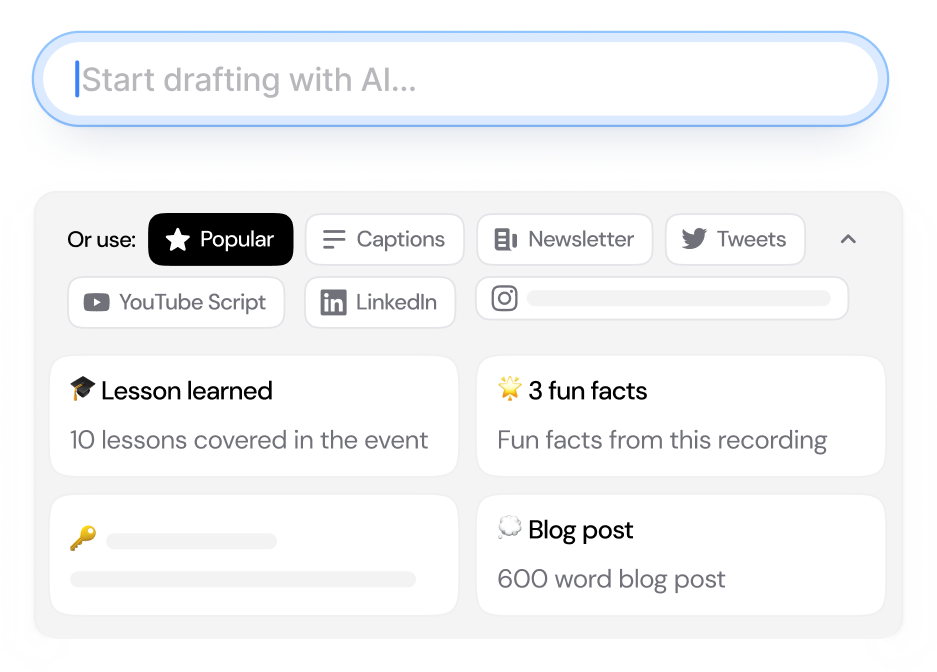
Upload that 5-minute recording to the platform, and within minutes you have:
- A 500 to 800 word blog post structured with headers, formatted for your website
- 5 Instagram captions - each highlighting a different angle from your market update
- A complete email newsletter with subject line, intro, body, and call to action
- A LinkedIn post written in a professional, thought-leadership tone
- 3 to 5 quotable stats formatted as shareable graphics text
- A YouTube description with timestamps and keywords
From one 5-minute recording, you now have a full week of content across every platform. The total time investment is roughly 20 minutes: 5 minutes recording, 5 minutes uploading and generating, and 10 minutes reviewing and scheduling. Compare that to the 5 to 8 hours most agents spend creating that same volume of content manually. For more inspiration on what to post, check out our guide on 30 real estate social media post ideas that generate leads.
2. Open House Recap Videos Turned Into Blog Content
After every open house, pull out your phone and record a 3-minute recap. Talk about foot traffic, buyer feedback, what features attracted the most attention, and any common questions visitors asked. This type of behind-the-scenes content is gold for two audiences: potential buyers who could not attend the open house and potential sellers who want to see how you market homes.
Castmagic transforms that quick recap into a blog post about the open house experience, social media posts highlighting buyer interest in the property, an email to your database featuring the listing with social proof from the event, and a set of Instagram Story talking points. The listing stays fresh in people's minds across every channel, not just the people who physically walked through the door.
3. Client Testimonial Recordings Turned Into Social Proof Content
Social proof is one of the most powerful marketing tools available to real estate agents. When a happy client sends you a thank-you text or agrees to record a quick video testimonial, that moment is a content goldmine. Record a 2-minute conversation where the client shares their experience working with you.
Castmagic pulls out the best quotes, generates social media posts with testimonial highlights, creates a blog-style case study, and drafts a Google review request email you can send to the client afterward. One genuine client conversation becomes weeks of trust-building content that shows future clients what working with you actually looks like.
4. Listing Walkthrough Narrations Repurposed Across Platforms
You already do listing walkthroughs, either on video or with a photographer. Start narrating while you walk through the property. Describe the kitchen upgrades, the natural light in the primary bedroom, the backyard potential for entertaining, the neighborhood amenities within walking distance. Record yourself talking about the home the way you would describe it to a buyer on a private showing.
That narration, fed through Castmagic, produces a detailed listing description for the MLS, social media captions that highlight different rooms and features, a property-specific blog post with SEO keywords, and email copy for targeted outreach to your buyer database. Every listing becomes a multi-channel marketing campaign generated from a 5-minute voice recording.
5. Podcast Episodes Turned Into Written Guides
If you host a real estate podcast or appear as a guest on other shows, Castmagic is a game-changer. A 45-minute podcast episode contains enough material for 10 to 15 pieces of written content. The platform generates episode show notes, a full blog post, multiple social posts, email content, and a key takeaways summary - all from a single episode that you have already recorded anyway.
Agents who podcast consistently report that Castmagic cuts their post-production content creation time from 3 to 4 hours per episode down to 20 to 30 minutes of review and scheduling.
Step-by-Step: How to Use Castmagic as a Real Estate Agent
Getting started with Castmagic takes less than 10 minutes. Here is the exact workflow we recommend for real estate agents.
Step 1: Record Your Content
Use your smartphone, a USB microphone at your desk, or any recording app you already use. The recording does not need to be perfect - Castmagic handles filler words, pauses, and natural speech patterns. For video content, you can upload MP4 files directly. For audio-only content, MP3 and WAV formats work. Aim for 3 to 10 minutes per recording for the best output quality. Shorter recordings produce thinner content, while recordings over 15 minutes may produce outputs that are too long for social platforms without editing.
Step 2: Upload to Castmagic
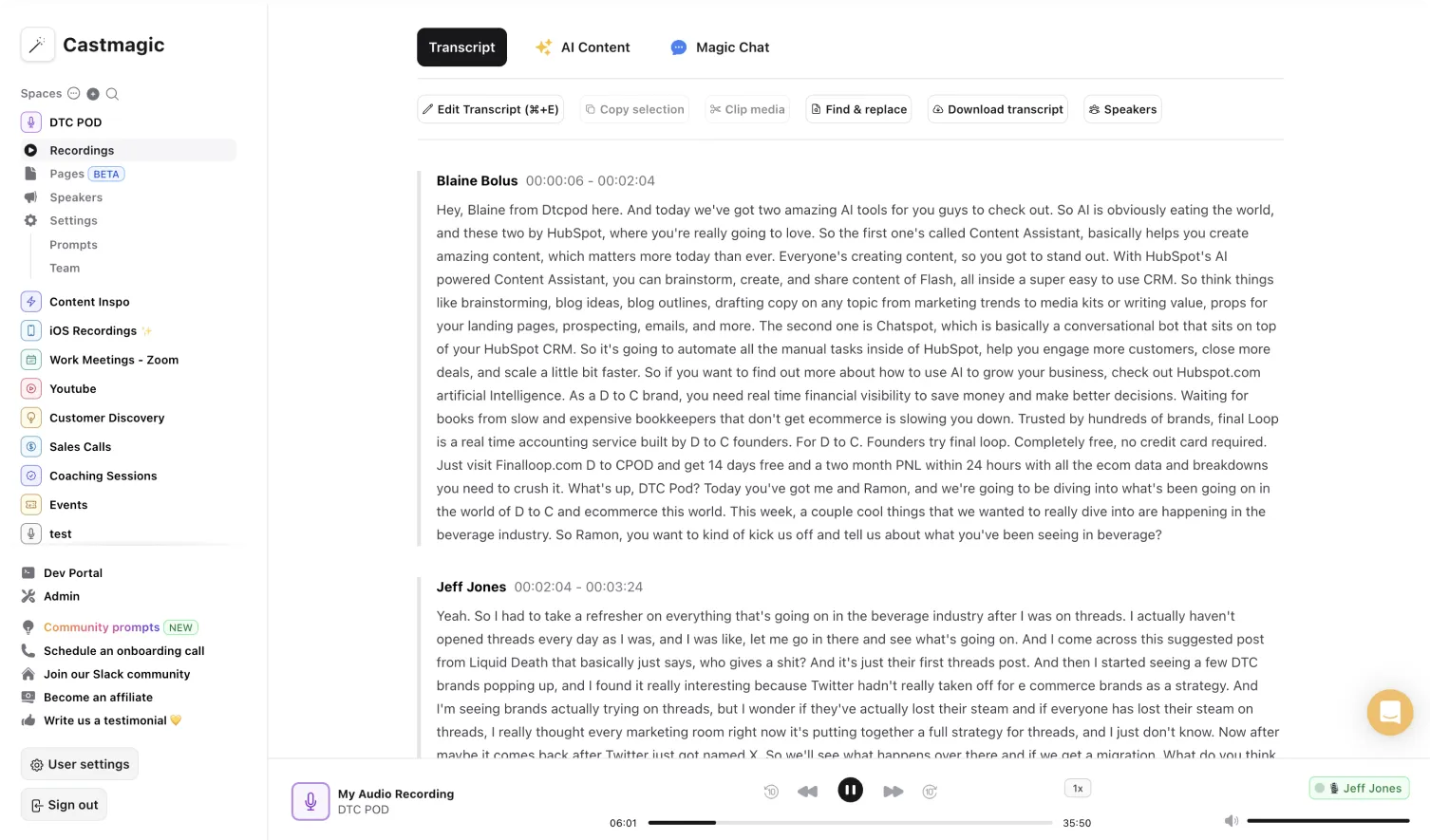
Log into your Castmagic dashboard and drag your file into the upload area. You can also paste a YouTube link, a podcast RSS feed URL, or connect your Zoom account to automatically import meeting recordings. The platform accepts files up to 4 hours long, though shorter recordings produce better per-piece content quality.
Step 3: Select Your Output Templates
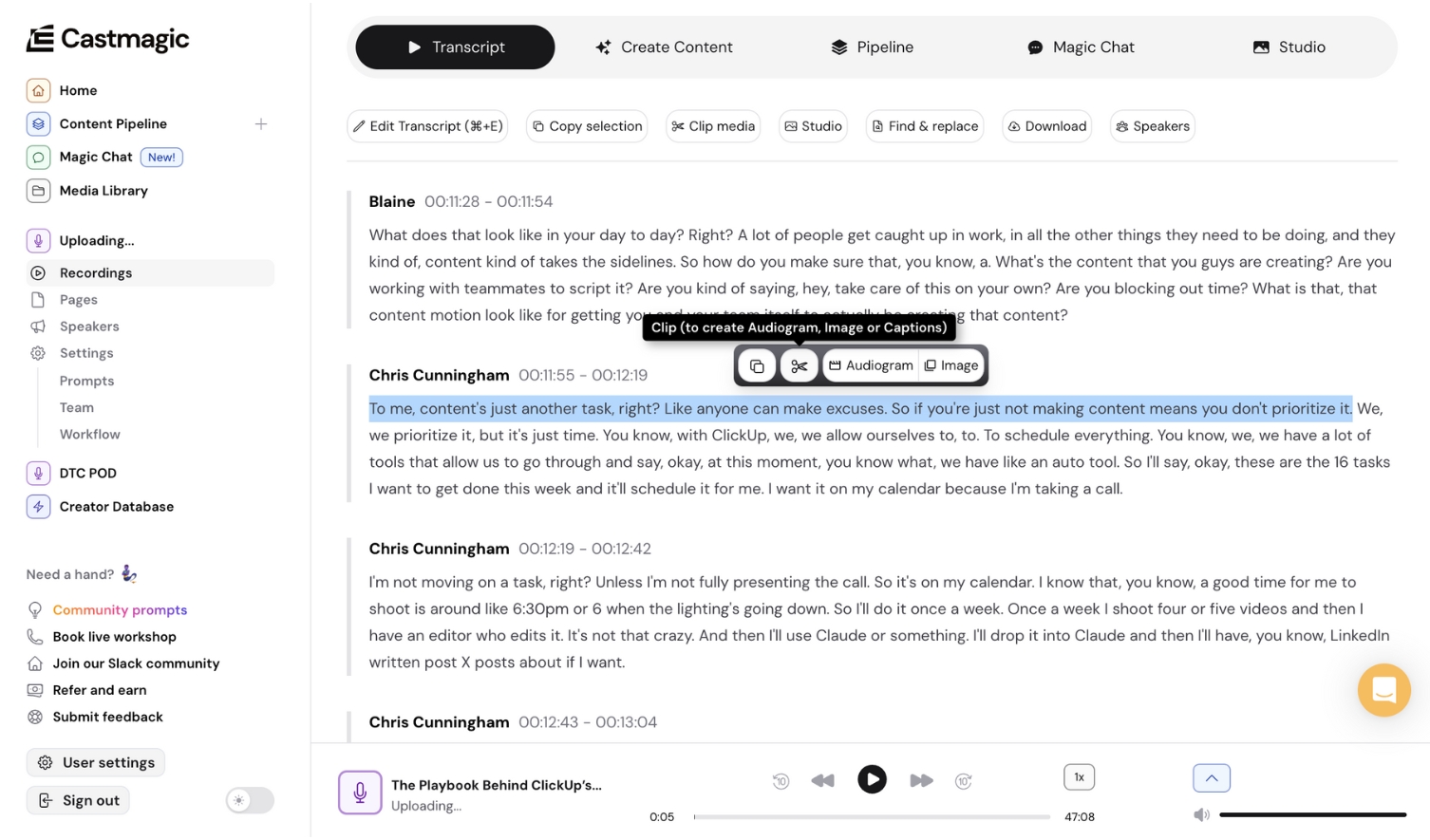
Castmagic offers pre-built templates for common content types: blog post, Instagram caption, LinkedIn post, email newsletter, show notes, and more. You can also create custom templates tailored to your brand voice and content needs. For real estate, we recommend creating a custom template that includes your market area name, your brokerage, and your preferred call to action (like "DM me for a showing" or "Visit my website for more listings").
Step 4: Generate and Review
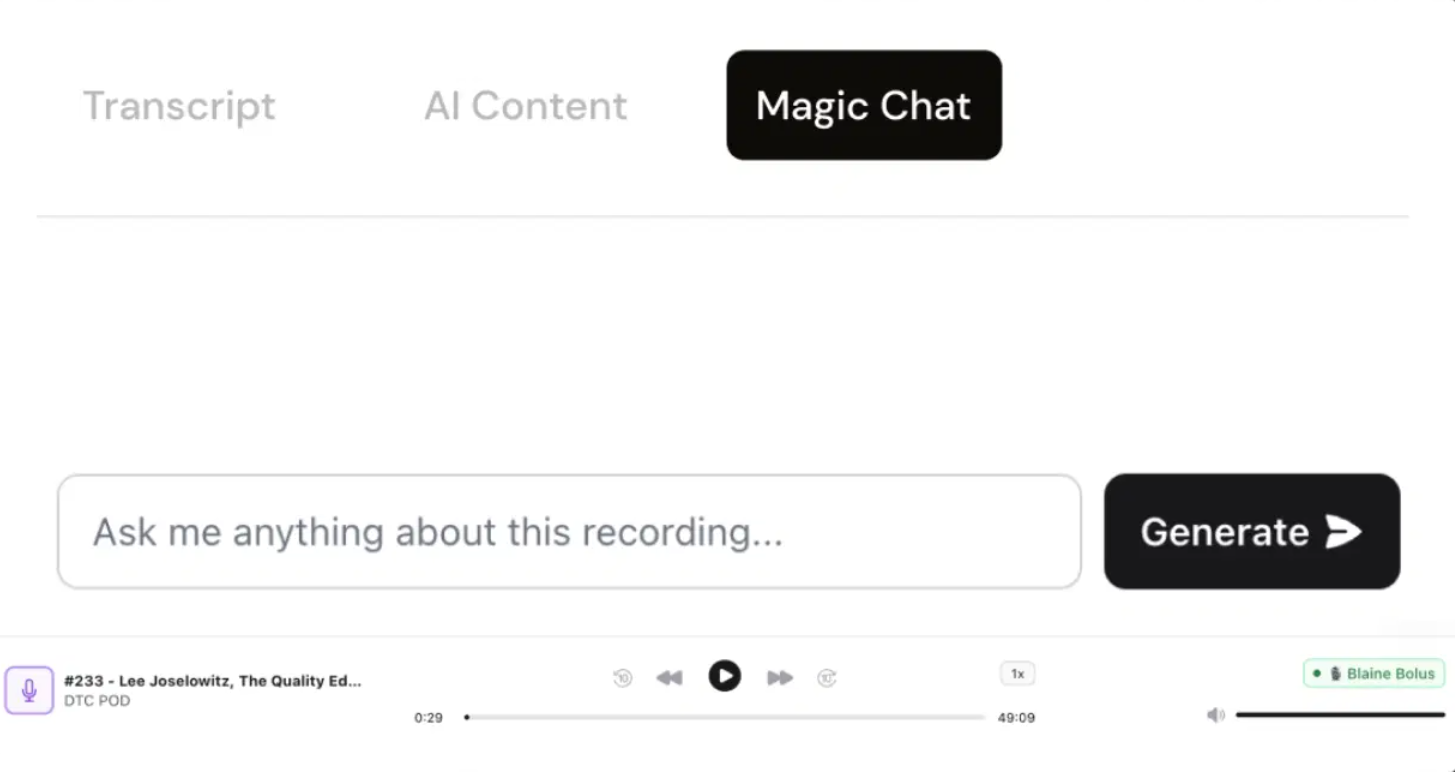
Click generate and Castmagic processes your recording in 2 to 5 minutes depending on length. The AI transcribes the audio, analyzes the content themes, and produces every output you selected. Review each piece, make minor edits for accuracy (always double-check stats, property details, and pricing), and approve. Most agents find the outputs are 80 to 90 percent ready to publish, requiring only light tweaks.
Step 5: Schedule and Publish
Copy the outputs into your scheduling tool of choice - Later, Buffer, Hootsuite, or native platform schedulers. Castmagic does not include a built-in scheduling feature, so you will need a separate tool for this step. Some agents simply copy-paste directly into each platform throughout the week. The key is that all the writing is done - you are just distributing pre-written content, which takes minutes instead of hours.
Castmagic Pros and Cons for Real Estate Agents
After extensive testing and reviewing feedback from dozens of agents using the platform, here is an honest assessment of Castmagic's strengths and weaknesses.
Pros
- Massive time savings - saves 5-8 hours per week on content creation
- High output quality - reads naturally, better than generic ChatGPT outputs
- Multi-format output - one upload creates blog, email, and social content
- Custom templates - train AI to match your brand voice
- Low learning curve - record a voice memo and upload, that is it
- Affordable entry point - starts at $29/mo or $21/mo annually
- Podcast and video support - integrates with YouTube, Zoom, and podcast feeds
Cons
- No built-in scheduling - you still need Buffer or Later to publish
- Requires review - AI outputs need human fact-checking before publishing
- Audio quality matters - noisy recordings reduce transcription accuracy
- No image or video generation - text content only
- No real estate-specific templates - default templates are generic
- No lead capture - content creation only, no lead conversion tools
Castmagic vs Alternatives: How Does It Compare?
Castmagic is not the only AI content repurposing tool on the market. Here is how it stacks up against the three most popular alternatives for real estate agents.
Castmagic vs Opus Clip
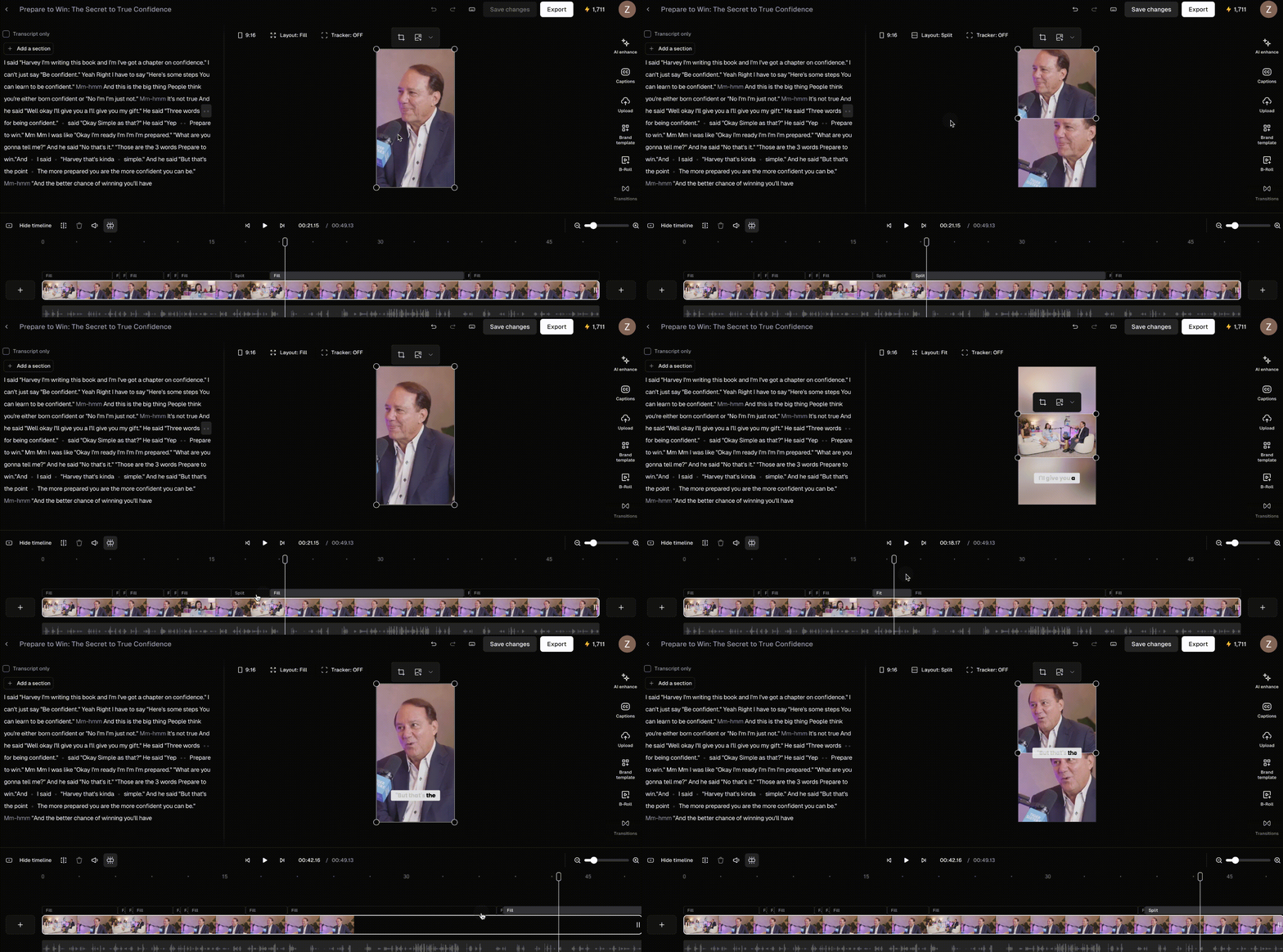
Opus Clip focuses specifically on turning long-form video into short-form video clips. It uses AI to identify the most engaging moments in your recording and automatically creates vertical video clips optimized for TikTok, Instagram Reels, and YouTube Shorts.
Key difference: Opus Clip produces video output. Castmagic produces text output. They solve different problems and actually work well together. Use Opus Clip to create short video clips from your recording, and Castmagic to create written content from the same recording. If you can only choose one and your primary need is written content (blog posts, captions, emails), Castmagic is the better choice. If your strategy is video-first on TikTok and Reels, Opus Clip makes more sense.
Opus Clip pricing: Free plan available with watermarks. Paid plans start at $15 per month.
Castmagic vs Repurpose.io
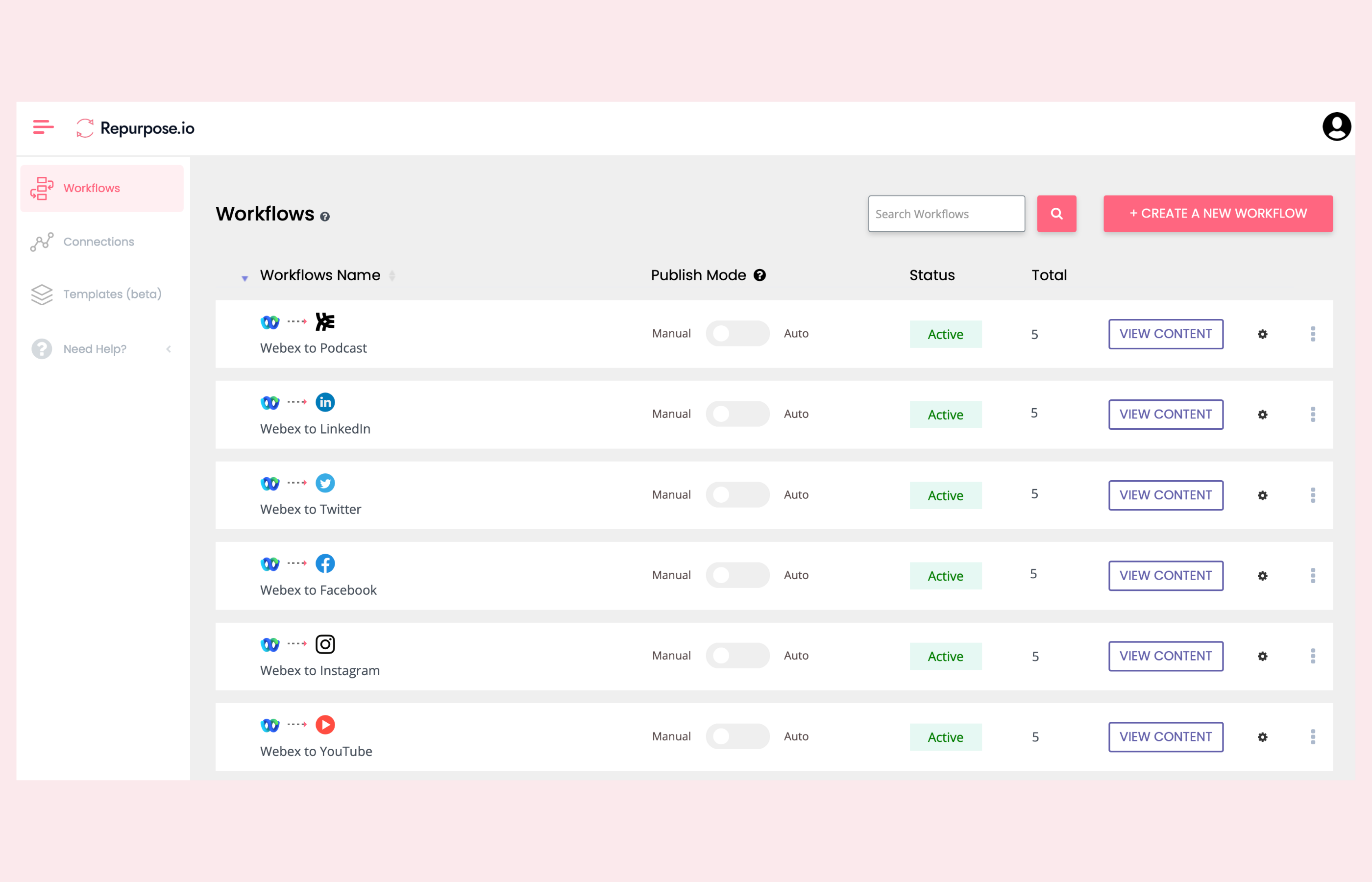
Repurpose.io is a content distribution and automation platform. It takes content you have already created and automatically publishes it across multiple platforms. For example, it can take a YouTube video and automatically post it to Facebook, LinkedIn, TikTok, and Twitter.
Key difference: Repurpose.io distributes existing content across platforms. Castmagic creates new content from existing recordings. Repurpose.io does not write blog posts, email newsletters, or social captions - it redistributes video and audio files. If your main pain point is manually uploading the same video to five different platforms, Repurpose.io solves that. If your pain point is creating written content, Castmagic is the right tool.
Repurpose.io pricing: Plans start at $29 per month for individual creators.
Castmagic vs Descript
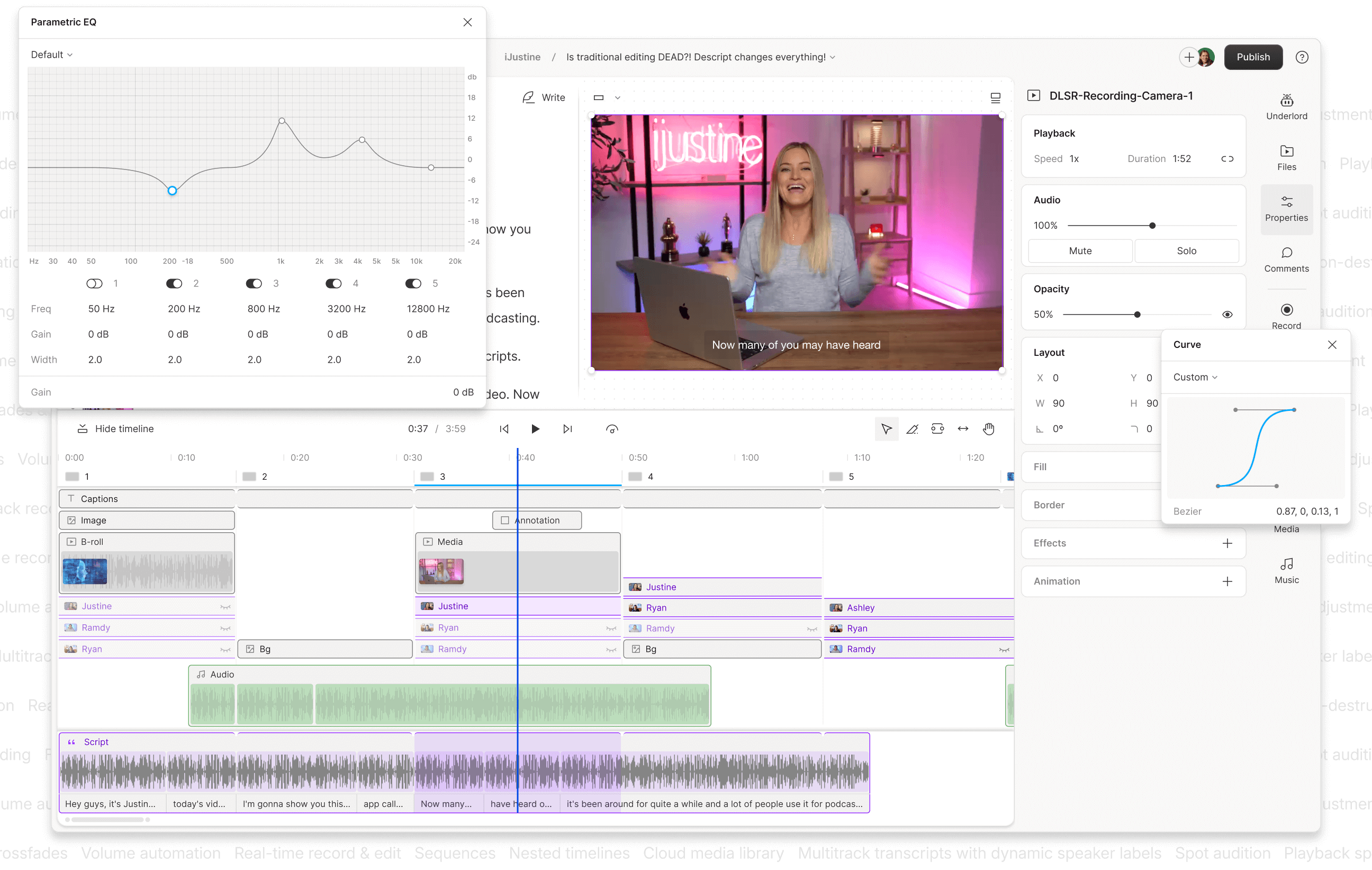
Descript is a video and audio editing platform that uses AI for transcription-based editing. You edit your video by editing the text transcript, and Descript removes the corresponding video segments automatically. It also offers AI-powered features like filler word removal, eye contact correction, and green screen replacement. For a deeper dive on Descript and other tools, see our roundup of the best AI tools for real estate marketing.
Key difference: Descript is an editing tool. Castmagic is a content generation tool. Descript makes your recordings better. Castmagic turns your recordings into written content. Many agents use both: Descript to edit and polish the original video, then Castmagic to generate written content from the polished recording.
Descript pricing: Free plan available. Pro plan starts at $24 per month.
Quick Comparison Table
| Feature | Castmagic | Opus Clip | Repurpose.io | Descript |
|---|---|---|---|---|
| Blog posts from recordings | Yes | No | No | No |
| Social captions from recordings | Yes | No | No | No |
| Email drafts from recordings | Yes | No | No | No |
| Short-form video clips | No | Yes | No | Yes |
| Cross-platform distribution | No | No | Yes | No |
| Video/audio editing | No | Limited | No | Yes |
| Custom AI templates | Yes | No | No | No |
| Starting price | $29/mo | Free/$15/mo | $29/mo | Free/$24/mo |
The bottom line: Castmagic is the best option if your primary need is transforming recordings into written content at scale. It occupies a unique space in the market that the other tools do not directly compete with. For a complete content repurposing workflow, the ideal stack is Descript (edit recordings) plus Castmagic (generate written content) plus Repurpose.io (distribute across platforms).
Castmagic + ListingFlare: The Complete Real Estate Content-to-Lead Pipeline
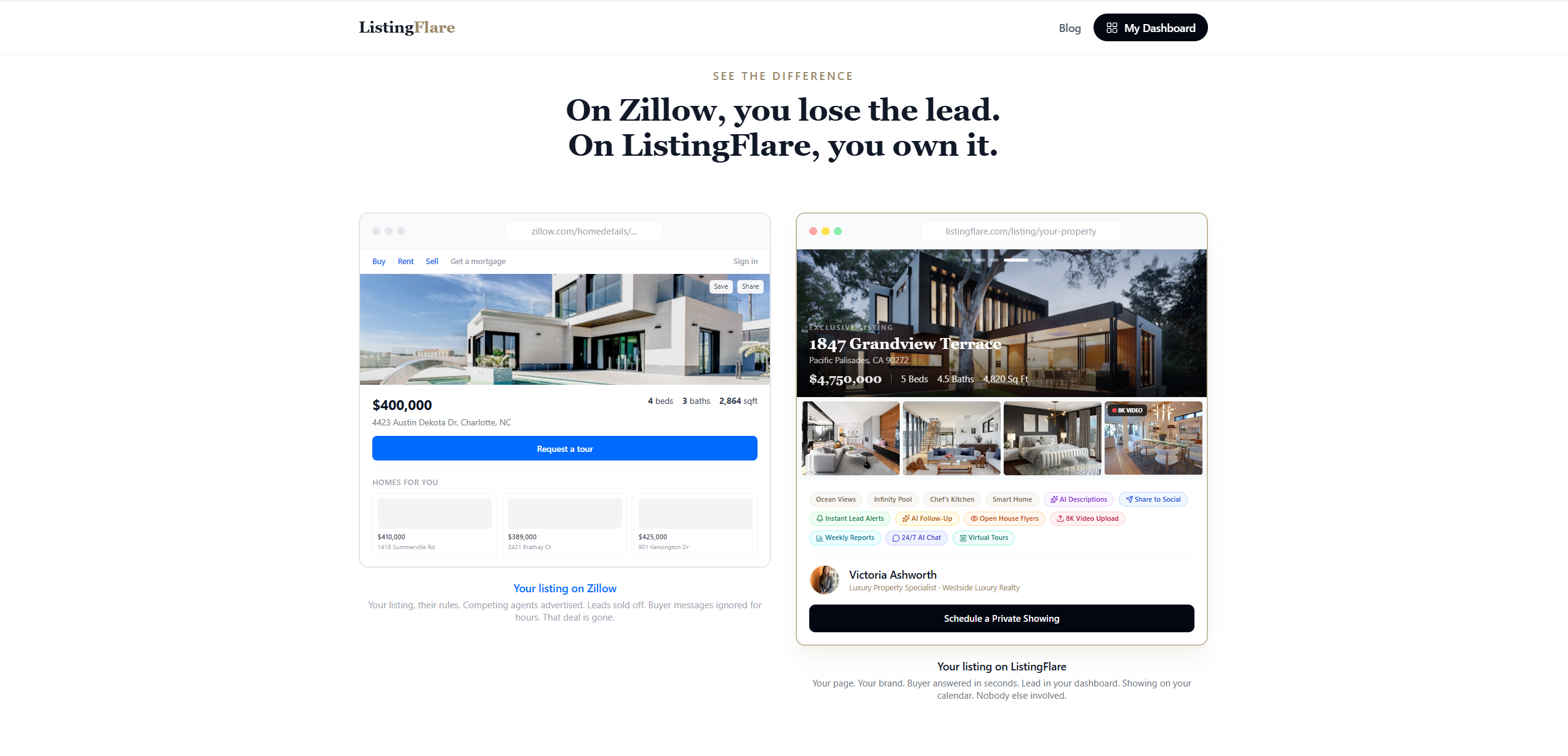
This is where things get really interesting for real estate agents. Castmagic solves the content creation problem brilliantly, but content alone does not pay your mortgage. Content needs to drive leads, and leads need to convert into clients. This is where ListingFlare completes the picture.
Think of it as a two-stage rocket. Stage one is Castmagic: you create content at scale from simple recordings, building your audience and driving traffic across social media, email, and your blog. Stage two is ListingFlare: when that traffic lands on your property pages, an AI-powered chatbot engages visitors in real time, answers their questions about your listings, and captures their contact information automatically - 24 hours a day, 7 days a week.
The workflow in practice:
- Record a 5-minute market update discussing new listings in your area
- Use Castmagic to generate a blog post, 5 Instagram captions, an email newsletter, and a LinkedIn post - all mentioning specific properties
- Link every piece of content to the corresponding ListingFlare property page
- ListingFlare's AI chatbot captures leads from visitors who click through, answering their questions and collecting contact information while you focus on other tasks
- ListingFlare's AI auto-reply drafts personalized follow-up emails the moment a lead comes in, so no inquiry goes cold
The result is a self-sustaining content machine. You spend 20 minutes recording and reviewing content. Castmagic distributes your expertise across every platform. ListingFlare converts that attention into qualified leads with full conversation transcripts showing exactly what each buyer cares about.
Agents using this combination report a 3x to 5x increase in content output and a significant boost in lead capture compared to posting content without a dedicated lead conversion system. The content gets people interested - ListingFlare gets you their phone number.
Ready to see it in action? Watch a live demo of ListingFlare or start your free 14-day trial to experience the AI chatbot lead capture on your own listings.
Verdict: Is Castmagic Worth It for Real Estate Agents?
Yes, for most agents Castmagic is worth the investment. At $29 per month for the Hobby plan (or $21/mo annually), it costs less than what most agents spend on a single social media graphic from a freelancer. The time savings alone justify the cost: if Castmagic saves you even 3 hours per week on content creation, that is 12 hours per month - time you can spend on activities that directly generate revenue like prospecting, showing homes, and negotiating deals.
Castmagic is especially valuable for agents who:
- Know they should be creating more content but do not have the time
- Are comfortable talking but struggle with writing
- Want to maintain a consistent presence across multiple platforms
- Host a podcast or regularly create video content
- Want to build authority in their local market through educational content
Castmagic is less ideal for agents who:
- Prefer to write all their content from scratch
- Only post on one platform and do not need multi-format output
- Are looking for a tool that also handles scheduling and publishing
- Need video editing capabilities (use Descript instead)
The smartest approach is to combine Castmagic for content creation with ListingFlare for lead capture. This gives you the full pipeline: create content at scale, drive traffic to your listings, and convert visitors into leads automatically. That combination, at under $175 per month total, replaces what would otherwise require a part-time marketing assistant and a separate lead capture system.
Start with the Castmagic Hobby plan at $29 per month (or $21/mo annually). Record your first market update. Generate a week of content in 20 minutes. Once you see the time savings, you will wonder how you ever created content the old way.
Try Castmagic Free →Frequently Asked Questions About Castmagic for Real Estate
Is Castmagic good for real estate agents?
Yes. Real estate naturally generates content through market updates, listing presentations, and client conversations. Agents using Castmagic typically save 5 to 8 hours per week by recording one clip and letting AI generate blog posts, social captions, email newsletters, and more from that single recording.
How much does Castmagic cost?
Castmagic offers three plans: Hobby at $29 per month (5 hours of uploads), Starter at $99 per month (20 hours), and Business at $999 per month (80 hours). Annual billing reduces the cost to $21/mo, $79/mo, and $790/mo respectively. Most solo real estate agents find the Hobby plan sufficient for their content needs. All plans include AI-generated outputs, custom templates, and transcription.
Can Castmagic write listing descriptions?
Castmagic can generate listing-related content from a recording where you describe the property. However, it is not specifically designed as a listing description generator. For dedicated AI listing descriptions, property websites, and lead capture, ListingFlare is purpose-built for that workflow and produces MLS-ready descriptions in one click.
What is the best Castmagic alternative for real estate?
The best alternative depends on your primary need. Opus Clip is better if you want short-form video clips from longer recordings. Repurpose.io is better if you need automated cross-platform distribution. Descript is better if you need video and audio editing. No single alternative matches Castmagic's ability to generate multiple types of written content from one recording.
Does Castmagic integrate with social media schedulers?
Castmagic does not have direct integrations with social media scheduling tools like Buffer, Later, or Hootsuite. You generate the content in Castmagic and then copy it into your scheduling platform of choice. This is a minor inconvenience but the content quality and time savings more than make up for the extra step.
How does Castmagic compare to just using ChatGPT?
ChatGPT requires detailed prompts and generates each piece individually. Castmagic starts from your actual recording, so content reflects your real voice and expertise rather than generic AI output. It also generates multiple formats simultaneously from one upload, saving significant time compared to crafting separate ChatGPT prompts.
Can I use Castmagic for client testimonial videos?
Absolutely. Upload a 2 to 3 minute client testimonial and Castmagic produces social media posts with the best quotes, a blog-style case study, email content with social proof, and a Google review request draft. Testimonial content builds trust faster than almost any other content type.
What kind of microphone do I need for Castmagic?
Castmagic works with any recording quality, but better audio produces better transcriptions and therefore better content. Your smartphone's built-in microphone is fine for getting started. For improved results, a $30 to $50 lavalier microphone or a USB desk microphone like the Blue Yeti will significantly improve transcription accuracy and output quality.