Surfer SEO Review for Real Estate Agents: Rank Your Content on Page 1

Key Takeaways
A detailed Surfer SEO review for real estate agents covering pricing, content optimization, local keyword strategies, and how to use Surfer SEO to rank your real estate blog posts on page 1 of Google.
16 min read by ListingFlare Team
You can write the best real estate blog post in the world. You can pour hours into a neighborhood guide, load it with beautiful photos, and share it across every social media platform you have. But if Google does not rank it - and you are not using a content optimization tool like Surfer SEO - nobody sees it. Your masterpiece sits on page 7 collecting digital dust while a competitor's mediocre 500-word article sits at position one stealing every click.
This is the reality most real estate agents face with content marketing. They know they should be blogging. They know content drives organic leads. But they do not understand why some articles rank and others vanish into the void. The missing piece is almost always content optimization - making sure your article gives Google exactly what it wants to see for a given keyword.
That is where Surfer SEO comes in. It is a content optimization tool that analyzes the top-ranking pages for any keyword and tells you exactly what your content needs to compete. Word count, keyword density, headings, images, internal links, NLP terms - It breaks it all down into a simple content score that takes the guesswork out of SEO.
We spent several months using Surfer SEO specifically for real estate content - blog posts, market reports, neighborhood guides, listing descriptions, and lead generation pages. Here is our full Surfer SEO review for real estate agents in 2026.
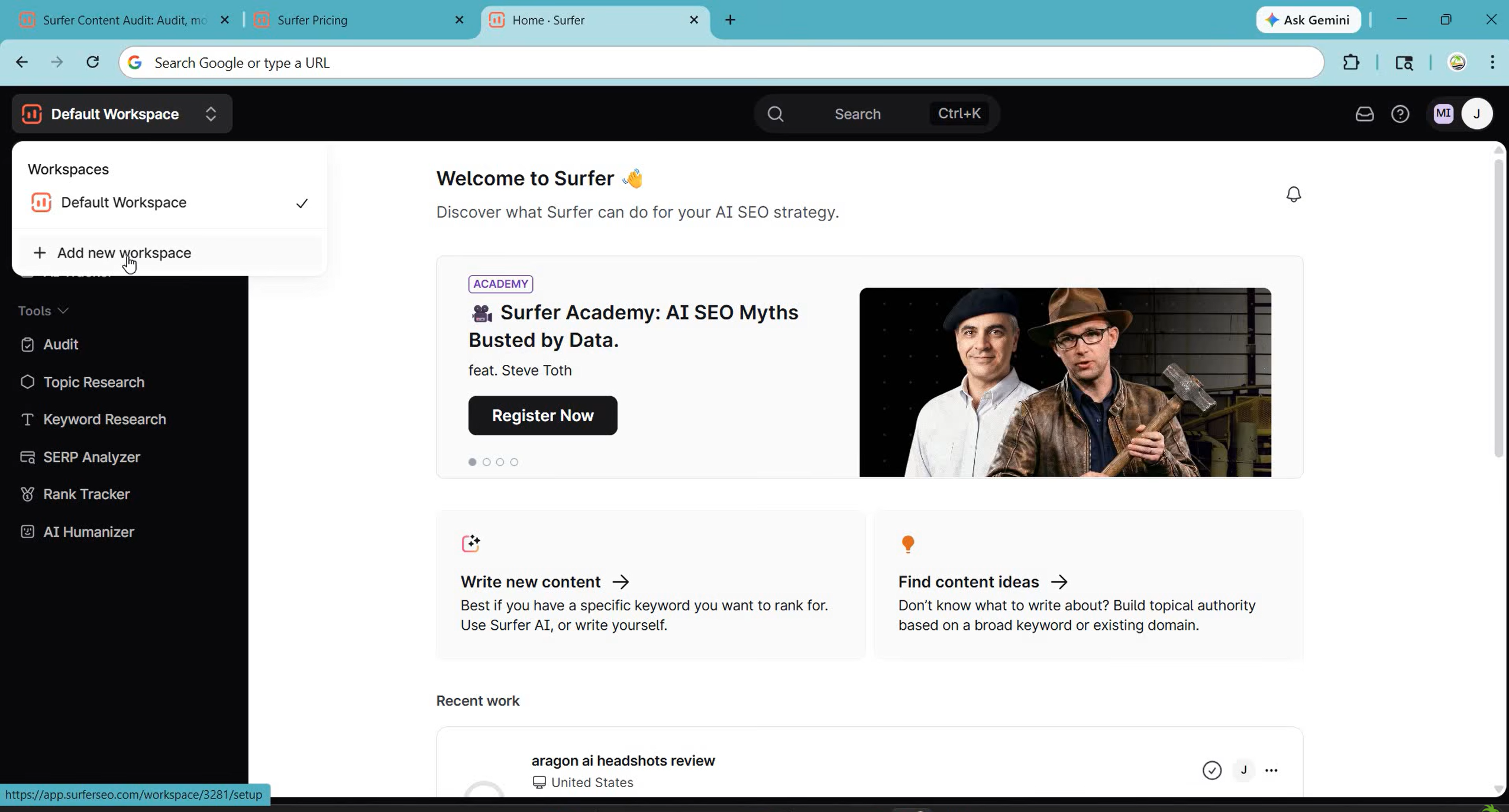
What Is Surfer SEO?
Surfer SEO is a cloud-based content optimization platform that helps you write articles Google actually wants to rank. Instead of guessing what makes a page rank, The platform analyzes the top 10 to 50 results for your target keyword and reverse-engineers the common factors that those winning pages share.
The result is a data-driven content brief that tells you exactly how to structure your article. You get specific guidance on word count, keyword usage, heading structure, image count, paragraph length, and dozens of other on-page factors. As you write, the software gives you a real-time content score from 0 to 100, and your goal is to hit 80 or above.
Founded in 2017, Surfer has grown into one of the most popular SEO tools in the content marketing space. As of 2026, it serves over 150,000 users ranging from solo bloggers to enterprise marketing teams. For real estate agents, it solves a very specific problem: knowing exactly what to write and how to write it so your content actually shows up when someone searches "homes for sale in [your city]" or "best neighborhoods in [your market]."
Surfer SEO includes four core tools that real estate agents should know about:
- Content Editor - The main tool. Enter your target keyword and Surfer generates a content brief with recommended word count, keywords to include, heading suggestions, and a real-time optimization score. You write directly in the editor or paste in your draft and optimize from there.
- SERP Analyzer - A deep-dive analysis tool that shows you exactly what the top-ranking pages for any keyword look like. You can see their word counts, heading structures, keyword densities, backlink profiles, and page speeds. This is incredibly useful for understanding what you are competing against.
- Keyword Research - Surfer's built-in keyword research tool helps you find related keywords, content clusters, and topic ideas. It groups keywords by topic relevance so you can plan your content calendar around clusters rather than individual keywords.
- Audit Tool - Already have published content that is not ranking? The Audit tool analyzes your existing page against the competition and gives you a list of specific improvements. It might tell you to add 500 more words, include certain keywords, add more headings, or optimize your meta description.
What makes Surfer different from generic SEO tools like Ahrefs or SEMrush is focus. Those tools are excellent for keyword research and backlink analysis, but they do not tell you how to write your content. Surfer picks up where they leave off. It is not a replacement for those tools - it is a complement. You use Ahrefs to find the right keyword, and you use Surfer to write the article that ranks for it.
Surfer SEO Pricing in 2026
On to pricing. Surfer SEO offers three main plans, and the pricing is straightforward. Unlike some tools that nickel-and-dime you with add-ons, Surfer gives you a clear set of features at each tier. Here is the full breakdown:
| Plan | Monthly | Annual | Documents |
|---|---|---|---|
| Standard | $119/mo | $99/mo | 30/mo |
| Pro (Recommended) | $219/mo | $182/mo | 30/mo |
| Peace of Mind | $359/mo | $299/mo | Unlimited |
All plans include: Content Editor, SERP Analyzer, Keyword Research, Brand Knowledge, and Plagiarism Checker. Pro adds internal linking, content ideas, and rank drop detection. Peace of Mind adds unlimited documents, dedicated success manager, and API access.
For most real estate agents, the Standard plan at $99 per month (billed annually, or $119 monthly) is the right starting point. If you are publishing two to four blog posts per month - which is a solid cadence for a local real estate blog - 30 documents per month gives you plenty of room to optimize your content, run audits on existing pages, and experiment with different keywords.
The Pro plan at $182 per month annually (or $219 monthly) makes sense if you are part of a team, manage multiple market areas, or produce a high volume of content. The additional features like internal linking, content ideas, and rank drop detection help you build a more sophisticated content strategy beyond one-off posts.
The Peace of Mind plan at $299 per month annually (or $359 monthly) adds unlimited documents, advanced SERP analysis, and a dedicated success manager. It also includes more AI prompts with daily refresh. The AI quality is decent, but we recommend treating AI-generated drafts as starting points that you refine with your local expertise and personal voice. Google's algorithms in 2026 are very good at detecting thin, generic AI content, and the last thing you want is to publish a neighborhood guide that reads like it was written by someone who has never been to your city.
Is $99 per month worth it for a real estate agent? Consider this: one new client from an organic blog post is worth thousands in commission. If Surfer helps just one of your articles reach page one and that article generates even one lead over the course of a year, the tool has paid for itself ten times over. For agents who are serious about content marketing as a lead generation channel, Surfer is one of the highest-ROI tools you can invest in.
Try Surfer SEO Free →How Real Estate Agents Use Surfer SEO
Surfer SEO is a general-purpose content optimization tool, but it works exceptionally well for real estate content because local SEO follows very predictable patterns. Google has clear expectations for what a page about "homes for sale in Austin TX" should contain, and Surfer decodes those expectations for you. Here are the five most valuable use cases we found for real estate agents.
1. Optimizing Blog Posts for Local Keywords
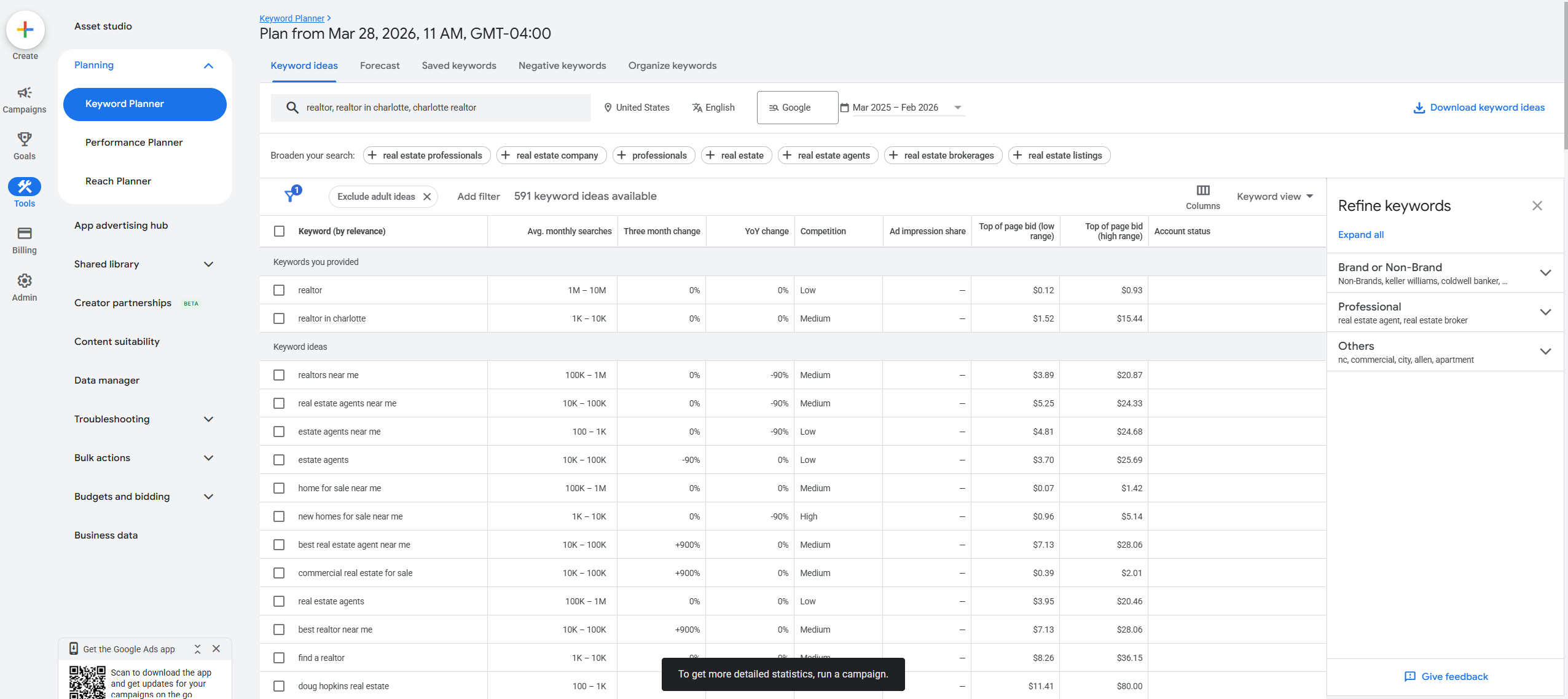
This is the bread and butter use case. You want to rank for "best neighborhoods in Raleigh NC" or "moving to Charlotte NC" or "homes for sale in Durham." You enter your target keyword into Surfer's Content Editor, and it generates a brief that tells you exactly how to structure your article.
For example, when we tested the keyword "best neighborhoods in Raleigh NC," Surfer told us the top-ranking pages averaged 3,200 words, used 14 headings, included 8 images, and mentioned specific NLP terms like "downtown Raleigh," "Research Triangle," "Wake County," "median home price," and "school district." Without Surfer, you might write a 1,000-word post listing five neighborhoods and wonder why it does not rank. With Surfer, you know from the start that you need a comprehensive, 3,000+ word guide with specific supporting details.
The difference in ranking outcomes is dramatic. Articles we optimized with Surfer consistently reached page one within 8 to 12 weeks, while similar articles written without optimization guidance languished on page three or four.
2. Analyzing Competitor Content to Outrank Them
The SERP Analyzer is a secret weapon for competitive research. Enter any keyword and you get a detailed breakdown of every page currently ranking on page one. You can see their word counts, heading structures, keyword usage patterns, domain authority scores, and backlink counts.
For real estate agents, this is gold. You can see exactly what the top-ranking agent in your market wrote about "homes for sale in [your city]." You can see how many words they used, what headings they included, what keywords they focused on, and where their content falls short. Then you write something better. This tool essentially gives you the blueprint for outranking your competition.
We found this especially useful for competitive markets where multiple agents and brokerages are fighting for the same local keywords. The agents who use data to inform their content strategy consistently outperform those who are guessing.
3. Writing Listing Descriptions That Rank in Google
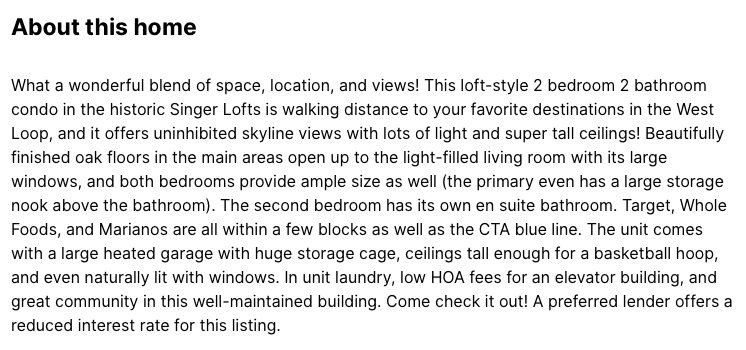
Most agents do not think about SEO when writing listing descriptions, but they should. A well-optimized property listing page can rank for long-tail keywords like "4 bedroom home with pool in [neighborhood]" or "luxury condo downtown [city]." These are high-intent searches from buyers who are actively looking to purchase.
The platform can help you optimize your listing descriptions by analyzing what top-ranking property pages include. We found that the highest-ranking listing pages tend to have 800 to 1,200 words of description content, include specific details about the neighborhood, mention nearby amenities and schools, and use structured data. Surfer's Content Editor helps you hit all these marks without overthinking it.
4. Market Report Optimization
Monthly or quarterly market reports are one of the best content types for real estate SEO. People searching "Austin TX housing market 2026" or "is it a good time to buy a home in Charlotte" are high-intent prospects who are actively considering a transaction. These searches have strong commercial intent and relatively low competition compared to broader terms.
Surfer helps you optimize these reports by showing you what the top-ranking market update pages include. Typically, they feature current median home prices, year-over-year trends, days on market statistics, inventory levels, interest rate context, and neighborhood-level breakdowns. Surfer will flag any of these elements that you are missing and suggest specific terms to include.
5. Neighborhood Guide Content Optimization
Neighborhood guides are the single most effective type of content for real estate SEO. They target location-specific keywords, they provide genuine value to relocating buyers, and they establish you as the local expert. But they also require significant effort to create, which means you want to make sure every guide you publish has the best possible chance of ranking.
Surfer's Content Editor is perfect for this. When you enter a keyword like "living in [neighborhood name]" or "[neighborhood] neighborhood guide," Surfer analyzes what the top-ranking guides include and creates a brief. The best neighborhood guides typically cover cost of living, school information, restaurants and dining, parks and recreation, commute times, housing styles, and community vibe. Surfer ensures you do not miss any of these critical sections.
Step-by-Step: How to Optimize a Real Estate Blog Post with Surfer SEO
Let us walk through the exact process of using Surfer to optimize a real estate blog post from start to finish. We will use the example keyword "moving to Raleigh NC" to make this concrete.
Step 1: Enter Your Target Keyword
Log into Surfer and open the Content Editor. Type your target keyword - in this case, "moving to Raleigh NC" - and select your target country and language. Click "Create" and Surfer will spend about 30 seconds analyzing the top-ranking pages for that keyword.
Surfer pulls data from the current top 10 to 50 search results and builds a comprehensive content brief based on what those pages have in common. The analysis includes word count, heading structure, keyword frequency, NLP entities, image count, and paragraph structure.
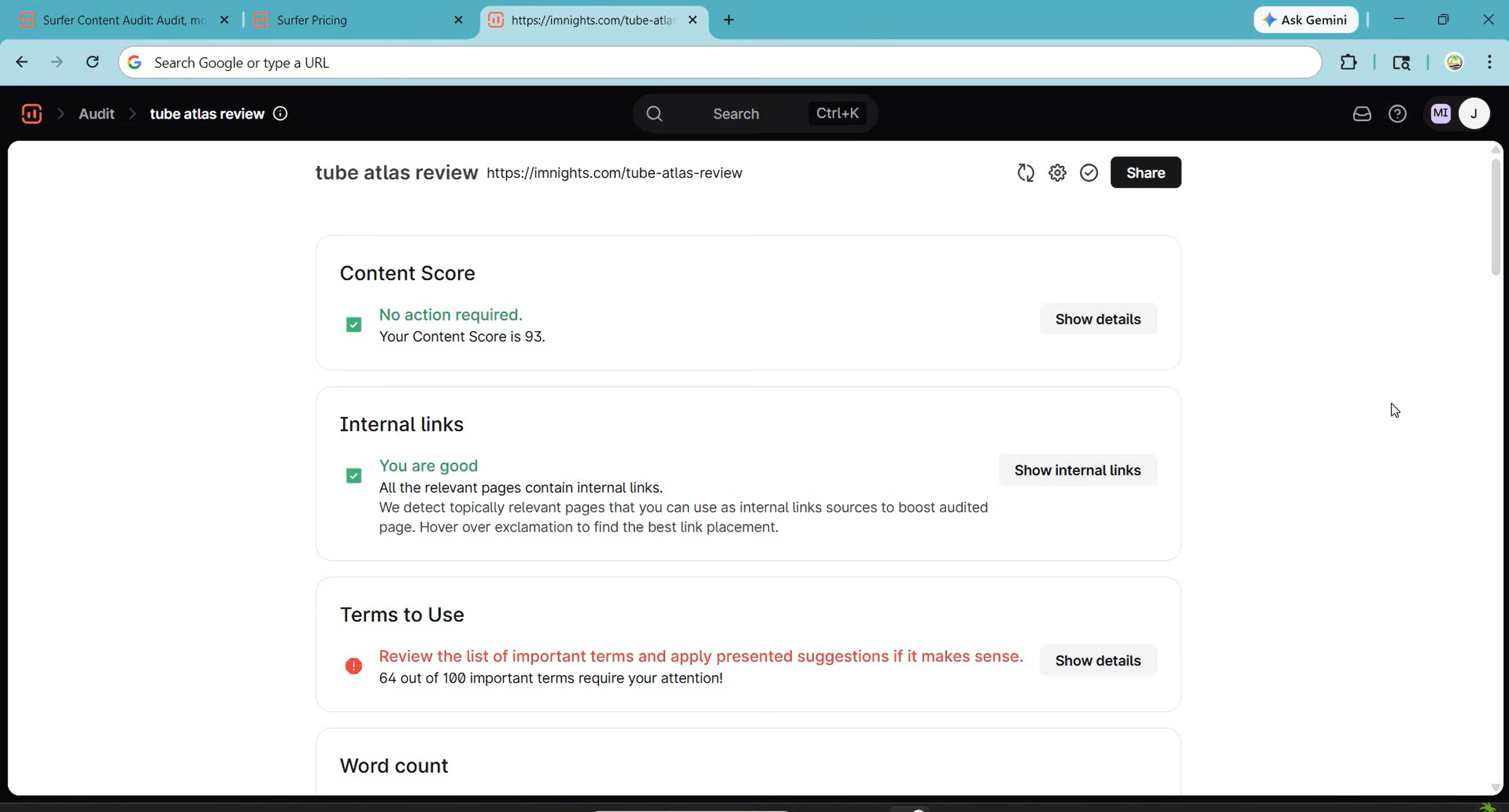
Step 2: Review the Content Brief
Once the analysis is complete, Surfer presents you with a content brief that includes several key elements:
- Suggested word count - For our "moving to Raleigh NC" example, Surfer recommended 3,500 to 4,500 words. This tells you immediately that a short 800-word post is not going to cut it.
- Required keywords - Surfer lists primary and secondary keywords you should include, along with recommended frequency. For our example, it suggested including "Raleigh NC" 15 to 20 times, "cost of living" 3 to 5 times, "Research Triangle" 2 to 4 times, "Wake County" 2 to 3 times, and dozens of other relevant terms.
- Heading suggestions - Surfer recommends specific H2 and H3 headings based on what top-ranking pages use. It might suggest headings like "Cost of Living in Raleigh," "Best Neighborhoods in Raleigh," "Job Market and Economy," and "Schools and Education."
- Image count - The brief tells you how many images to include. For comprehensive guides, this is usually 6 to 12 images.
Step 3: Write with Real-Time Scoring
Now you start writing directly in Surfer's editor. As you type, Surfer updates your content score in real time. The score starts at 0 and climbs as you include the recommended keywords, hit the target word count, add headings, and include images.
The editor sidebar shows a checklist of keywords with green, yellow, and red indicators. Green means you have used the keyword the right number of times. Yellow means you need more mentions. Red means you have either not used it at all or you have used it too many times, which signals keyword stuffing.
You can also paste in a draft you have already written. Surfer will immediately score it and show you where the gaps are. This is great if you prefer writing in Google Docs or your favorite text editor first and then optimizing afterward.
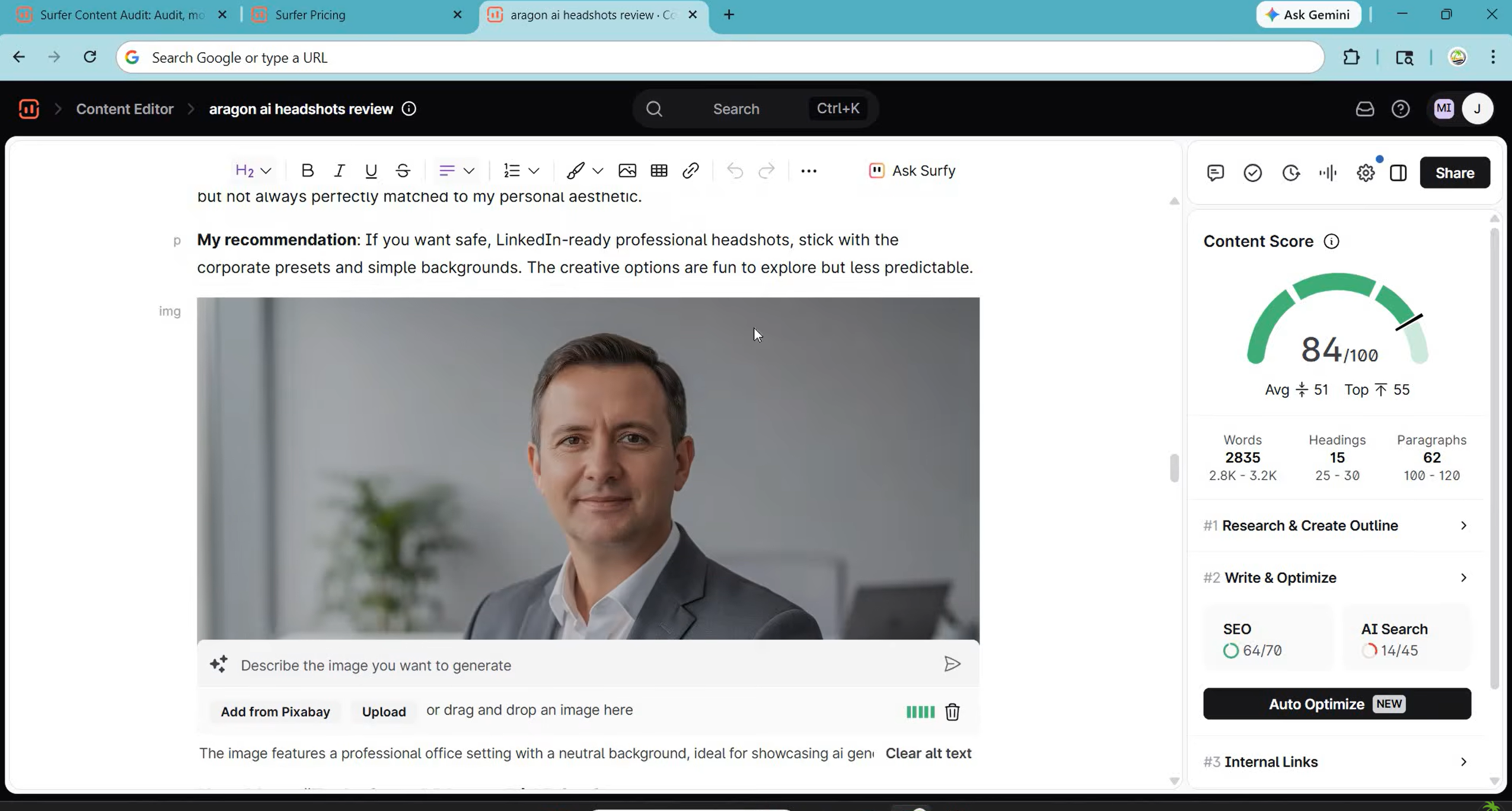
Step 4: Hit a Score of 80 or Above
Your target is a content score of 80 or higher. In our testing, articles that scored 80+ consistently outperformed those that scored in the 60s or 70s. The sweet spot seems to be 82 to 90 - high enough to be thoroughly optimized but not so high that the content feels forced or over-stuffed with keywords.
Do not chase a perfect 100. A score of 100 often means you have crammed in every possible keyword variation at the exact recommended frequency, and the result reads unnaturally. Google is smart enough to detect over-optimization, and your human readers will find it off-putting. Aim for natural, readable content that happens to check all the optimization boxes.
For our "moving to Raleigh NC" test article, we hit a score of 86 with a 4,100-word comprehensive guide. It reached position 4 on Google within 10 weeks of publishing, and it has been steadily climbing since. That single article now generates 15 to 20 organic visits per day, a meaningful number of which convert into email subscribers and lead form submissions.
Step 5: Publish and Monitor
Once you hit your target score, export the content from Surfer (it supports HTML, plain text, and direct integrations with WordPress and Google Docs) and publish it on your website. Give Google 4 to 12 weeks to crawl, index, and rank your new content.
After a few months, come back to Surfer and use the Audit tool to check your article's performance. The audit will tell you if the competitive landscape has changed and whether you need to update your content. SEO is not a one-and-done activity - the best-ranking pages are regularly updated and refreshed.
Surfer SEO Pros and Cons for Real Estate Agents
After months of testing Surfer for real estate content, here is our honest assessment of what works and what falls short.
Pros
- Takes the guesswork out of optimization - specific, actionable data for every article
- Real-time scoring - watch your content score climb as you write
- Works great for local SEO - identifies location-specific terms Google expects
- Audit tool for existing content - shows exactly how to fix underperforming posts
- Google Docs and WordPress integrations - no need to change your writing workflow
- SERP Analyzer - see exactly what top-ranking competitors wrote
- Keyword clustering - plan content clusters instead of random one-off articles
Cons
- $99/month is a commitment - expensive if you only write 1-2 posts monthly
- Can encourage over-optimization - chasing perfect scores leads to keyword stuffing
- Does not replace writing skill - tells you what to include, not how to write well
- Learning curve takes a few sessions - SERP Analyzer data can be overwhelming
- AI writing quality is inconsistent - real estate outputs tend to be generic
- No free tier - 7-day money-back guarantee only, no free plan
Surfer SEO vs Alternatives: How Does It Compare?
Surfer is not the only content optimization tool on the market. Here is how it stacks up against the main alternatives we tested for real estate content.
Surfer SEO vs Clearscope
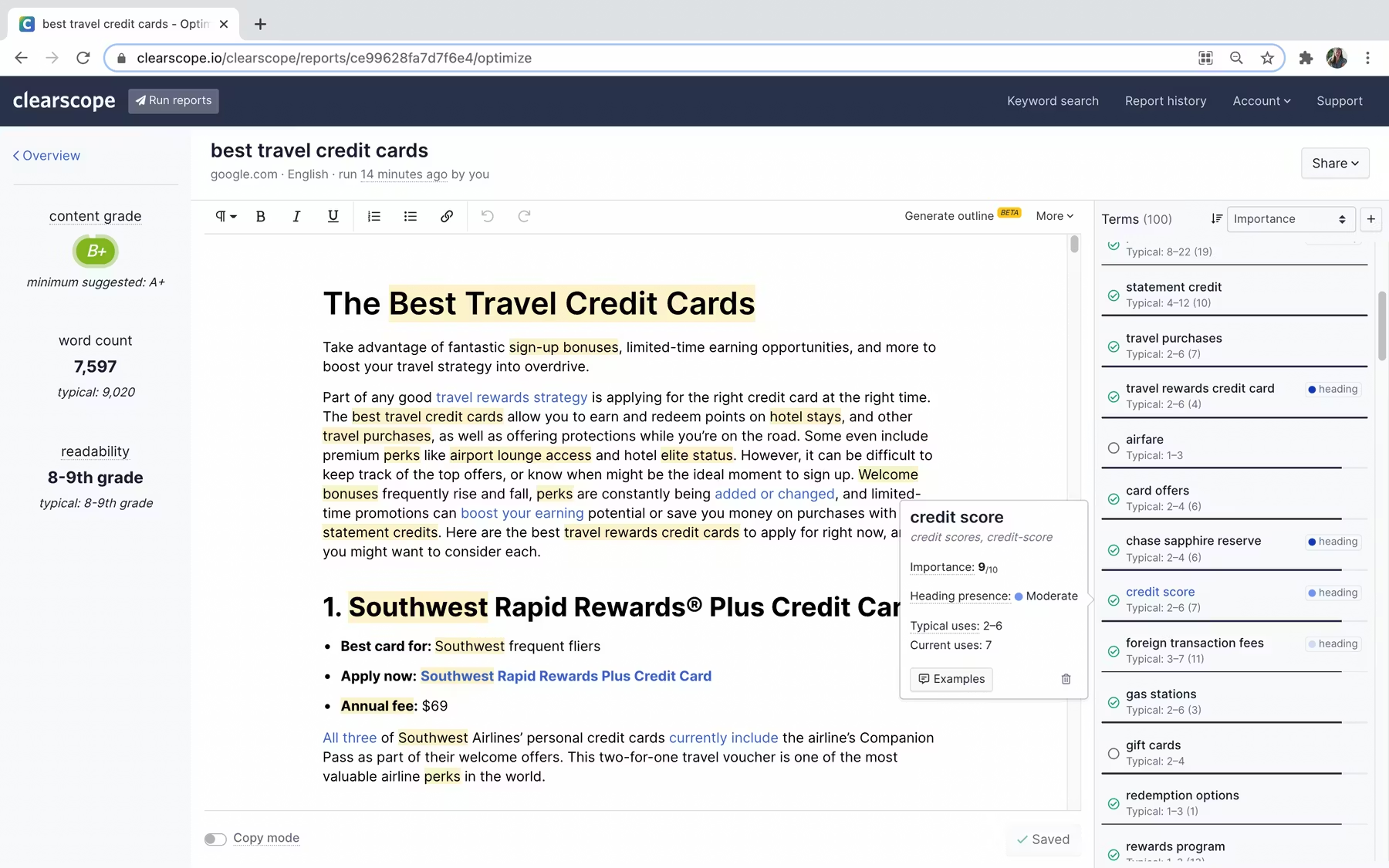
Clearscope is Surfer's closest competitor and the tool most often recommended alongside it. Clearscope is excellent at content grading and keyword analysis, and its interface is slightly cleaner and simpler than Surfer's.
However, Clearscope starts at $170 per month for just 10 content reports - nearly double Surfer's price for less than half the volume. For real estate agents who need to optimize multiple blog posts, market reports, and neighborhood guides each month, the cost difference adds up quickly. Clearscope is a premium tool with premium pricing, and for most individual agents, Surfer offers better value.
Bottom line: Clearscope has a slight edge in content grading accuracy, but Surfer wins on value, volume, and the breadth of its feature set. For real estate agents, Surfer is the better choice.
Surfer SEO vs MarketMuse
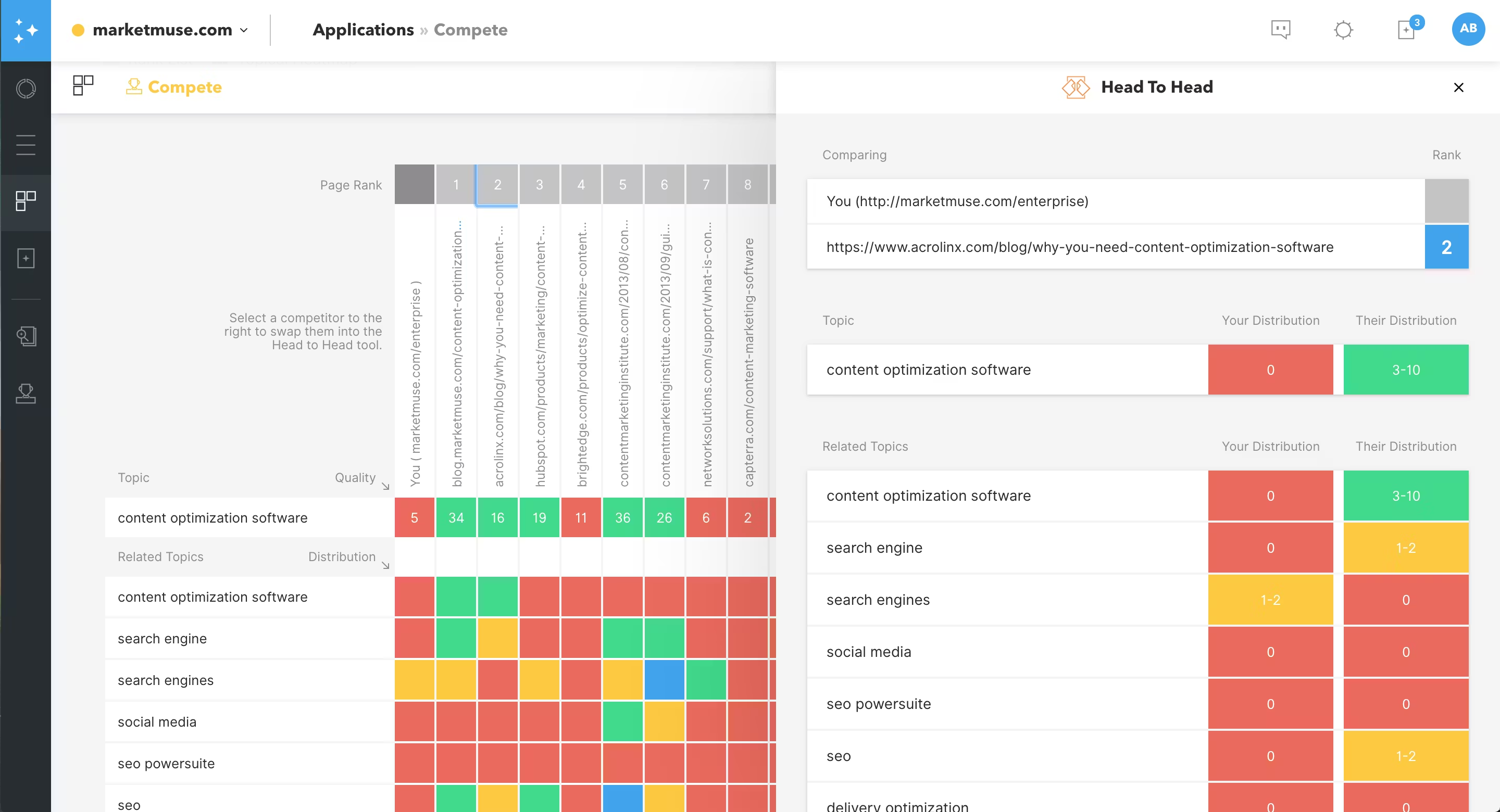
MarketMuse is an enterprise-grade content intelligence platform that goes beyond optimization into full content strategy planning. It uses AI to analyze your entire website, identify content gaps, and build topical authority maps.
MarketMuse is powerful, but it is designed for large content teams with big budgets. Pricing starts at $149 per month for the Standard plan, and the most useful features are locked behind the Team plan at $399 per month. For a solo agent or small team, MarketMuse is overkill and overpriced.
Key difference: MarketMuse is best for brokerages or real estate media companies with dedicated content teams. Individual agents should stick with Surfer.
Surfer SEO vs Frase

Frase is a budget-friendly content optimization tool that combines AI writing with SEO analysis. It starts at just $15 per month for the Solo plan, making it the most affordable option in this comparison.
Frase is surprisingly capable for its price point. The content optimization scoring is solid, the AI writing is decent, and the research features help you build content briefs quickly. However, Frase's optimization data is less granular than Surfer's, and the SERP analysis is not as deep. For agents who are just starting with content marketing and want to dip their toes in without a major investment, Frase is a solid choice.
What stands out: Frase is the best budget option. If $99 per month for Surfer feels like too much right now, start with Frase at $15 per month and upgrade to Surfer when your content volume and revenue justify the cost.
Surfer SEO vs NeuronWriter
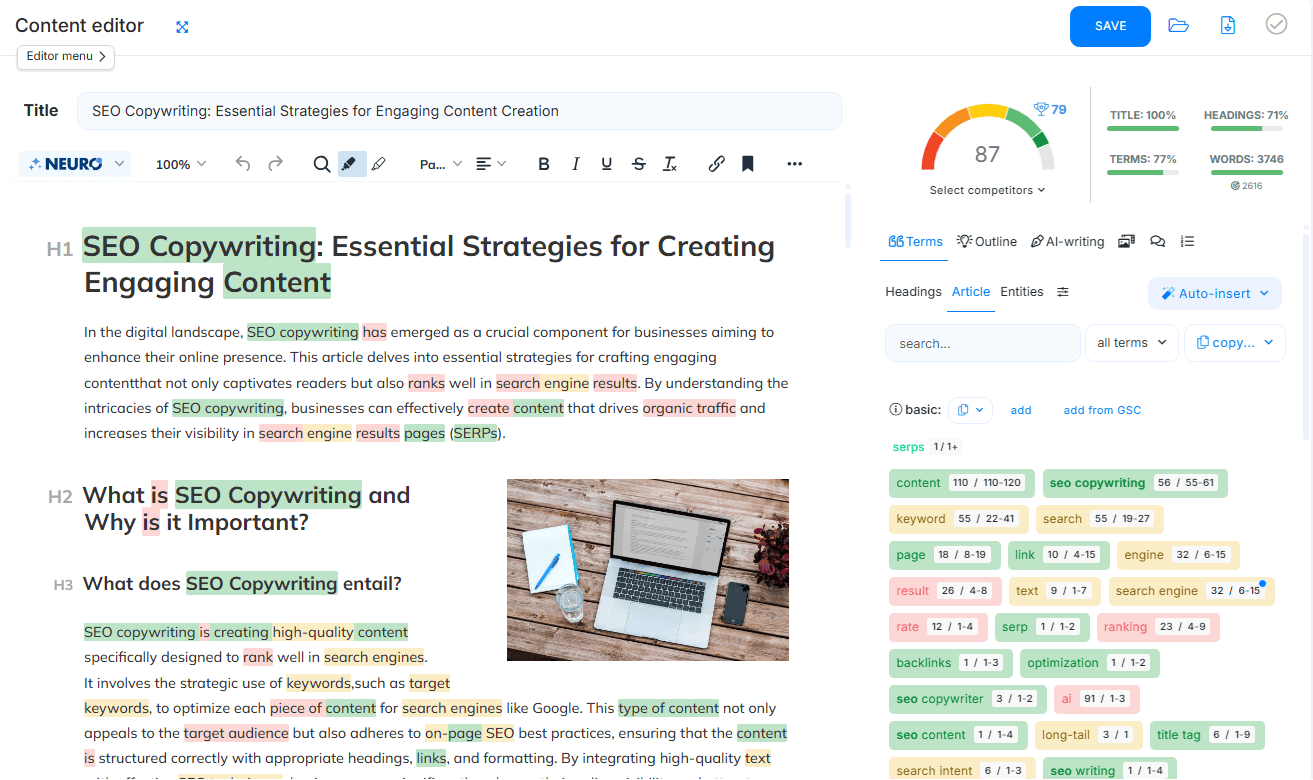
NeuronWriter is a newer entrant that combines content optimization with NLP-driven recommendations and competitor analysis. It offers lifetime deals through AppSumo and similar platforms, which makes it attractive for budget-conscious users.
NeuronWriter's optimization quality is good, and the NLP analysis is competitive with Surfer's. The interface is clean and the learning curve is gentle. However, the tool is less established than Surfer, the community and support resources are smaller, and the integrations are more limited.
The takeaway: NeuronWriter is a solid mid-range option, especially if you can grab a lifetime deal. For agents who want the best optimization data and the most robust feature set, Surfer remains the top choice.
Quick Comparison Table
| Tool | Starting Price | Best Feature | Ideal User |
|---|---|---|---|
| Surfer SEO | $99/mo (annual) | Real-time content scoring + SERP Analyzer | Agents serious about content SEO |
| Clearscope | $170/mo | Content grading accuracy | Big-budget teams wanting premium accuracy |
| MarketMuse | $149/mo | Full content strategy planning | Brokerages with dedicated content teams |
| Frase | $15/mo | Budget-friendly AI + optimization | Agents just starting with content marketing |
| NeuronWriter | $19/mo | NLP analysis + lifetime deal options | Budget-conscious agents wanting solid optimization |
Surfer SEO + ListingFlare: A Blog Content Strategy That Captures Leads
This is where things get really interesting for real estate agents. Surfer SEO helps you get traffic to your blog. But traffic alone does not pay your bills. You need to convert that traffic into leads. That is where ListingFlare completes the picture.
The strategy is simple and powerful. You use Surfer to optimize blog posts that attract organic search traffic - neighborhood guides, market reports, moving guides, and buyer or seller advice articles. Those blog posts drive hundreds or thousands of visitors to your website every month. Then, within those blog posts, you link to your ListingFlare property pages where visitors can view your active listings and submit their contact information through built-in lead capture forms.
A concrete example of how this works:
- Write a Surfer-optimized blog post titled "Best Neighborhoods in Raleigh NC for Families in 2026." Use Surfer to hit a content score of 85+. Include detailed information about schools, parks, home prices, and community features for each neighborhood.
- Within the blog post, link to your ListingFlare property pages for homes currently listed in those neighborhoods. A reader learning about North Hills who sees a link to an active listing in that neighborhood is far more likely to click through and submit a lead form than a random website visitor.
- Add a call to action at the end of every blog post that directs readers to your ListingFlare listings or to schedule a demo of your property pages. Something like "See all available homes in these neighborhoods" with a link to your ListingFlare-powered listing pages.
- Capture leads through ListingFlare's built-in forms on your property pages. Every visitor who came from your blog post is a warm lead - they already trust your expertise because they read your content.
This blog-to-listing-page funnel is one of the most effective organic lead generation strategies in real estate. The blog post does the heavy lifting of attracting and educating the visitor. The ListingFlare property page does the heavy lifting of capturing their information and starting the relationship.
For more on this strategy, check out our guides on how to market a real estate listing and the best AI tools for real estate marketing. Both articles cover complementary strategies that work alongside Surfer-optimized blog content.
The agents who are winning at organic lead generation in 2026 are not choosing between content marketing and property marketing. They are doing both and connecting them into a cohesive funnel. Surfer SEO handles the content optimization side. ListingFlare handles the property presentation and lead capture side. Together, they create a system that generates leads on autopilot through organic search.
Verdict: Should Real Estate Agents Use Surfer SEO?
After months of testing, our answer is a clear yes - with a few caveats.
Surfer SEO is one of the most effective tools available for real estate content optimization. It takes the guesswork out of SEO, gives you a clear roadmap for every article you write, and measurably improves your chances of ranking on page one. For agents who are committed to content marketing as a lead generation strategy, the $99 per month Standard plan (billed annually) is one of the highest-ROI investments you can make.
The tool is especially powerful for local real estate content. Neighborhood guides, market reports, moving guides, and area-specific blog posts all benefit enormously from Surfer's data-driven optimization. The SERP Analyzer alone is worth the price of admission for competitive research, and the Audit tool can breathe new life into your existing content library.
That said, Surfer is not magic. It will not rank content that is poorly written, factually inaccurate, or published on a website with no domain authority. You still need to produce useful, well-researched content that serves your audience. Surfer ensures that your great content is also optimized content, which dramatically increases its chances of ranking.
Who should and should not use Surfer SEO:
Surfer SEO is a great fit if you:
- Publish blog posts at least twice per month
- Target local keywords in your market
- Want to rank for neighborhood guides, market reports, and buyer/seller advice content
- Have existing content that you want to update and improve
- Are willing to invest time in learning SEO fundamentals alongside the tool
- See content marketing as a long-term lead generation channel, not a quick fix
Surfer SEO is probably not worth it if you:
- Only post sporadically or have no content marketing plan
- Rely entirely on paid ads and referrals for leads
- Do not have a blog or website where you can publish optimized content
- Are looking for instant results - SEO takes 3 to 6 months to show meaningful results
If you are ready to take your real estate content marketing seriously, Surfer SEO deserves a spot in your toolkit. Pair it with ListingFlare for property presentation and lead capture, and you have a complete organic marketing system that generates leads while you sleep.
Try Surfer SEO Free →Frequently Asked Questions
Is Surfer SEO worth it for real estate agents?
Yes, Surfer SEO is worth it for real estate agents who are committed to content marketing. The $99 per month Standard plan (billed annually) pays for itself if it helps even one blog post reach page one of Google and generate a single lead. Agents who publish at least two blog posts per month and target local keywords will see the most value from the platform.
What is the best Surfer SEO plan for a solo real estate agent?
The Standard plan at $99 per month (billed annually, or $119 monthly) is the best choice for most solo agents. It includes 30 documents per month, which is more than enough for agents publishing two to four blog posts monthly. You also get access to the Content Editor, SERP Analyzer, Keyword Research, and Audit tools - everything you need for effective content optimization.
Can Surfer SEO help me rank for local real estate keywords?
Absolutely. Surfer SEO is particularly effective for local keywords because it analyzes what the top-ranking pages in your specific market include. It identifies location-specific terms, entities, and content structures that Google expects to see on local real estate pages. We saw the best results with neighborhood guides, market reports, and city-specific moving guides.
How long does it take to see results from Surfer SEO?
Most content optimized with Surfer starts showing ranking improvements within 8 to 12 weeks of publishing. However, the full impact can take 3 to 6 months depending on your website's domain authority, the competitiveness of the keyword, and how well you execute the optimization recommendations. Content updates on existing pages tend to show results faster than new pages.
Does Surfer SEO replace tools like Ahrefs or SEMrush?
No. Surfer SEO complements keyword research and backlink tools like Ahrefs and SEMrush. Those tools are best for finding keywords, analyzing backlinks, and tracking rankings. Surfer picks up where they leave off by telling you how to write and optimize your content for those keywords. The ideal workflow is to use Ahrefs or SEMrush for keyword research and Surfer for content optimization.
Can I use Surfer SEO with my existing WordPress real estate website?
Yes. Surfer SEO offers a direct WordPress integration that lets you optimize content within the WordPress editor. You can also use the Google Docs integration to write in Docs with Surfer's optimization sidebar, then paste the finished content into WordPress. Either approach works well for real estate blogs built on WordPress.
Is Surfer SEO's AI writing good enough for real estate content?
The AI writing produces decent first drafts but treat them as starting points. The output tends to be generic and lacks local knowledge. Use AI to generate a structure and initial draft, then add your own expertise, local details, and personal voice.
What is a good Surfer SEO content score to aim for?
Aim for a content score of 80 or above. In our testing, articles scoring between 82 and 90 performed best in search rankings. Do not chase a perfect 100, as that often leads to over-optimized content that reads unnaturally. Focus on writing valuable, comprehensive content that naturally incorporates Surfer's keyword and structure recommendations.
How does Surfer SEO compare to Clearscope for real estate agents?
Surfer offers better value. Its Standard plan provides 30 documents for $99/month (billed annually), while Clearscope starts at $170/month for just 10 reports. Clearscope has a slight edge in grading accuracy, but Surfer's broader feature set, higher volume, and lower price make it the better choice for most agents.
Can Surfer SEO help with my ListingFlare property page content?
Yes. Use Surfer to optimize blog posts that drive organic traffic, then link those posts to your ListingFlare property pages to capture leads. This blog-to-listing funnel is one of the most effective organic lead generation strategies for real estate agents.