ManyChat Review for Real Estate Agents: Automate Instagram & Facebook Leads

Key Takeaways
An in-depth ManyChat review for real estate agents covering pricing, Instagram DM automation, Facebook Messenger chatbots, lead qualification flows, and 7 proven strategies to capture more buyer and seller leads from social media.
18 min read by ListingFlare Team
The reality of social media marketing for real estate agents in 2026: you can post the most beautiful listing photos, record the most polished Reels, and write the most engaging captions - but if you are not capturing leads from that content - with a tool like ManyChat automating your DMs - you are leaving money on the table.
Most agents fall into what we call the "post and pray" trap. They spend hours creating content, hit publish, and then hope that someone reaches out. Maybe a few people like the post. Maybe someone drops a comment. But turning that engagement into an actual lead? That requires a fast, personal response - and most agents simply cannot reply to every DM and comment within minutes while also showing homes, writing offers, and managing closings.
This is the exact problem ManyChat was built to solve. It automates Instagram DMs, Facebook Messenger conversations, and WhatsApp messages so that every person who engages with your content gets an instant, personalized response - even at 2 AM on a Saturday.
We spent several weeks testing ManyChat specifically for real estate use cases - lead magnets, qualification flows, open house signups, listing inquiries, and follow-up sequences. Here is our full ManyChat review for real estate agents heading into 2026.
What Is ManyChat?
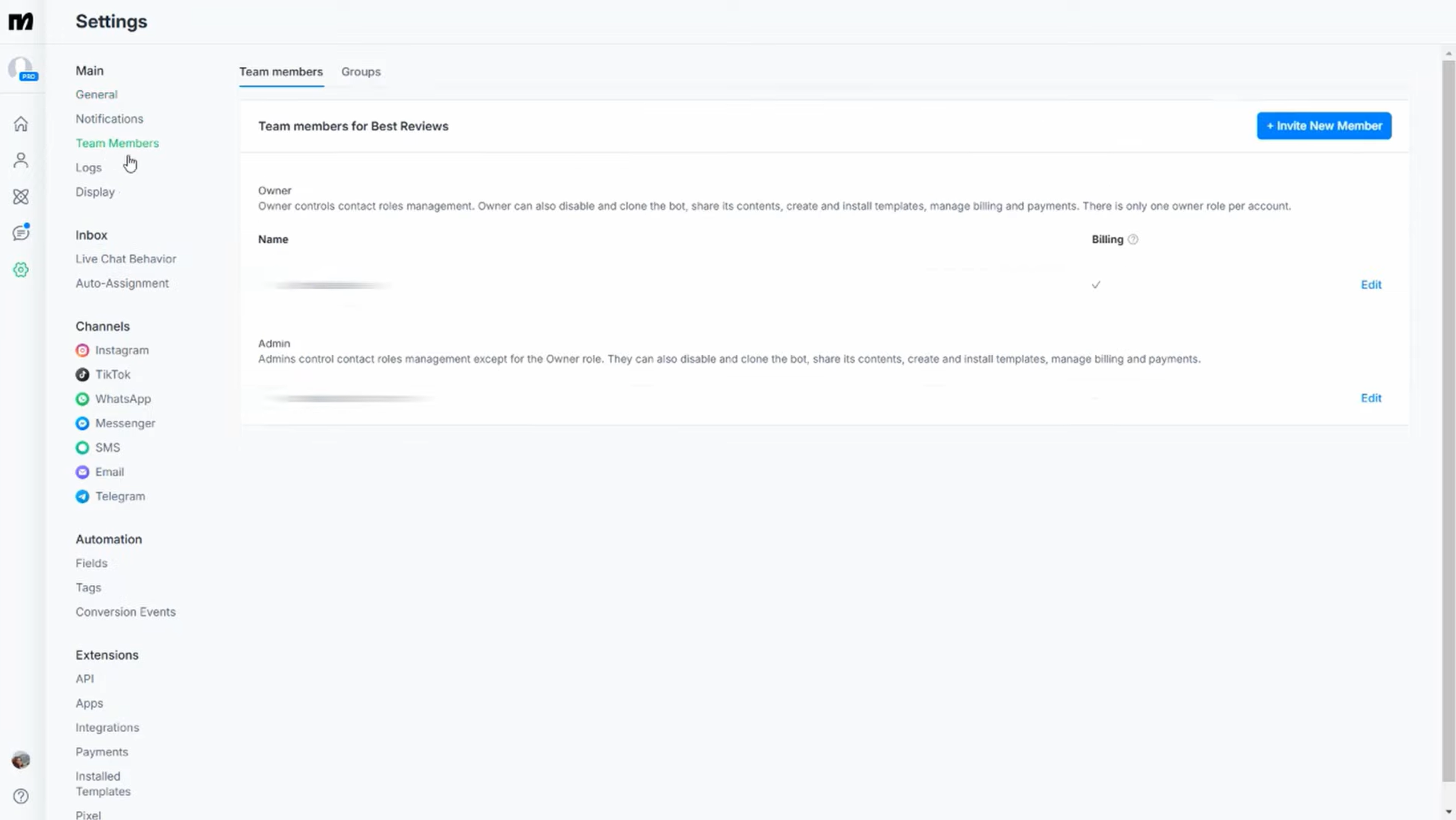
ManyChat is a chat automation platform that lets you build automated conversations - often called "flows" - for Instagram DMs, Facebook Messenger, WhatsApp, Telegram, and SMS. Founded in 2015, it has grown into the most popular chatbot builder for small businesses and creators, with over 1 million businesses using the platform worldwide.
At its core, ManyChat works like this: someone interacts with your social media content (comments a keyword, replies to a Story, clicks a link, sends you a DM), and ManyChat automatically sends them a personalized message or series of messages based on rules you set up. No coding required.
The key features that matter for real estate agents:
- Drag-and-Drop Flow Builder - Build automated conversation sequences visually. Each "block" in the flow represents a message, a question, a delay, or a conditional branch. If the lead says they are buying, send them down one path. If they are selling, send them down another.
- Keyword Triggers - Set specific words that trigger automation. When someone comments "GUIDE" on your Reel, ManyChat instantly sends them a DM with your lead magnet. When someone DMs "listings," they get your latest available properties.
- Instagram Comment Automation - Automatically reply to comments on your posts and Reels, then send a follow-up DM. This is the single most powerful feature for real estate lead generation on Instagram.
- Story Mention and Reply Triggers - When someone replies to your Instagram Story or mentions you in theirs, ManyChat can automatically send them a message.
- CRM and Email Integration - Connect ManyChat to your CRM (Follow Up Boss, kvCORE, HubSpot, and others), email platform (Mailchimp, ActiveCampaign), or Google Sheets via Zapier or native integrations.
- Live Chat Handoff - When a conversation needs a human touch, ManyChat can pause automation and notify you to jump in manually.
- Built-in Contact Management - ManyChat stores every contact with their conversation history, custom fields (budget, timeline, area), and tags so you can segment and re-engage later.
- SMS and Email Broadcasting - Send bulk messages to your ManyChat contacts via SMS or email, not just through social platforms.
The platform is designed for non-technical users. If you can use Canva, you can use ManyChat. The learning curve is real but manageable - most agents get their first automation live within an hour or two.
ManyChat Pricing Breakdown for Real Estate Agents
ManyChat keeps pricing straightforward with two main tiers. Here is how they break down as of early 2026:
| Plan | Price | Contacts | Best For |
|---|---|---|---|
| Free | $0/mo | Up to 1,000 | Getting started |
| Pro | $15/mo+ | Unlimited | Growing agents |
| Pro + AI | +$29/mo | Same as Pro | AI automation |
| Elite | Custom | Custom | Teams and agencies |
Free includes: Instagram DMs, Facebook Messenger, TikTok (Beta), unlimited flows, 10 tags, 3 keywords. Pro adds: WhatsApp, SMS, Email, unlimited tags/keywords, analytics, no branding, and CRM integrations. Pro + AI adds: AI Step, Intention Recognition, Flow Builder Assistant, and Text Improver for $29/mo extra.
Our recommendation: Start with the Free plan to learn the interface and build your first flow. The moment you want comment automation on Instagram (which is the biggest lead generation feature), upgrade to Pro. At $15 per month, ManyChat Pro is one of the cheapest lead generation tools available to real estate agents. If it helps you capture even one extra lead per month, it pays for itself many times over.
The Pro plan price of $15/mo is for the base tier. If your contact list grows past certain thresholds (10,000, 25,000, etc.), the price scales up slightly. But for the vast majority of individual agents and small teams, $15/mo covers everything you need.
Try ManyChat Free →7 Ways Real Estate Agents Use ManyChat to Generate Leads
On to the practical strategies. These are not hypothetical ideas - these are workflows that top-producing agents are actively running right now to turn social media followers into real leads.
Before we dive into the seven strategies, it is worth understanding the HVC formula that social media marketing expert Mike Sherard teaches for real estate content that converts. HVC stands for Hook, Value, Call to Action:
- Hook - The first 1 to 3 seconds that stop the scroll. A bold statement, a surprising fact, or a pattern interrupt.
- Value - The meat of the content. Educate, entertain, or inspire your audience.
- Call to Action - Tell them exactly what to do next. This is where ManyChat comes in. Instead of "DM me for details" (which requires manual follow-up), you say "Comment GUIDE below and I will send it to you instantly."
The platform turns the CTA into an automated lead capture machine.
1. Auto-DM Lead Magnets (The "Comment Trigger" Strategy)
This is the single most effective ManyChat strategy for real estate agents, and it is the one you should set up first.
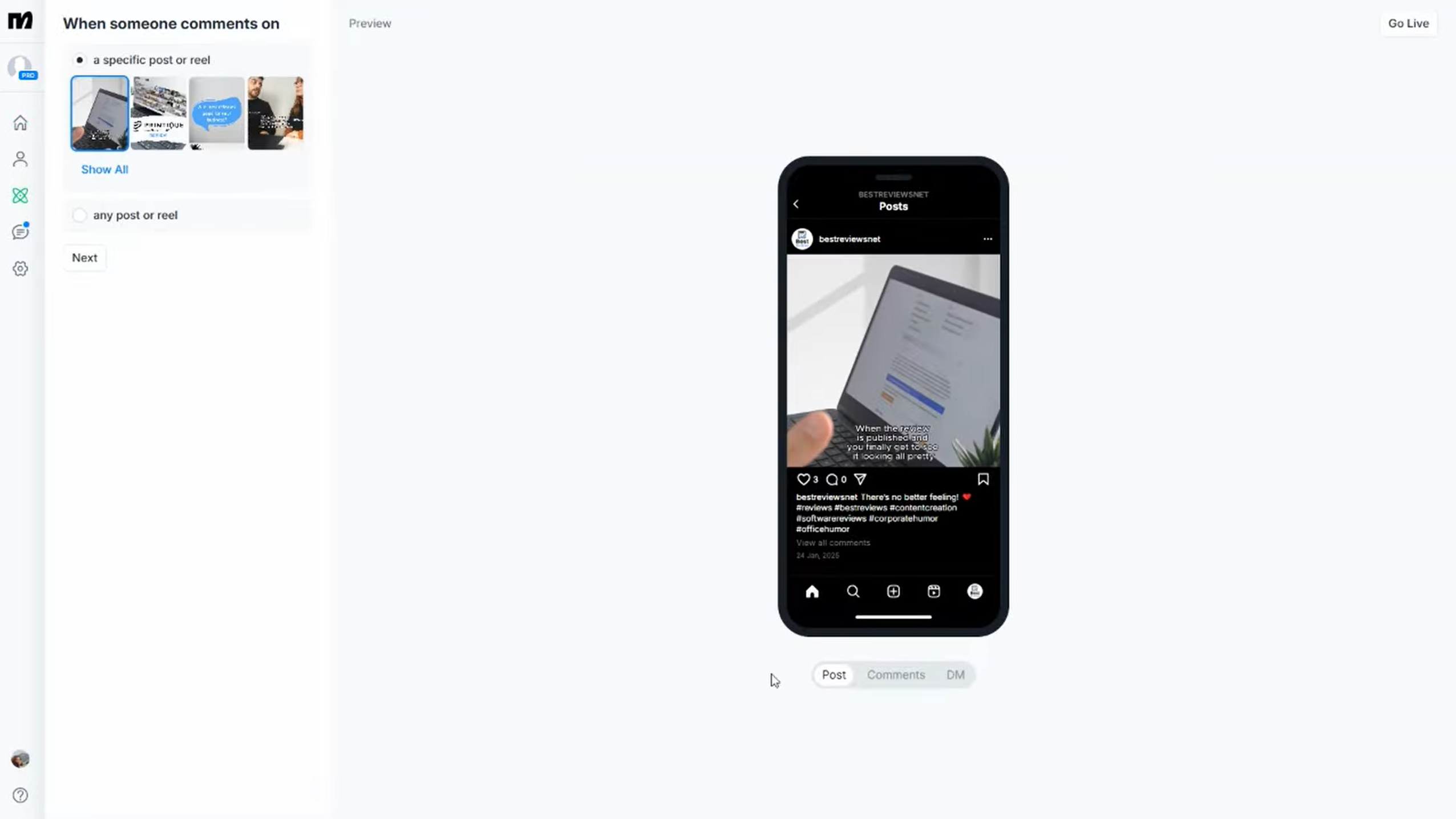
The flow: You create a piece of valuable content - a Reel, a carousel, or a static post. In the caption, you include a CTA like "Comment GUIDE below and I will DM you our free Relocation Guide to [Your City]." When someone comments "GUIDE" (or any variation - ManyChat can match partial keywords), two things happen automatically:
- ManyChat replies to their comment publicly (e.g., "Sent it to your DMs! Check your inbox."), which boosts engagement and signals to the Instagram algorithm that your post is generating conversation.
- ManyChat sends them a private DM with your lead magnet link and a follow-up question to qualify them (e.g., "Are you planning to move to Austin in the next 6 months?").
Lead magnet ideas that work well for real estate agents:
- Relocation guides for your market
- "What your home is worth" instant CMA request
- First-time buyer checklists
- Lists of best neighborhoods in your area
- Home selling timelines and checklists
- Market reports and pricing trends
The beauty of this strategy is that every lead magnet request is also a public comment on your post, which increases visibility in the algorithm. It is a self-reinforcing cycle - more comments lead to more reach, which leads to more comments.
2. Lead Qualification Flows
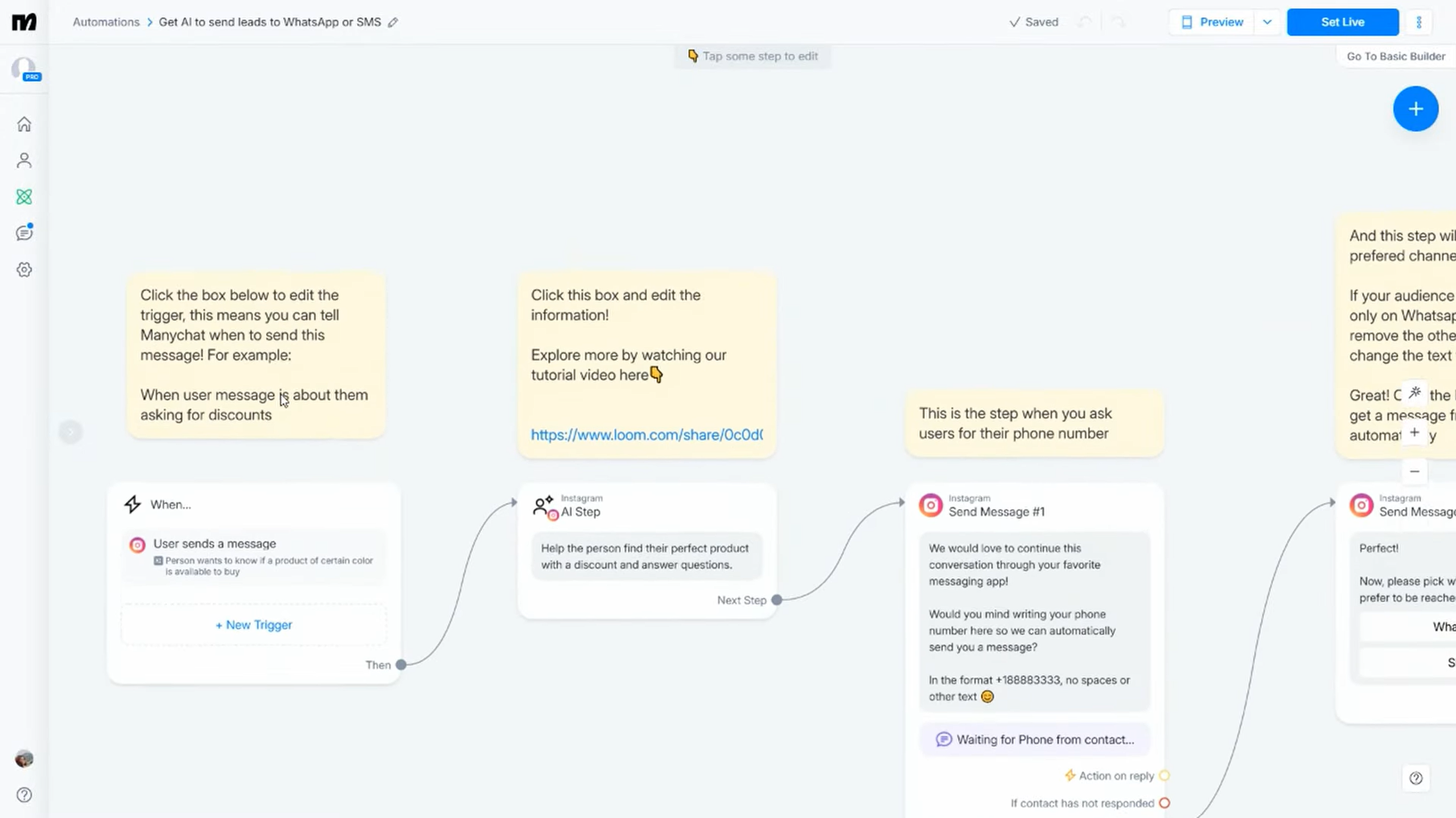
Getting a DM is one thing. Knowing whether that person is a serious lead or just casually browsing is another. The software lets you build qualification flows that ask the right questions automatically.
A simple real estate qualification flow might look like this:
- Message 1: "Thanks for reaching out! Are you looking to buy, sell, or both?" (Quick reply buttons: Buy / Sell / Both)
- If Buy - Message 2: "Great! What is your ideal timeline for purchasing?" (Quick reply buttons: 0-3 months / 3-6 months / 6-12 months / Just exploring)
- Message 3: "What areas are you most interested in?" (Quick reply buttons with your service areas)
- Message 4: "Last question - what is your approximate budget range?" (Quick reply buttons with price ranges)
- Message 5: "Awesome! I have all the info I need. I will personally follow up with you within 24 hours. In the meantime, here are some listings that match your criteria: [link to your ListingFlare property pages]"
All of this data gets saved to ManyChat's built-in CRM fields. You can then sync it to your main CRM via Zapier. When you follow up with the lead, you already know their timeline, budget, preferred area, and whether they are buying or selling. That is a massive advantage over a cold "Hey, thanks for the DM, how can I help?" response.
3. Open House Registration via QR Codes
The platform generates unique QR codes that link directly to a Messenger or Instagram conversation. Print the QR code on your open house flyers, yard signs, and door hangers. When someone scans it, they are dropped into a ManyChat flow that:
- Welcomes them and asks for their name and email
- Sends them the property details, photos, and a link to your single property website
- Asks if they would like to schedule a private showing
- Tags them in your CRM as an open house attendee
This replaces the old paper sign-in sheet and gives you a digital contact with full conversation history. No more trying to decipher messy handwriting or dealing with fake email addresses.
4. Listing Inquiry Automation
Every time you post a new listing on Instagram, you can set up ManyChat to handle inquiries automatically. Your caption says something like: "Comment INFO to get the full details, floor plan, and pricing sent directly to your DMs."
When someone comments, ManyChat sends them:
- A carousel of the property's best photos
- Key details (price, beds, baths, square footage, neighborhood)
- A link to the full listing page
- A prompt to schedule a showing: "Would you like to see this home in person? I have availability this week."
This turns every listing post into an active lead generation tool instead of just a pretty picture that gets a few likes and disappears.
5. Automated Follow-Up Sequences
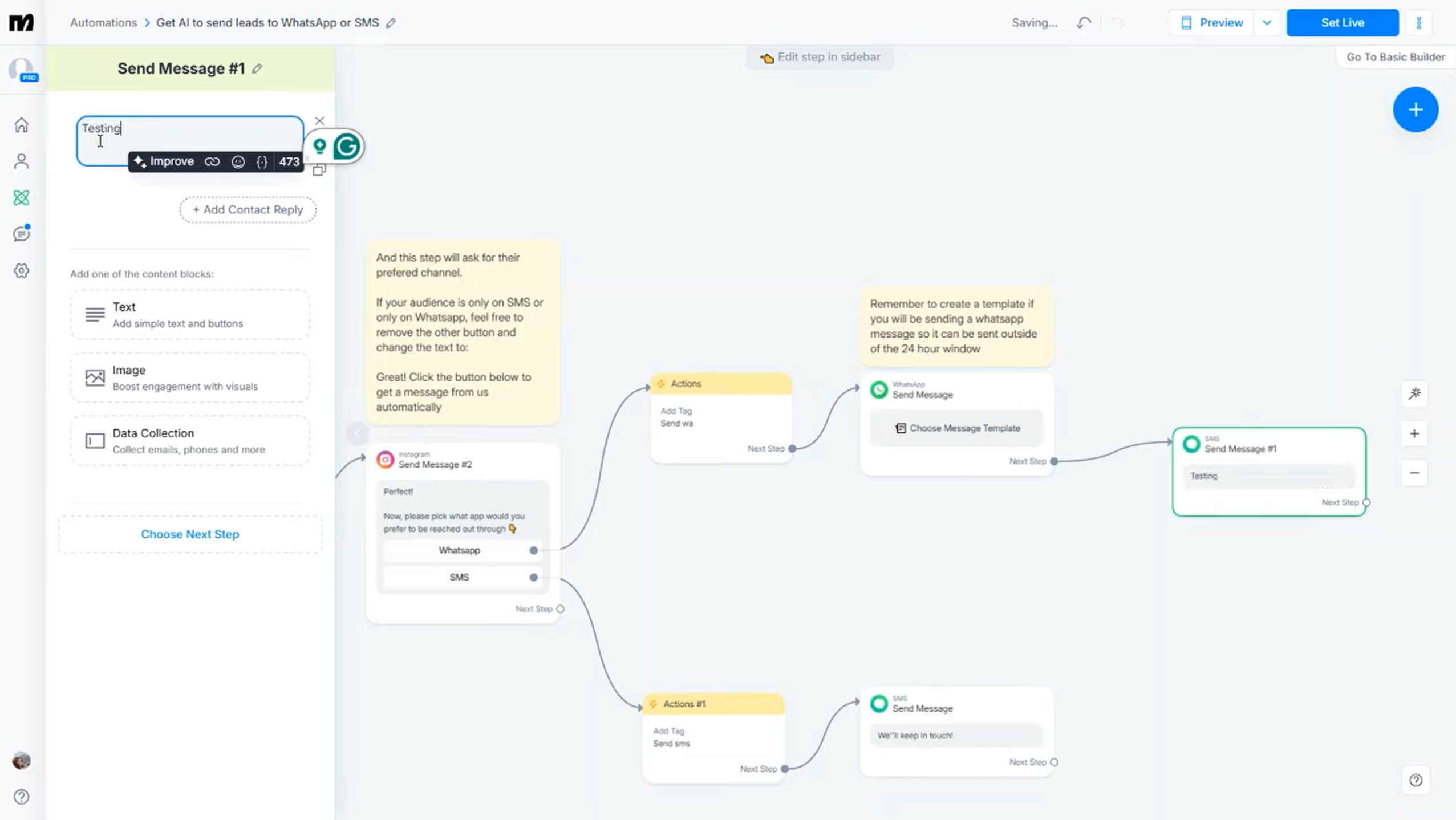
The fortune is in the follow-up, and most agents are terrible at it. Studies show that it takes an average of 5 to 12 contacts before a lead converts. It lets you set up timed follow-up sequences that keep you top of mind without you lifting a finger.
An example follow-up sequence for a buyer lead:
- Day 0: Initial lead magnet delivery + qualification questions
- Day 1: "Hey [Name]! Just wanted to make sure you got the guide. Did you have any questions about [area]?"
- Day 3: Share a new listing that matches their criteria
- Day 7: Send a neighborhood spotlight or market update
- Day 14: "Just checking in - are you still looking to make a move in the next [timeline they mentioned]?"
- Day 30: Monthly market update or new listings roundup
Every message in this sequence can include quick reply buttons so the lead can respond without typing. If they reply at any point, ManyChat pauses the automation and notifies you to jump in for a live conversation. This hybrid approach - automation with a human handoff - is the sweet spot for real estate.
6. 24/7 FAQ Answering
How many times do you get the same questions? "What areas do you serve?" "How much does a buyer's agent cost?" "What is the market like right now?" "Do you work with first-time buyers?"
This tool lets you set up keyword triggers for common questions. When someone DMs you with a question containing words like "commission," "areas," "first-time," or "market," ManyChat sends an instant, helpful answer and then offers to connect them with you for a deeper conversation.
This is especially powerful for agents who get a lot of DMs from social media content. Instead of letting messages sit unanswered for hours (which kills the lead's interest), they get an immediate response that makes them feel taken care of.
7. Instagram Story Engagement (Poll and Reply Triggers)
Instagram Stories are one of the highest-engagement formats on the platform, and ManyChat integrates with them beautifully. Two specific tactics:
Poll Replies: Post a Story with a poll - "Are you thinking about buying a home this year? Yes / Maybe next year." When someone responds, ManyChat triggers a DM: "I saw you might be thinking about buying! What areas are you most interested in?" This turns a casual Story interaction into a real conversation.
Story Replies: When someone replies to your Story (even with just an emoji), ManyChat can send a follow-up message. If you post a Story about a just-listed property and someone sends a heart-eyes emoji, ManyChat can respond: "Glad you like it! Want me to send you the full details and pricing?"
The key with Story triggers is that they feel organic. The person interacted with your content, and they get a relevant follow-up. It does not feel like spam because it is contextual and timely.
Step-by-Step: Setting Up ManyChat for Real Estate
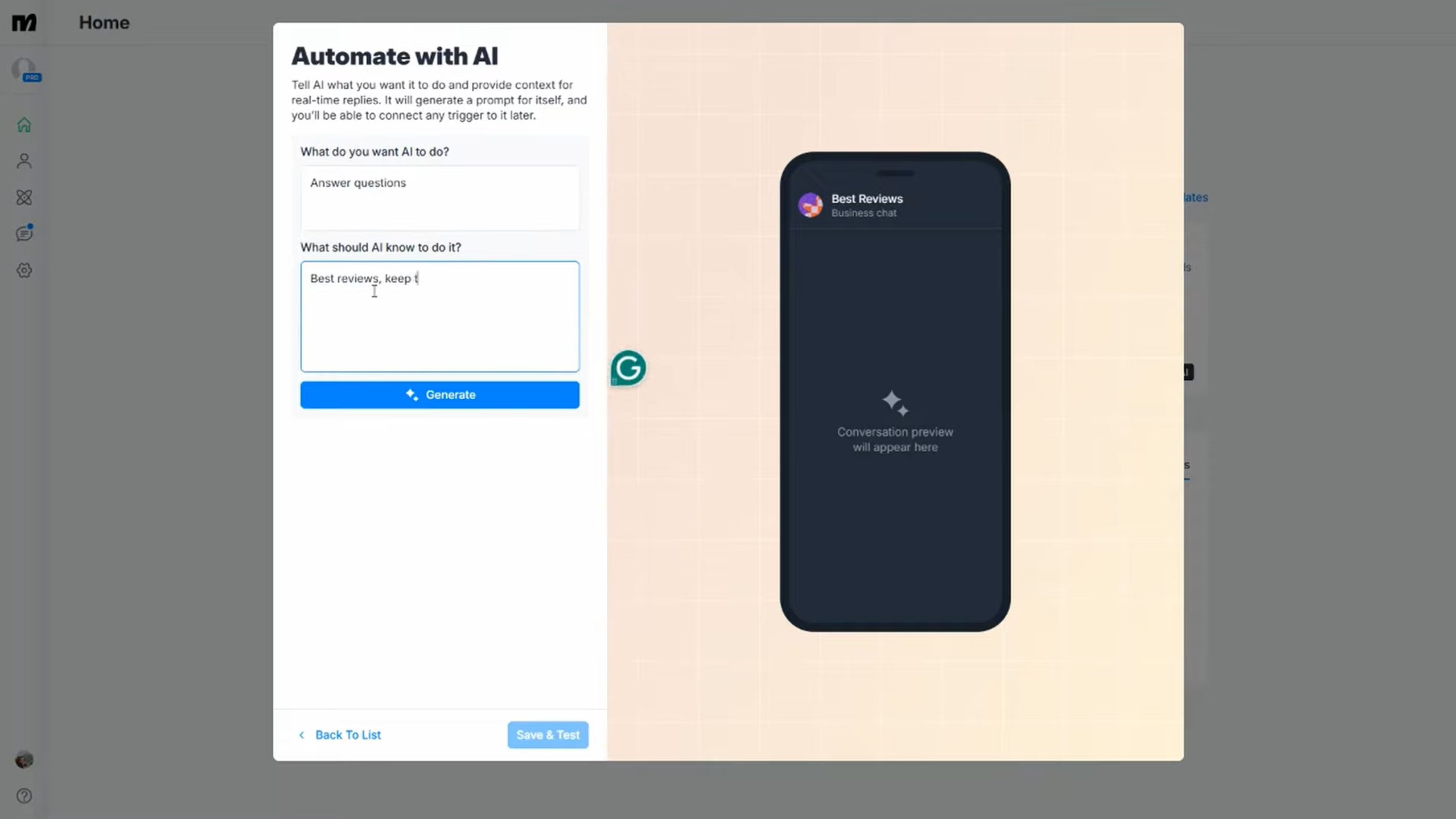
A practical walkthrough to get your first ManyChat automation live. We will set up the most impactful flow - the comment trigger lead magnet strategy.
Step 1: Create Your ManyChat Account
Go to manychat.com and sign up with your Facebook account. ManyChat requires a Facebook Business Page to connect. Once signed in, connect your Instagram Professional account (it must be a Business or Creator account, not a personal one).
Step 2: Connect Your Instagram Account
In ManyChat's Settings, go to the Instagram section and follow the connection prompts. You will need to authorize ManyChat through Facebook's API. Make sure your Instagram account is connected to your Facebook Business Page. This is a one-time setup that takes about 5 minutes.
Step 3: Create a New Automation Flow
Go to the Automation tab and click "New Automation." Select "Instagram" as the channel. Choose "Comments" as the trigger type. You will see the flow builder - a visual canvas where you drag and drop message blocks.
Step 4: Set Your Trigger Keyword
In the trigger settings, enter the keyword you want to listen for. For example, type "GUIDE" and select "Contains" as the match type. This means if someone comments "GUIDE," "guide," "send me the guide," or anything containing that word, the automation fires. You can also specify which posts the trigger applies to - all posts, specific posts, or posts with certain hashtags.
Step 5: Build the Comment Reply
Add a "Reply to Comment" action. This is the public reply that appears under their comment. Keep it natural: "Just sent it to your DMs! Check your inbox." or "On its way! Check your messages." This public reply boosts your post's engagement metrics.
Step 6: Build the DM Sequence
Add a "Send Message" action after the comment reply. This is the private DM. Structure it like this:
- First message: "Hey [First Name]! Here is your free [City] Relocation Guide as promised: [link]. I think you will love Section 3 on the best neighborhoods."
- Quick reply button: "Are you planning a move? Tell me more!" (This triggers the next message.)
- Qualification question: "Awesome! What is your timeline for moving?" (Quick reply buttons: 0-3 months / 3-6 months / 6-12 months / Just researching)
- Follow-up: "Got it! I would love to help you with your search. What is the best email to reach you at?" (User input field that saves to a custom field.)
- Final message: "Perfect - I will be in touch soon! In the meantime, feel free to browse some of our featured properties here: [link to your listings page]."
Step 7: Test Your Flow
ManyChat has a built-in preview mode. Test the entire flow yourself by triggering it from your own Instagram account or using ManyChat's testing tool. Make sure every message, button, and link works correctly before going live.
Step 8: Publish and Create Your Content
Publish the automation, then create your Instagram post or Reel with a CTA that tells people to comment your trigger word. For best results, mention the keyword in your video, your caption, and even as a text overlay on the Reel itself.
Step 9: Set Up CRM Integration
Go to Settings and then Integrations. Connect Zapier (or use native integrations if available for your CRM). Create a Zap that sends new ManyChat contacts to your CRM. Map the custom fields - name, email, phone, budget, timeline, area preference - so your CRM record is fully populated.
Step 10: Monitor and Optimize
Check ManyChat's analytics dashboard weekly. Track how many people trigger your automations, how far they get through qualification flows, and where they drop off. A/B test different opening messages, button labels, and follow-up timing to improve conversion rates over time.
ManyChat Pros and Cons for Real Estate Agents
After extensive testing, here is our honest assessment of where ManyChat shines and where it falls short for real estate professionals.
Pros
- Instagram comment automation. Auto-DM everyone who comments a keyword on your posts.
- Extremely affordable. $15/mo Pro plan costs less than a single Zillow lead.
- No coding required. Visual flow builder is as intuitive as Canva.
- Multi-channel support. Instagram, Facebook, WhatsApp, SMS, and email in one platform.
- Instant response time. Responds in seconds, 24/7, every day of the year.
- CRM integration. Works with any CRM via Zapier.
- Boosts algorithm performance. Auto-replies increase engagement signals for Instagram.
Cons
- Instagram API limitations. Can only message people who interact with your content first.
- Setup time. Building a full automation system takes several hours upfront.
- Can feel impersonal. Robotic or pushy messages will disengage leads fast.
- Limited AI capabilities. Rule-based system, not truly conversational AI.
- WhatsApp and SMS costs extra. Per-message costs beyond the base subscription.
- Facebook dependency. Relies on Meta APIs which can change unexpectedly.
ManyChat vs Alternatives: How Does It Compare?
ManyChat is the market leader for social media chatbot automation, but there are alternatives worth knowing about. Here is a quick comparison:
ManyChat vs Chatfuel
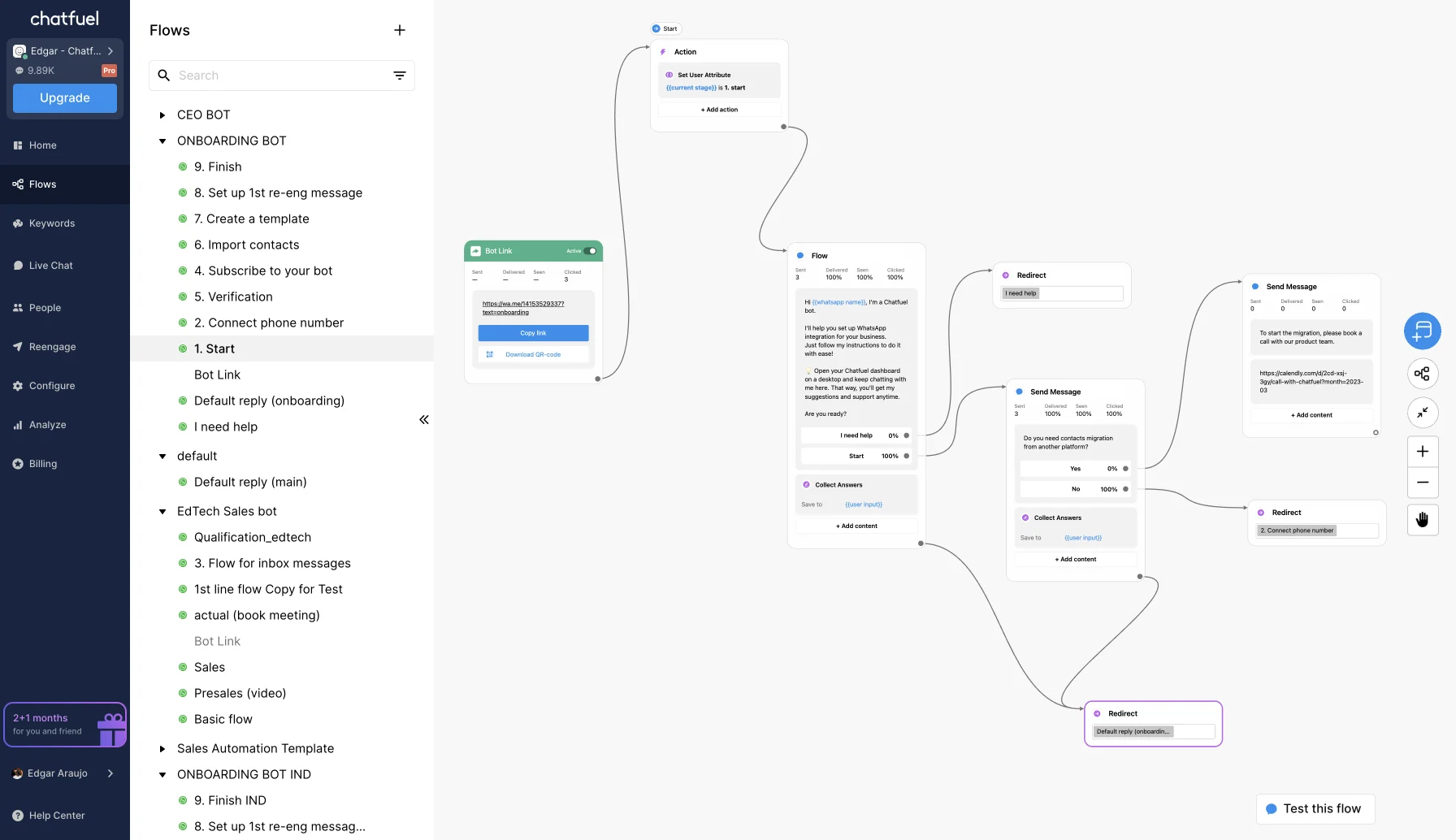
Chatfuel is ManyChat's closest competitor. It offers similar flow-building capabilities for Instagram and Facebook Messenger. The key differences: Chatfuel's free plan is more limited (50 conversations/mo vs. ManyChat's 1,000 contacts). Chatfuel's paid plans start at $19.99/mo, which is more expensive than ManyChat Pro. Chatfuel has invested more heavily in AI-powered responses, which can be helpful for handling unexpected questions. However, ManyChat's interface is more polished and its Instagram comment automation is more robust. For most real estate agents, ManyChat is the better choice.
ManyChat vs MobileMonkey (Customers.ai)
MobileMonkey (now rebranded as Customers.ai) has shifted its focus toward website visitor identification and outbound sales automation rather than social media chatbots. While it still offers some chat automation features, it is no longer a direct ManyChat competitor for Instagram and Facebook lead generation. If you need website visitor identification, Customers.ai is interesting. For social media DM automation, ManyChat wins.
ManyChat vs Building Your Own with Meta's API
If you are technically inclined, you could build custom automations directly through Meta's Messenger and Instagram APIs. However, this requires significant development time and ongoing maintenance. ManyChat abstracts all of that complexity into a user-friendly interface for $15/mo. Unless you have very specific needs that ManyChat cannot handle, building your own is rarely worth the effort.
The bottom line: ManyChat is the best all-around option for real estate agents who want to automate social media lead capture. It has the largest community, the most templates, the best Instagram integration, and the most affordable pricing.
How ManyChat and ListingFlare Work Together
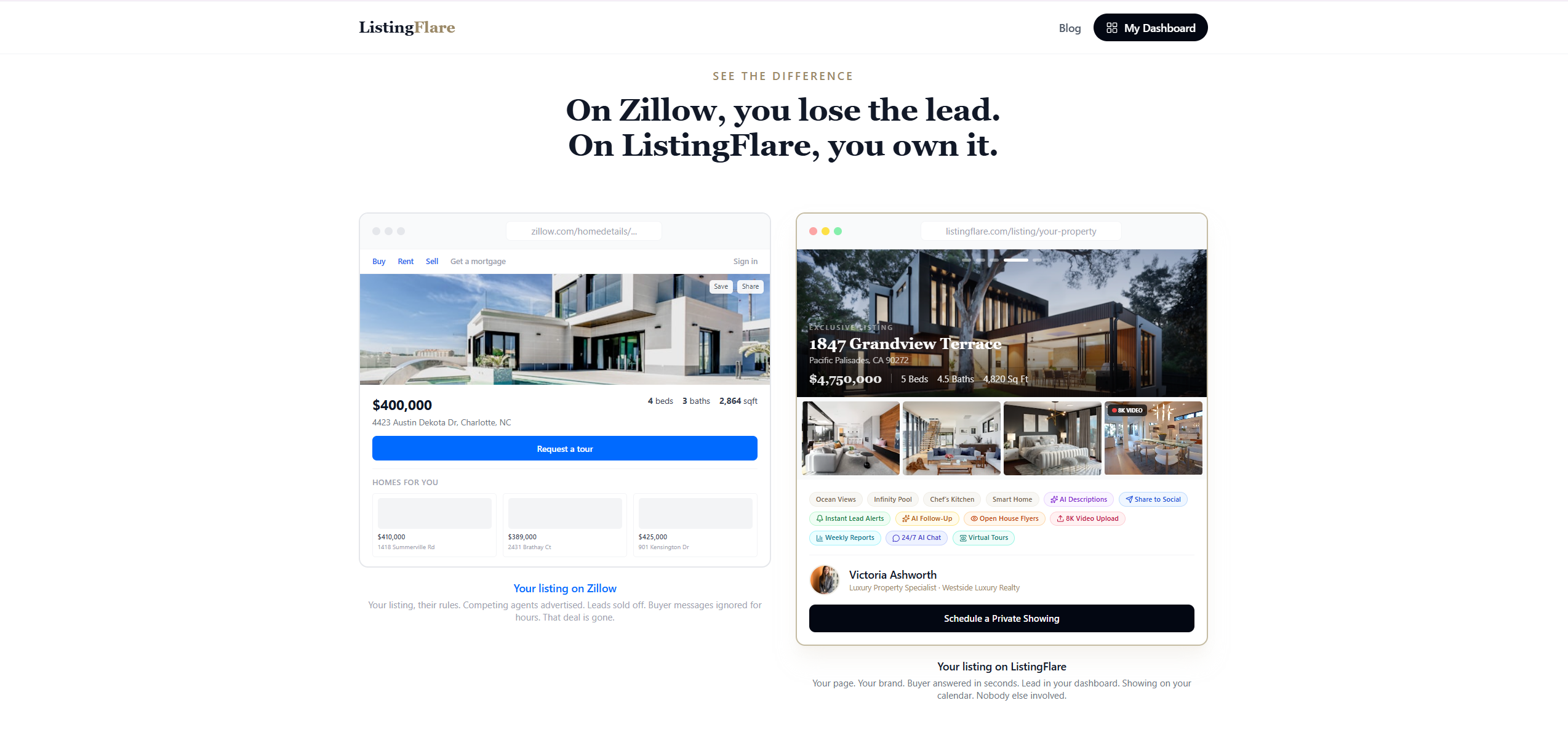
Here is where things get really powerful. ManyChat and ListingFlare are not competing tools - they are complementary tools that cover different stages of the lead capture journey.
ManyChat captures leads on social media. It turns Instagram comments, Facebook messages, and Story replies into conversations and collects contact information. It works in the awareness and interest stages - someone sees your content, engages with it, and ManyChat turns that engagement into a lead.
ListingFlare captures leads on your property websites. When someone lands on your single property website - whether from an Instagram link, a Google search, a QR code, or a direct URL - ListingFlare's AI-powered chatbot engages them in a natural conversation about the property, answers their questions, and captures their contact information.
A real workflow showing how both tools work together:
- You post a Reel showcasing a new listing with a caption that says "Comment DETAILS to get the full property info."
- ManyChat auto-DMs the commenter with key details, photos, and a link to the ListingFlare property page.
- The lead clicks through to the ListingFlare page and browses the full listing - professional photos, virtual tour, neighborhood info, pricing.
- ListingFlare's AI chatbot engages them: "Hi! I see you are looking at 123 Oak Street. Would you like to schedule a private tour?" The chatbot collects their name, email, phone, and preferred showing time.
- You get a qualified lead with full contact info, their social media conversation history (from ManyChat), and their website behavior (from ListingFlare).
ManyChat gets them interested. ListingFlare converts them. Together, you have a complete lead capture system that works across social media and your website, 24 hours a day.
Want to see how ListingFlare's AI chatbot works on a real property page? Try the live demo here.
Verdict: Is ManyChat Worth It for Real Estate Agents?
Yes - if you are active on Instagram or Facebook, ManyChat is one of the highest-ROI tools you can add to your marketing stack.
At $15/mo for the Pro plan, the barrier to entry is almost nonexistent. The Instagram comment automation feature alone makes it worth the price. When you combine it with lead qualification flows, follow-up sequences, and CRM integration, you have a system that works around the clock to turn social media engagement into real conversations with real buyers and sellers.
ManyChat is not a replacement for genuine relationship-building. The best agents use it as a conversation starter, not a conversation replacement. The automation handles the repetitive first-touch interactions so you can spend your time on the high-value conversations that actually close deals.
Who ManyChat is best for:
- Agents who post consistently on Instagram or Facebook and want to capture leads from that content
- Agents who get DMs and comments but cannot respond fast enough
- Agents who create lead magnets (guides, checklists, market reports) and need a distribution system
- Teams that want to systematize their social media lead generation
- Agents in competitive markets where speed-to-lead matters
If you are not yet active on social media, ManyChat will not help. It is an amplifier, not a replacement for content creation. You need to be posting regularly and building an audience first. But once you are, ManyChat turns that audience into a lead pipeline.
Pair it with ListingFlare for your property websites and you have a comprehensive lead capture system that covers social media, your website, and everything in between.
Try ManyChat Free →Frequently Asked Questions
Is ManyChat free for real estate agents?
ManyChat offers a free plan with basic automation for up to 1,000 contacts. However, Instagram comment automation, advanced flows, and CRM integrations require the Pro plan at $15/mo. Start free to learn the interface and upgrade to Pro when you are ready for comment triggers.
Does ManyChat work with Instagram Reels?
Yes. ManyChat can trigger automations based on comments on Reels, regular posts, and live videos. The comment trigger feature works the same way across all post types. Reels tend to get the most reach, making them the ideal content format for ManyChat-powered lead generation.
Will ManyChat get my Instagram account banned?
No, ManyChat is an official Meta (Facebook/Instagram) partner. It uses approved APIs and follows all of Meta's policies. As long as you use ManyChat as intended - responding to people who engage with your content first - you are fully compliant. Avoid using it to spam people or send unsolicited messages, and you will have no issues.
Can I use ManyChat with my real estate CRM?
Yes. ManyChat integrates with most real estate CRMs through Zapier, including Follow Up Boss, kvCORE, LionDesk, HubSpot, and Sierra Interactive. You can automatically push new leads with custom fields like budget and timeline directly into your CRM.
How is ManyChat different from ListingFlare?
ManyChat automates conversations on social media platforms - Instagram DMs, Facebook Messenger, and WhatsApp. ListingFlare provides AI-powered chatbots on your single property websites that engage visitors and capture leads. They complement each other perfectly: ManyChat captures leads where they discover you (social media), and ListingFlare captures leads where they evaluate your listings (your property websites).
How long does it take to set up ManyChat?
You can create your ManyChat account and build your first basic automation in about 1 to 2 hours. Building a comprehensive system with multiple flows, qualification paths, and follow-up sequences takes a full afternoon. The platform has a learning curve, but it is manageable for anyone comfortable with basic technology tools.
Does ManyChat work for both buyers and sellers?
Absolutely. For buyer leads, use comment triggers on listing posts, neighborhood guides, and market updates. For seller leads, use triggers on content about home values, selling tips, and market conditions. You can build separate qualification flows for buyers and sellers so each gets a personalized experience.
Can I send bulk messages to my ManyChat contacts?
Yes, the Pro plan includes broadcasting via Instagram DM, Facebook Messenger, SMS, and email. Instagram limits promotional broadcasts to people who messaged you within the last 24 hours. Outside that window, you can send non-promotional content. SMS and email broadcasts have no such restriction.
What happens when a lead asks a question ManyChat cannot answer?
ManyChat supports live chat handoff. When the automation cannot handle a question or when a lead explicitly asks to talk to a person, ManyChat pauses the flow and sends you a notification. You can then jump into the conversation manually and respond in real-time. This hybrid approach ensures no lead falls through the cracks.